129
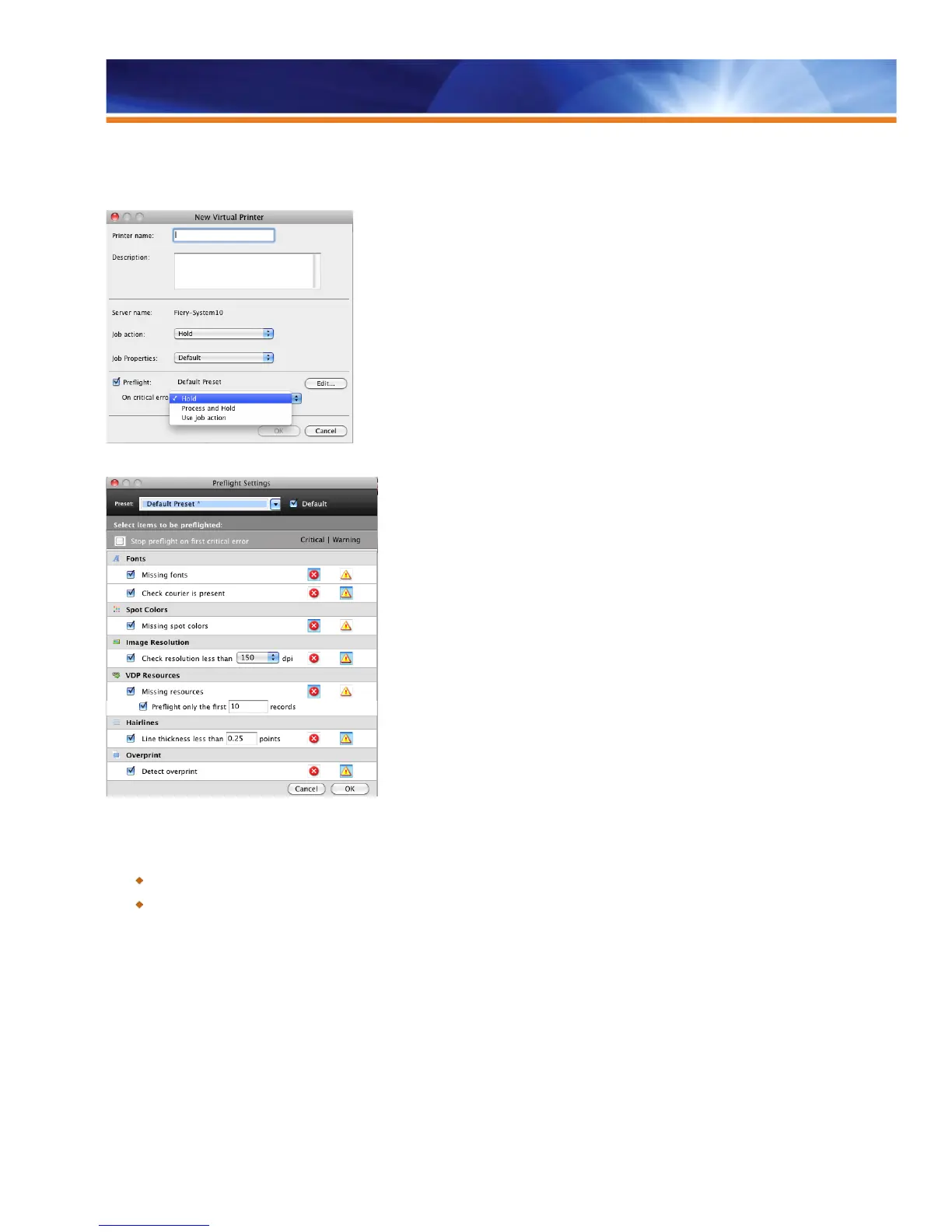
Operators enable Auto Preflight when setting up Hot Folders and Virtual Printers by checking the Preflight box. The administrator can also
define what constitutes a warning error and what to do with jobs that have these errors. For example, such jobs can be moved to the Hold
queue — preventing them from printing and wasting materials.
Enable Auto Preflight when setting up Hot Folders and Virtual Printers.
Customize the warning error tolerances in Preflight settings.
Benefits:
Automatically preflighting jobs saves time and increases productivity.
Rerouting incorrect files before printing saves resources and money.
Control Bar
A color control bar is commonly used with press and contract proofs. Without a color bar included in a proof, it is nearly impossible to
determine the degree of color variance from proof to print. A proofing color control bar provides the means to measure the precision,
consistency and capability of a proofing system to represent your chosen printing condition. Control bars can also be used to monitor color
quality during a production press run. Most Fiery users today use the control bar for this purpose.



 To Next Page