EasyManua.ls Logo

ELITechGroup MACRODUCT ADVANCED 3710 SYS - User Manual

ELITechGroup MACRODUCT ADVANCED 3710 SYS
100 pages
Print Icon
To Next Page IconTo Next Page
Loading...
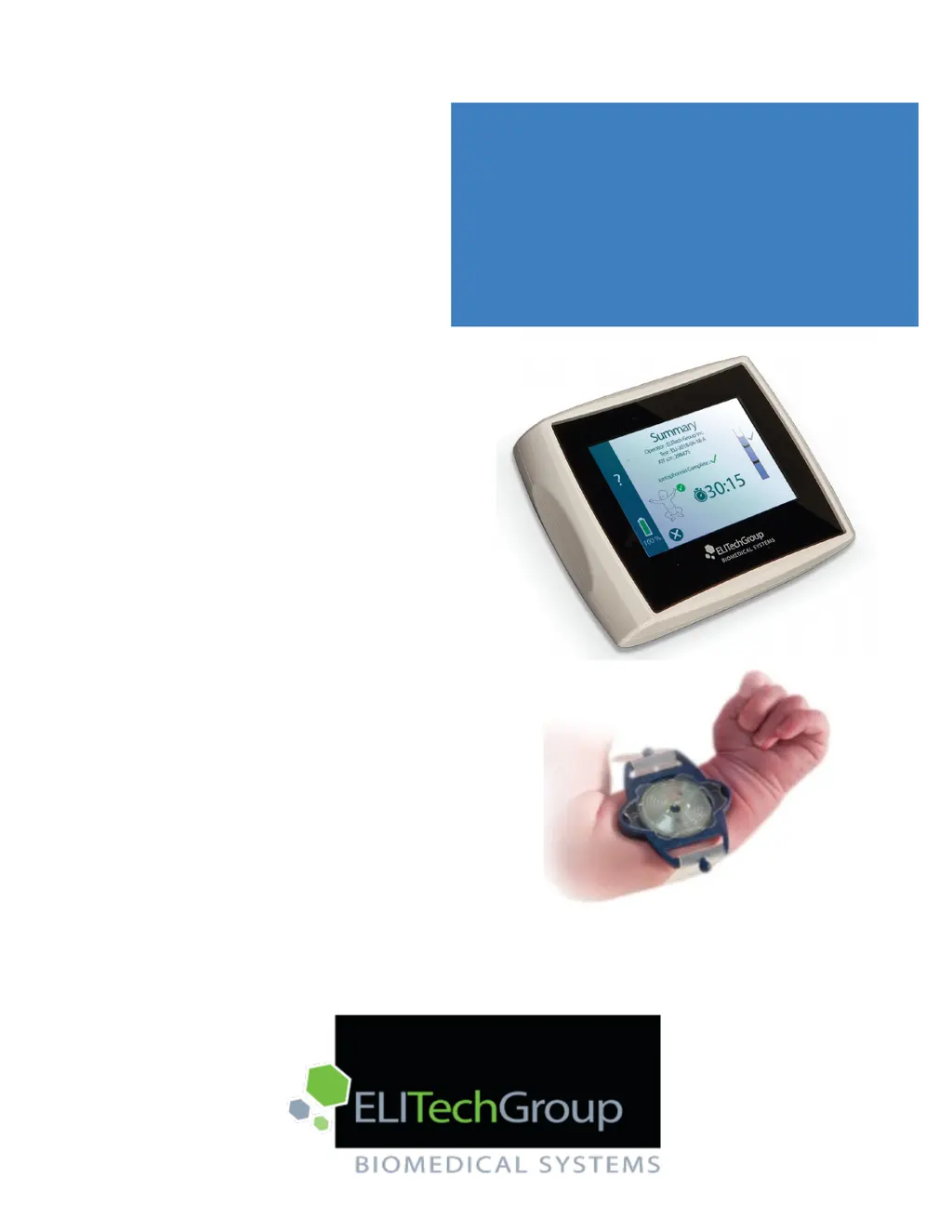
MACRODUCT
®
ADVANCED
MODEL 3710 SYS
USER’S MANUAL
Sweat Collection System

Table of Contents

Questions and Answers

  • J
    Joshua HarveySep 6, 2025
    What to do if ELITechGroup MACRODUCT ADVANCED 3710 SYS displays Error 1009 Electrode Cable Removed, Iontophoresis Cancelled?
    • C
      christinawarrenSep 6, 2025
      If your ELITechGroup Personal Care Products displays 'Error 1009 Electrode Cable Removed, Iontophoresis Cancelled', it indicates that the electrode cable assembly was removed during iontophoresis. Connect the electrode cable assembly and start the test again.
  • J
    Jesse AllenAug 22, 2025
    What to do if ELITechGroup MACRODUCT ADVANCED 3710 SYS Personal Care Products device immediately shuts off?
    • S
      Stephanie MiddletonAug 22, 2025
      If your ELITechGroup Personal Care Products device shuts off during a test, the battery may be low or unable to hold a charge. Try charging the battery and repeating the test. If the problem continues after charging, the battery may need replacement.
  • E
    Erica LangSep 3, 2025
    What to do if ELITechGroup Personal Care Products displays Error 1007 Disconnect Power Supply?
    • G
      George RodriguezSep 4, 2025
      If your ELITechGroup Personal Care Products displays 'Error 1007 Disconnect Power Supply', it means the battery charging power supply was detected when trying to start iontophoresis. Disconnect the battery charging power supply before starting a test.
  • D
    Daniel GrantSep 2, 2025
    What to do if ELITechGroup Personal Care Products displays Error 1004 Low mA?
    • F
      flemingjulianSep 2, 2025
      If your ELITechGroup Personal Care Products device displays 'Error 1004 Low mA', ensure both electrodes are secured with adequate tightness to the patient’s limb and that the cable is connected to the device. Inspect the electrodes and clean if necessary. Place a drop of deionized water between the electrode and Pilogel disc and directly on the clean skin beneath the Pilogel disc. Consider repeating the test once. If the problem persists, current control circuitry may be damaged or electrode cable assembly may be damaged. Stop using the device.
  • J
    Jennifer MillerSep 1, 2025
    What to do if ELITechGroup MACRODUCT ADVANCED 3710 SYS Personal Care Products displays Error 1003 No Gel Detected?
    • N
      nathan58Sep 1, 2025
      If your ELITechGroup Personal Care Products shows 'Error 1003 No Gel Detected', check both the red and black electrodes to confirm that a Pilogel disc is present inside each of the electrode housings. This error indicates that Pilogel is missing from both electrodes, or there may be a problem with the electrode cable assembly or gel detection circuit.
  • J
    Joyce RussellAug 30, 2025
    What to do if ELITechGroup MACRODUCT ADVANCED 3710 SYS displays Error 1002 No Gel Detected?
    • A
      Alexis FosterAug 30, 2025
      If your ELITechGroup Personal Care Products displays 'Error 1002 No Gel Detected', verify that a Pilogel disc is present and correctly placed inside the black electrode housing. The error suggests that Pilogel is missing from the black electrode, or there may be an issue with the electrode cable assembly or the gel detection circuit.
  • J
    Joan HamptonAug 29, 2025
    What to do if ELITechGroup MACRODUCT ADVANCED 3710 SYS Personal Care Products displays Error 1001 No Gel Detected?
    • J
      James ReeseAug 29, 2025
      If your ELITechGroup Personal Care Products shows 'Error 1001 No Gel Detected', check the red electrode to ensure that a Pilogel disc is present and securely positioned inside the electrode housing. This error indicates the absence of Pilogel in the red electrode or a problem with the electrode cable assembly or gel detection circuit.
  • P
    Paul ChapmanAug 27, 2025
    What to do if ELITechGroup MACRODUCT ADVANCED 3710 SYS Personal Care Products displays Error 1000 No Cable Detected?
    • H
      hgibbsAug 27, 2025
      If your ELITechGroup Personal Care Products device shows 'Error 1000 No Cable Detected', ensure that the Macroduct Advanced Electrode Cable is securely connected to the device. The error may appear if the cable is disconnected, faulty, or the cable detection circuit has an issue.
  • J
    Jennifer PollardAug 26, 2025
    What to do if iontophoresis will not start on ELITechGroup MACRODUCT ADVANCED 3710 SYS Personal Care Products?
    • R
      Robert SanchezAug 27, 2025
      If iontophoresis won't start on your ELITechGroup Personal Care Products device, it could be due to the electrode cable not being properly connected or the Pilogel discs not being detected. Here are some steps to resolve this issue: * Check that the Macroduct Advanced cable is securely connected. * Check both electrodes, ensuring a Pilogel disc is present and securely positioned inside both electrode housings. * Ensure both electrodes are secured with adequate tightness to the patient’s limb. If the problem persists, with electrodes not attached to a patient, try checking the electrodes from the System screen. (From the Home screen, tap,, tap System, tap Functional Test.)
  • J
    jessica52Aug 25, 2025
    What to do if ELITechGroup Personal Care Products device appears locked up?
    • V
      Victoria OrtegaAug 26, 2025
      If your ELITechGroup Personal Care Products device is locked up, reset it by pressing and holding the power switch for 4-5 seconds until it powers off. Then, turn it back on by pressing the power switch for 1-2 seconds. This can resolve lockups caused by hardware or software issues.

Summary

1.1 Device Overview

Using this Manual

Provides instructions for manual use.

Specific Warnings

Details important safety precautions and warnings.

Contraindications

Lists conditions where the device should not be used.

Functional Description

Explains how the device operates and its purpose.

Key Features

Highlights the main capabilities and advantages of the system.

1.2 Device Description

System Components

Identifies all parts included in the system kit.

Display and Touchscreen

Details the device's display interface and touch functionality.

Top Panel Components

Describes the controls and connectors on the device's top panel.

Electrode Cable Assembly

Explains the connection and function of the electrode cable.

Pilogel Discs

Describes the Pilogel discs used for sweat induction.

1.3 Touchscreen and Operator Interface

Main Function Icons

Explains the primary icons used on the device interface.

Settings Icons

Details icons used for device settings and configuration.

1.4 Macroduct Advanced Model 3710

How It Works

Explains the operational process of the Model 3710.

Error Conditions

Lists and describes common error messages and codes.

Battery Charge Level Indicator

Explains how to interpret the battery status indicator.

1.5 Pilogel Iontophoretic Discs

Ensuring Patient Safety

Highlights safety features related to Pilogel discs.

Burns During Iontophoresis

Addresses the risk and incidence of skin burns.

1.6 Macroduct Advanced Sweat Collector

Advantages

Lists the benefits of the sweat collector design.

Sweat Rate Notes

Provides guidelines for determining sufficient sweat rate.

2.1 Unpacking

Package Inspection

Instructions for checking package and contents for damage.

2.2 Charging the Battery

Initial Charging Procedure

Steps for the first-time battery charge.

Safety Precautions

Warnings and cautions related to charging the device.

2.3 Powering the Device On;Off

Powering the Device On

Procedure for turning the device on.

Powering the Device Off

Steps to power down the device using options.

Automatic Power Off

Explains automatic power off due to inactivity or low battery.

2.4 Home Screen

Home Screen Navigation

Describes access to settings, help, and procedures from the Home screen.

2.5 Settings Screen

Settings Screen Overview

Introduces the main settings menu and its functions.

Information Screen

How to access and view device information.

System Screen

Access to functional tests and summary logs.

Date;Time Screen

Screen for setting the device's date and time.

Power Management Screen

Options for managing device power settings.

Language Screen

Allows selection of the device's display language.

Options Screen

Access to passcode, tap sounds, and input fields.

Simulated Test

Mode for demonstrating device functions without actual testing.

2.6 The Help Menu

Accessing Help

How to access context-sensitive help screens.

3.1 Preparing for Sweat Induction

Iontophoresis Supplies

Lists all necessary supplies for the procedure.

Enter Information

Inputting operator, test, and kit LOT details.

Inspect Electrodes and Connect

Checking electrode cable and connecting it to the device.

Select Limb

Choosing the appropriate limb site for electrode placement.

Clean Selected Skin Areas

Procedures for preparing the skin site.

Install Pilogel and Attach Electrode

Steps for placing Pilogel discs and attaching electrodes.

3.2 Inducing Sweat

Start Iontophoresis

Initiating the iontophoresis current application.

Iontophoresis Complete

Notification that the iontophoresis phase has finished.

Remove Electrodes

Steps for detaching electrodes after iontophoresis.

Clean and Dry Skin

Preparing the skin after electrode removal.

3.3 Collecting Sweat

Assemble Collection Supplies

Gathering and preparing sweat collection items.

Attach Collector

Securing the sweat collector to the patient's limb.

Start Timer

Beginning the sweat collection timer.

Stop Sweat Collection Timer

Ending the sweat collection timer.

Extract Tube

Removing the sweat sample tube from the collector.

Select Observed Sweat Rate

Indicating the observed sweat rate based on collected volume.

Insert Needle Using Syringe or Sweat Dispenser

Procedures for inserting collection tools.

Remove Tube Using Syringe or Sweat Dispenser

Steps for removing the tube with the sample.

Remove Collector

Detaching the collector from the limb.

Clean Electrodes

Cleaning electrodes after the process.

3.3 Collecting Sweat (continued)

The Summary Screen

Displays collected test information and results.

3.4 Risk of Burns

Minor Skin Burns

Discusses the risk and incidence of minor skin burns.

4.1 An Overview of Sweat Analysis

Chloride Analysis

How to analyze sweat samples for chloride levels.

Electrical Conductivity

Using the Sweat-Chek analyzer for conductivity measurement.

5.1 Troubleshooting

General Troubleshooting and Diagnosis

Common issues and their solutions.

Error Code Troubleshooting and Diagnosis

Diagnosing issues based on error codes.

Functional Test Troubleshooting and Diagnosis

Diagnosing issues identified during functional tests.

5.1 Troubleshooting (continued)

Using Functional Test for Troubleshooting

Steps to perform a functional test for diagnosis.

5.1 Troubleshooting (continued)

Functional Test Troubleshooting and Diagnosis

Diagnosing issues identified during functional tests.

5.2 Cleaning the Electrodes

Electrode Cleaning Procedure

Steps for cleaning electrodes after use.

5.3 Cleaning the Device

Device Exterior Cleaning

Methods for cleaning the device's outer surface.

5.4 Caring for the Macroduct Straps

Strap Reuse and Cleaning

Instructions for cleaning and reusing straps.

5.5 Batteries, Charging and Calibration

Secondary (Rechargeable) Battery

Details on the main rechargeable battery and indicator.

Charging the Battery

Procedures and precautions for charging the device.

Battery Calibration

Steps to calibrate the battery indicator for accuracy.

5.5 Batteries, Charging and Calibration (continued)

Battery Care

Guidelines for maintaining the rechargeable battery.

5.6 Device Disposal

Disposal Guidelines

Proper methods for disposing of the device according to regulations.

5.7 Shipping or Long-Term Storage of the Device

Cleaning and Disinfection

Preparing the device for storage or shipping.

Shipping Instructions

Guidelines for packaging and sending the device for service.

5.8 Customer Service Information

Contact Information

Details for contacting ELITechGroup for support.

APPENDIX A Pilogel Information

Proprietary Name and Use

Identifies Pilogel discs and their single-use nature.

Indications and Contraindications

Specifies when Pilogel is used and when it's not.

Side Effects and Precautions

Discusses potential skin reactions and storage.

APPENDIX A Pilogel Information (continued)

Critical Components of Pilogel

Lists the chemical components of Pilogel discs.

Hazard and Precautionary Statements

Details safety warnings and handling instructions.

APPENDIX B Replacement Parts and Supplies

Replacement Parts and Accessories

Lists available spare parts and their reference numbers.

Supplies

Lists consumable supplies and their reference numbers.

APPENDIX C Specifications

General Specifications

Details the technical specifications of the Macroduct Advanced Model 3710.

APPENDIX C Specifications (continued)

Battery Charging Power Supply Specifications

Technical specifications for the battery charging power supply.

APPENDIX E Electromagnetic Compatibility (EMC)

APPENDIX E Electromagnetic Compatibility (EMC) (continued)

Recommended Separation Distances

Guidelines for safe distances from RF equipment.

ELITechGroup MACRODUCT ADVANCED 3710 SYS Specifications

General IconGeneral
BrandELITechGroup
ModelMACRODUCT ADVANCED 3710 SYS
CategoryPersonal Care Products
LanguageEnglish