Product description
© Elma Schmidbauer GmbH BA_Elmasolvex_VA_EN_Vers.05.2018
3.10 Handling of the control panel
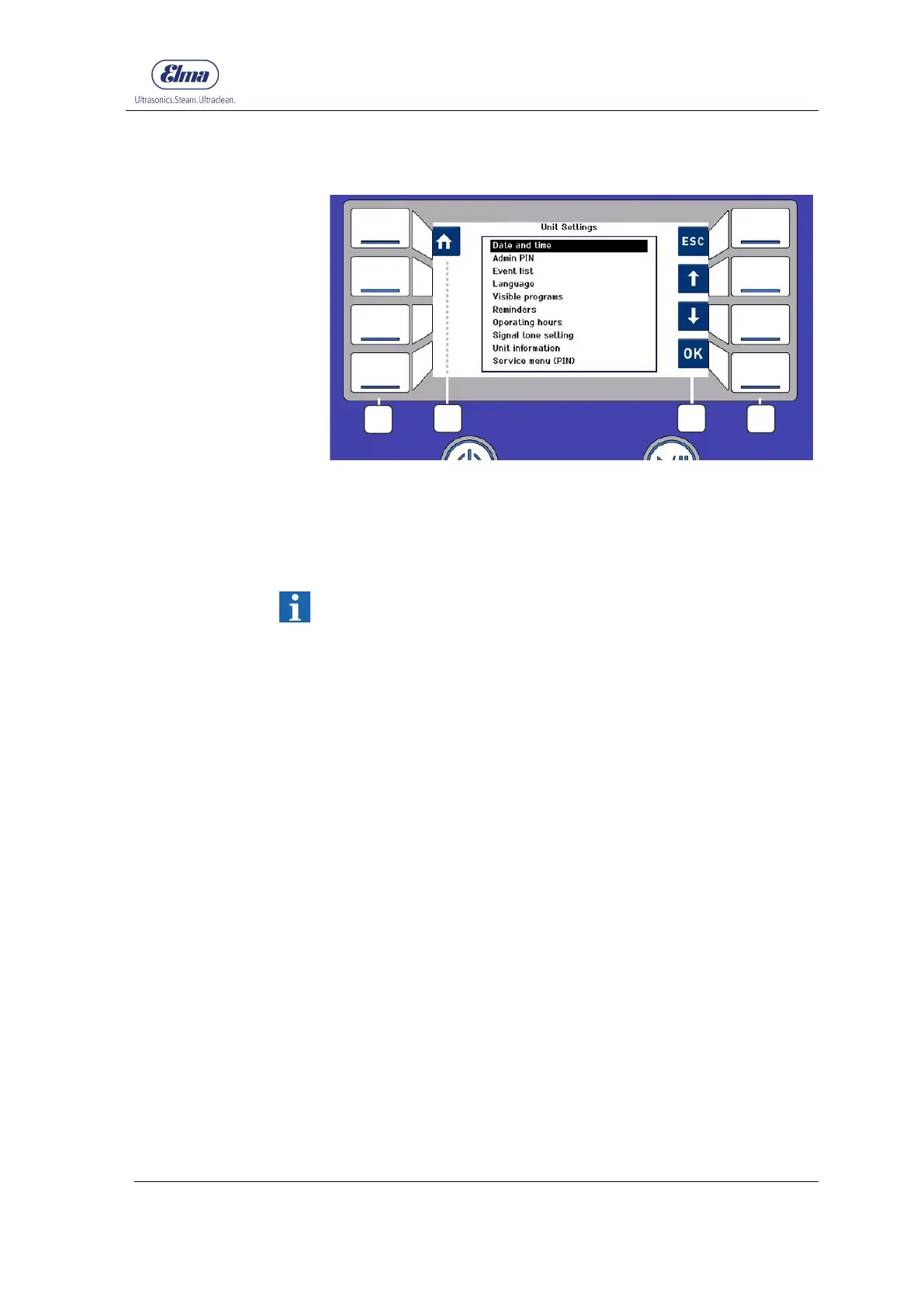
Fig. 3.10.1 Control panel with display and navigation symbols
Operating buttons control the respective navigation symbols
shown on the display
Navigation symbols show the context-dependent functions of
the appropriate operating buttons
The control panel is not a touch-sensitive user interface (touch
screen).
Controls and settings on the cleaning machine are made using
the respective operating button assigned to the navigation
symbol.
The operating buttons only have to be pressed for a short time
(<= 0.5 sec.) for the actuation.
Explanation of the handling instructions for operating steps in
this manual:
The instruction to press an appropriate navigation symbol
always refers to the respective assigned operating button.
B
A
A
B




 To Next Page