Settings
BA_Elmasolvex_VA_EN_Vers.05.2018 © Elma Schmidbauer GmbH
7.1.2 Administrator PIN
The allocation of an Administrator PIN is used to only enable
access to the cleaning machine and program settings using an
enabling PIN. An Administrator PIN is allocated by the user.
The PIN request is deactivated in the factory settings (Off): The
cleaning machine can be operated without restriction with the
factory settings.
Proceed as follows to allocate an Administrator PIN:
Starting from the display Program Select List):
1. Press .
The display Unit Settings (Fig. 7.1.2) is shown.
2. Using / select Admin PIN in the selection list and
confirm the selection with .
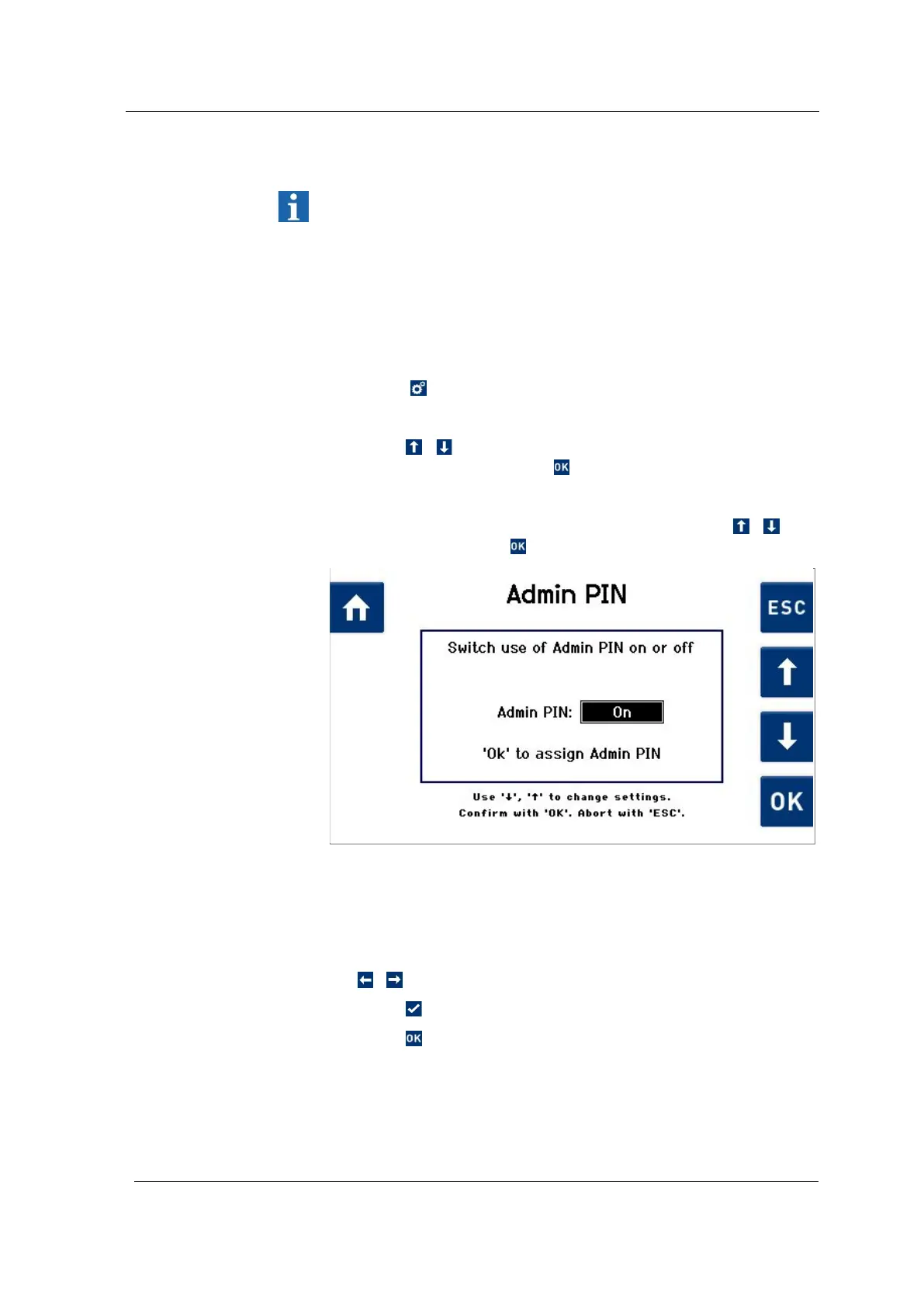
The Admin PIN (Fig. 7.1.2.1) display is shown.
3. In the display (Fig. 7.1.2.1) select On by touching / and
confirm by pressing .
Fig. 7.1.2.1 Selection field for activating / deactivating the Admin PIN
The Admin PIN (Fig. 7.1.2.2) display is shown.
The Administrator PIN must consist of 4 digits.
4. Navigate within the line of the digit selection using
/ .
5. Press to apply the selected digit.
6. Press to save the specified 4-digit Administrator PIN.
A display (Fig. 7.1.2.3) is shown for confirmation of the Admin
PIN by inputting it again.




 To Next Page