Settings
BA_Elmasolvex_VA_EN_Vers.05.2018 © Elma Schmidbauer GmbH
7.1.3 Event List
The Event List is not needed for normal operation of the
cleaning machine. In the event of a fault, the customer can look
up which fault it is in the Event List. In contrast to the display of
any fault or warning message during operation, the entries
stored here contain additional information.
The Event List contains entries about faults, warnings and
information (e.g. performed software updates).
For fault clearance, see Chapter 11.3 Fault clearance by user.
The entries also provide fault descriptions for technical support
or the on-site service technician.
In the event of a fault, invoke the Event List to obtain further
information for the fault and fault clearance. Proceed as follows:
Starting from the display Program Select List:
1. Press .
The display Unit Settings (Fig. 7.1.2) is shown.
2. Using / select Event List in the selection list and
confirm the selection with .
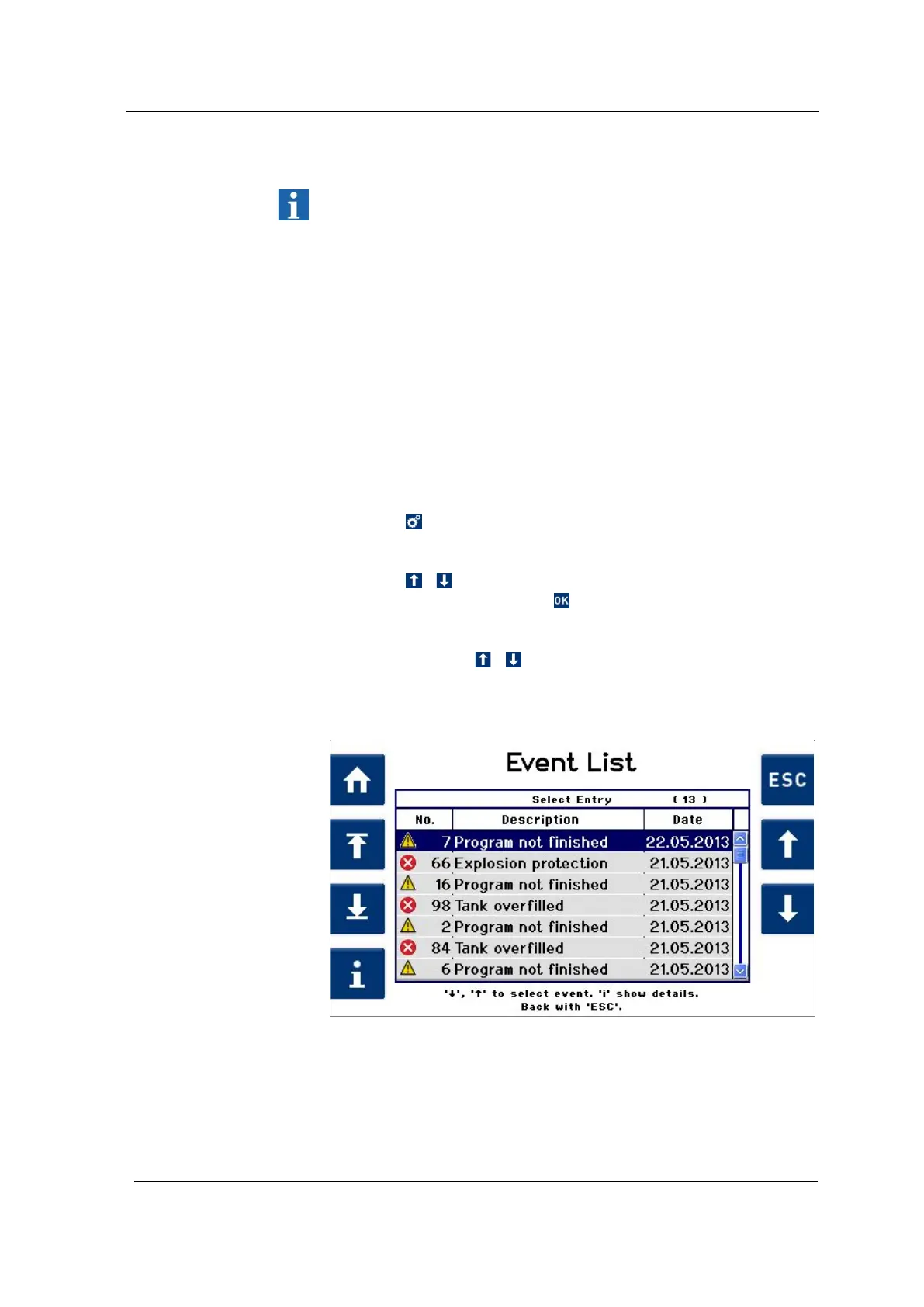
The Event List (Fig. 7.1.3.1) display is shown.
3. Navigate using / in the Event List to go through the
saved events.
The entries can only be deleted by trained staff.
Fig. 7.1.3.1 Display Event List
Procedure for
displaying the event
list




 To Next Page