Settings
© Elma Schmidbauer GmbH BA_Elmasolvex_VA_EN_Vers.05.2018
7.1.5 Visible cleaning programs
The Visible Cleaning Programs setting makes it possible to
display and hide programs in the Program Select List display.
If needed, only "required" cleaning programs can be displayed.
Starting from the display Program Select List):
1. Press .
The display Unit Settings (Fig. 7.1.2) is shown.
2. Using / select Visible Cleaning Programs in the
selection list and confirm with .
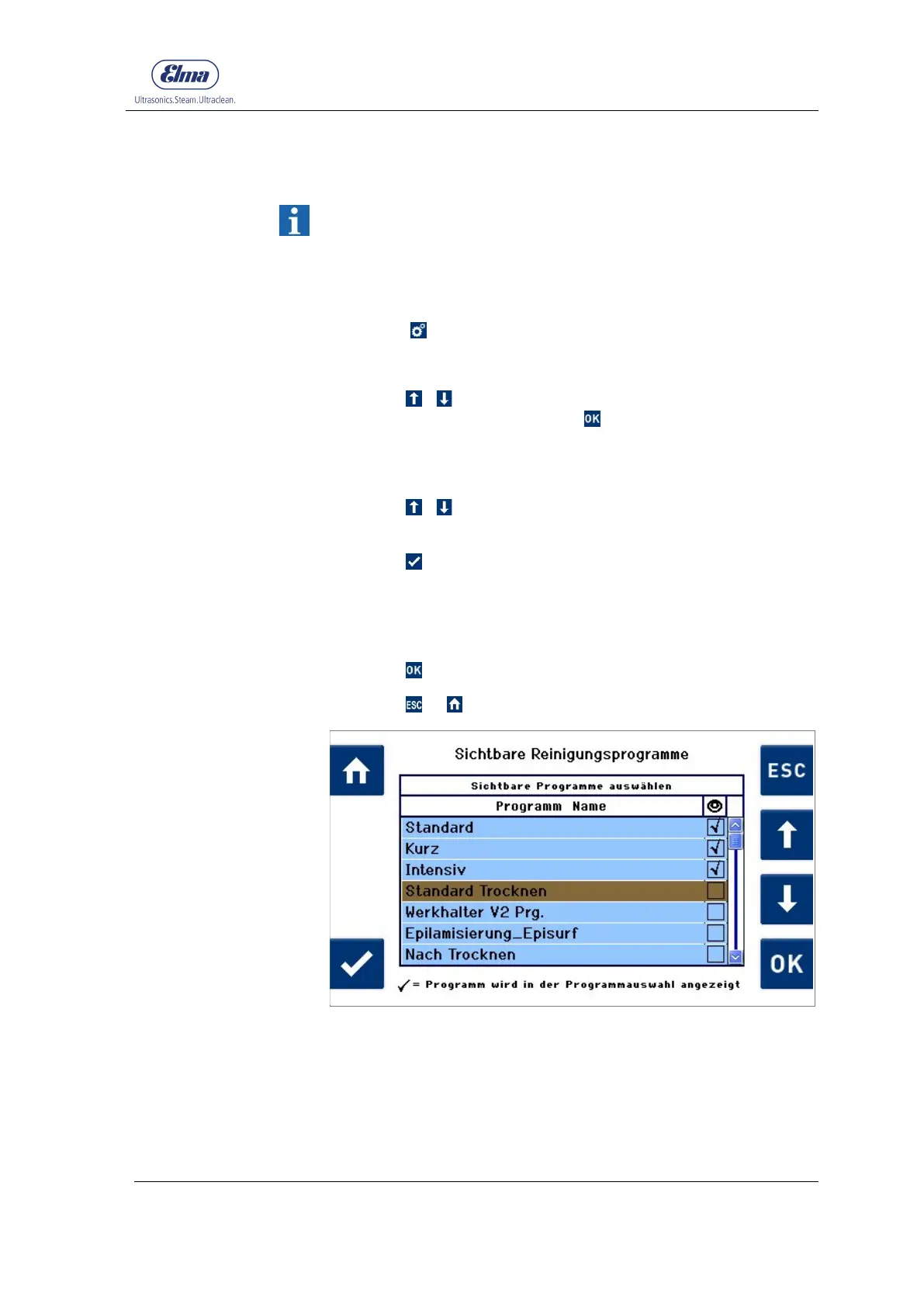
The display Visible Cleaning Programs (Fig. 7.1.5.1) is
shown.
3. Using / , select the program which should be displayed
or hidden.
4. Press to activate or deactivate the selection field.
Activated programs are marked with a checkmark.
5. Proceed in the same way if other programs should be
hidden or displayed.
6. Press to apply the changes.
Press or to exit from this display without changes.
Fig. 7.1.5.1 Display Visible Cleaning Programs




 To Next Page