Settings
© Elma Schmidbauer GmbH BA_Elmasolvex_VA_EN_Vers.05.2018
7.1.1 Date / Time
Date and time are not required for operation of the cleaning
machine. However, in the event of cleaning machine faults,
date and time are needed to be able to better evaluate faults.
We therefore recommend checking the factory settings and
adjusting if necessary during the commissioning.
Starting from the display Program Select List (Fig.7.1.1):
1. Press .
The display Unit Settings
(Fig. 7.1.2) is shown.
2. Using / select Date and time in the selection list and
confirm with .
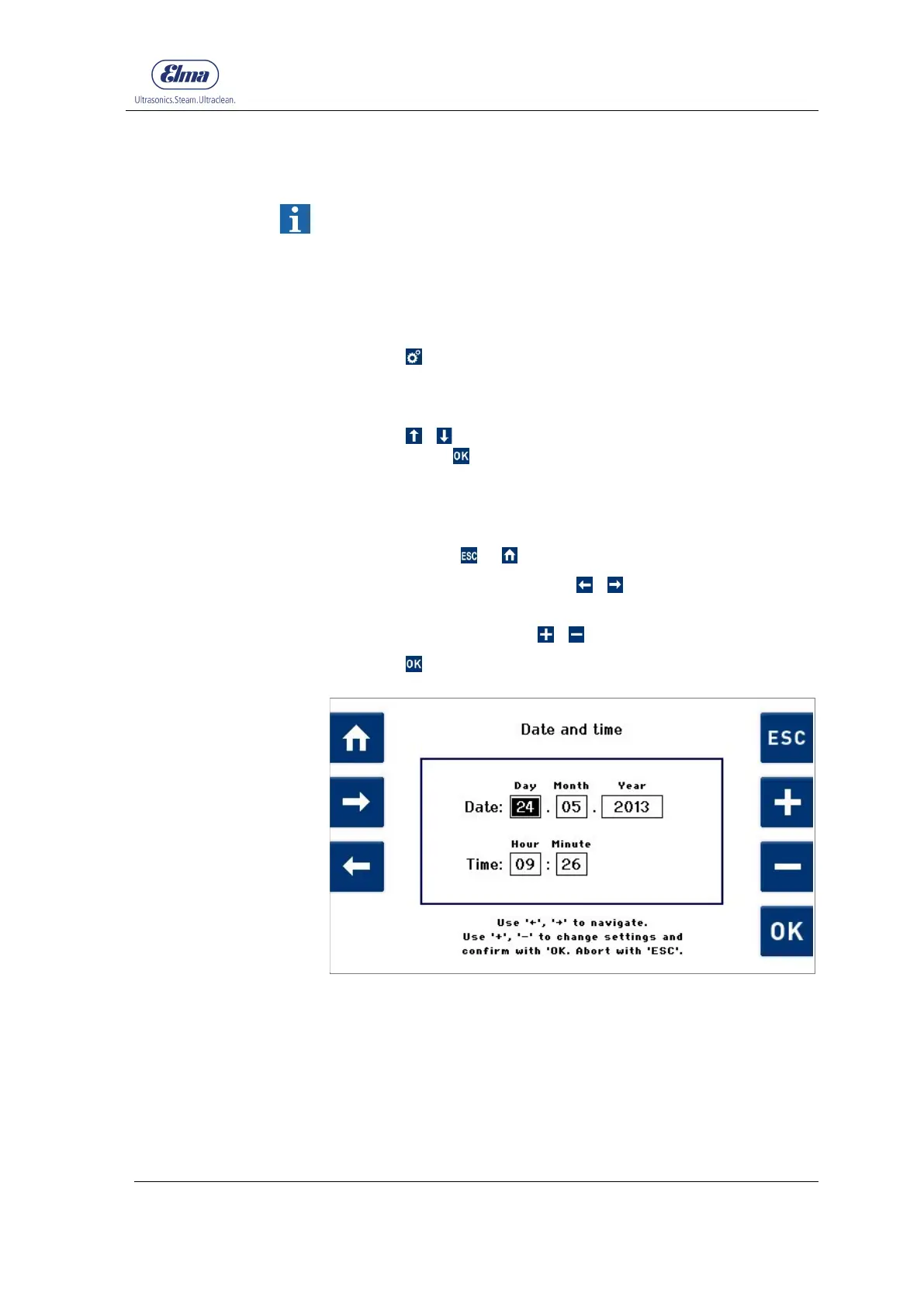
The Date and time (Fig. 7.1.1.1) display is shown.
3. Check whether the settings match the local time and date.
If no changes are required, exit from the Date and time
display using or .
4. For changes, navigate using / to the relevant input
fields (black background).
5. Adjust the values using / .
6. Press to apply the changes.
Fig. 7.1.1.1 Display Date and time




 To Next Page