Settings
© Elma Schmidbauer GmbH BA_Elmasolvex_VA_EN_Vers.05.2018
7.2.1 Create new cleaning program
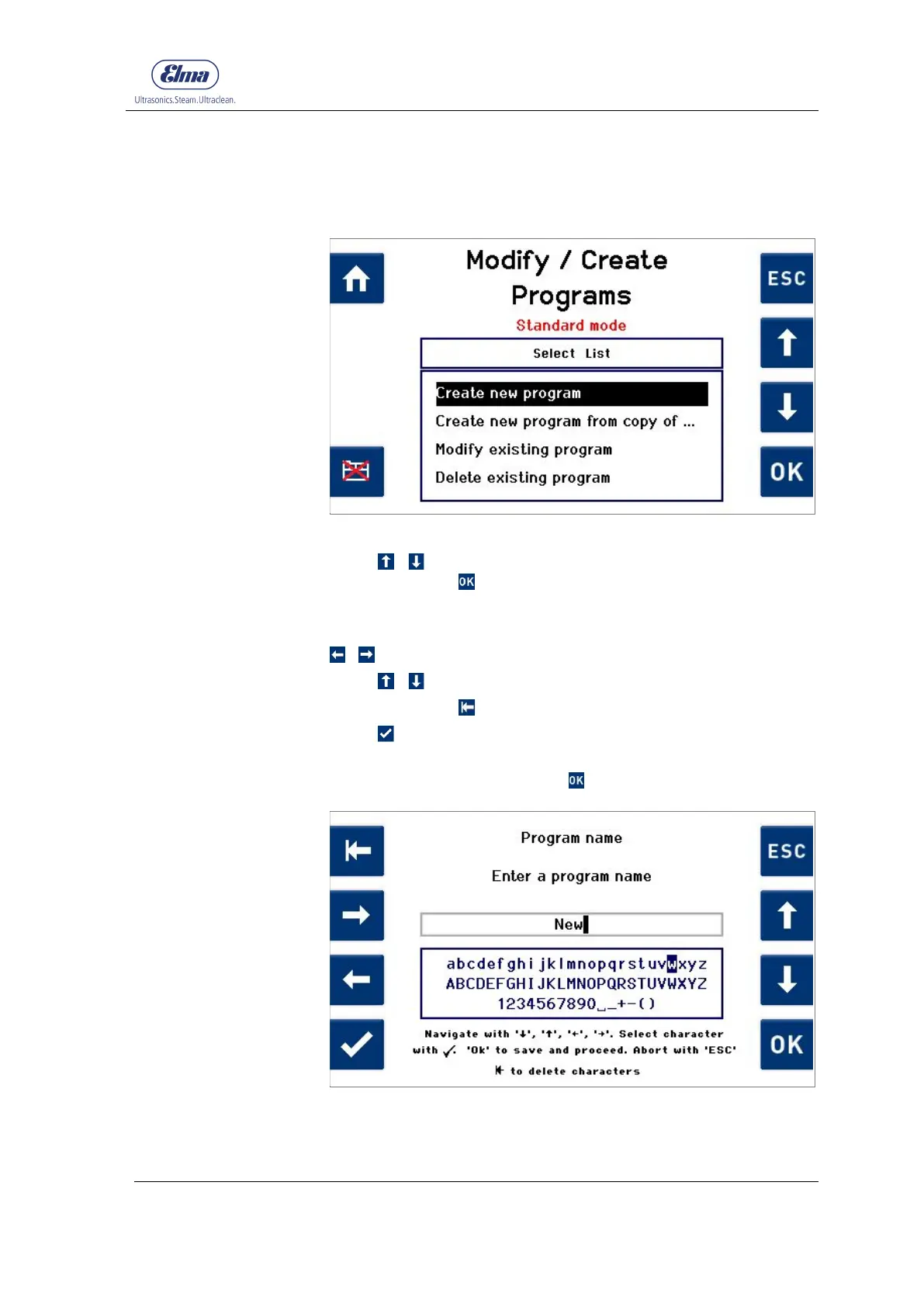
Proceed starting from the display Modify / Create Programs.
Fig. 7.2.1.1 Display Modify / Create Programs
Using / , select Create new program in the selection list
and confirm with (Fig. 7.2.1.1).
The Enter a program name (Fig. 7.2.1.2) display is shown.
Navigate within any line of the character selection using
/ .
Using / , you can navigate between the 3 lines.
Using the button
, you can delete already entered characters.
Press to apply the selected character.
To save the entered program name and continue with setting
the program parameters, press .
Fig. 7.2.1.2 Enter a program name




 To Next Page