Settings
BA_Elmasolvex_VA_EN_Vers.05.2018 © Elma Schmidbauer GmbH
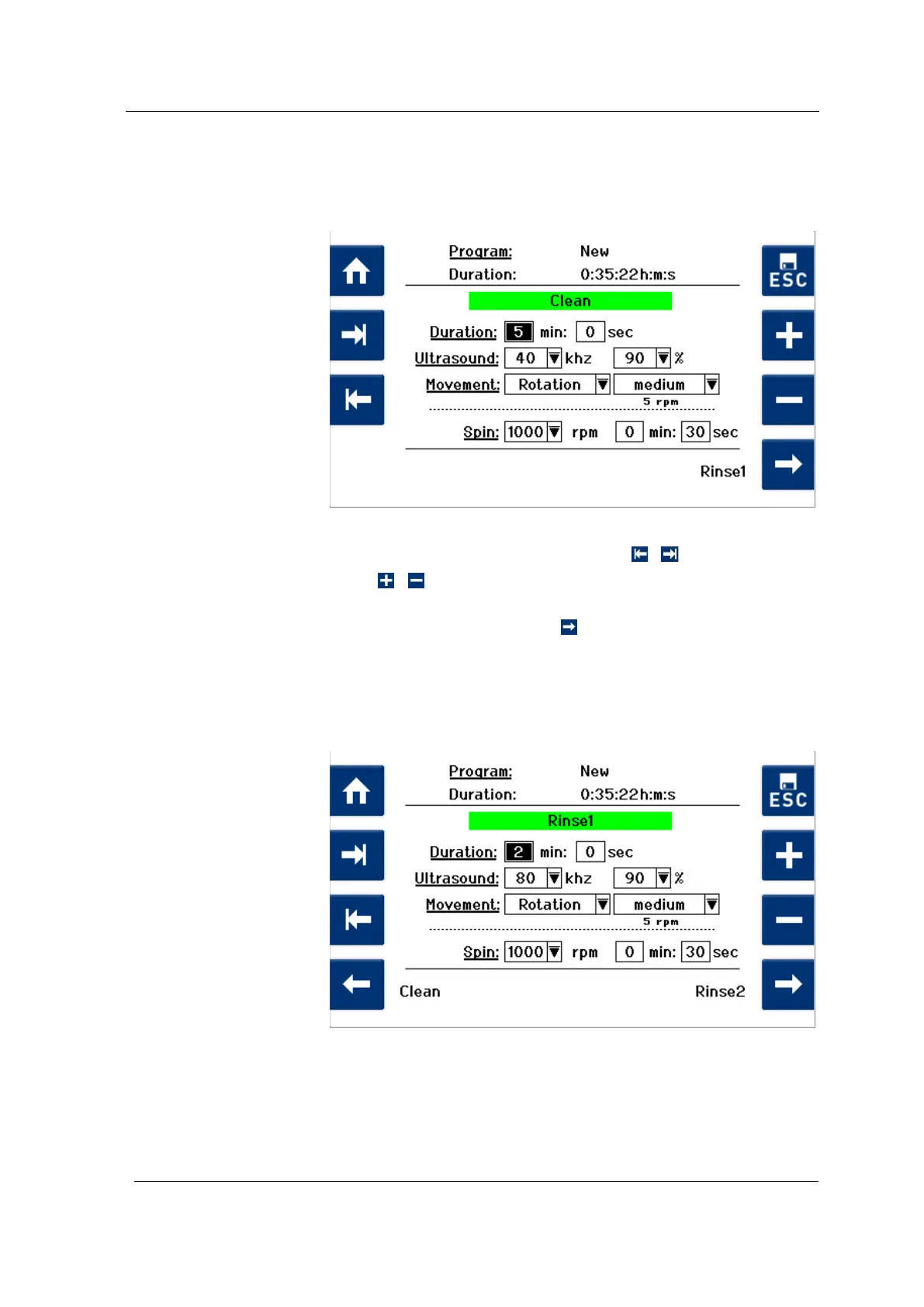
First, the display with the program parameters from the process
step Clean (Fig. 7.2.1.3) is shown. The already preset program
parameters are based on standard cleaning processes values.
You can change the preset values individually (or keep them).
Fig. 7.2.1.3 Display Process step Clean
Navigate between the input fields using / .
Press / to change the preset values.
To save the settings and continue to the next process step
(1st rinse step), press Rinse 1
.
The Rinse 1 (Fig. 7.2.1.4) display is shown.
For setting the Rinse 1 process parameters, proceed in the
same way as previously described for setting the Cleaning
process parameters.
Fig. 7.2.1.4 Display Process step Rinse 1
Cleaning
Rinsing




 To Next Page