Settings
© Elma Schmidbauer GmbH BA_Elmasolvex_VA_EN_Vers.05.2018
After making the changes, press Rinse 2 to reach the display
for the 2nd rinsing step and proceed there in the same way.
Press if you would like to return to the previous display.
Then proceed in the same way with the 3rd rinsing step and the
drying step.
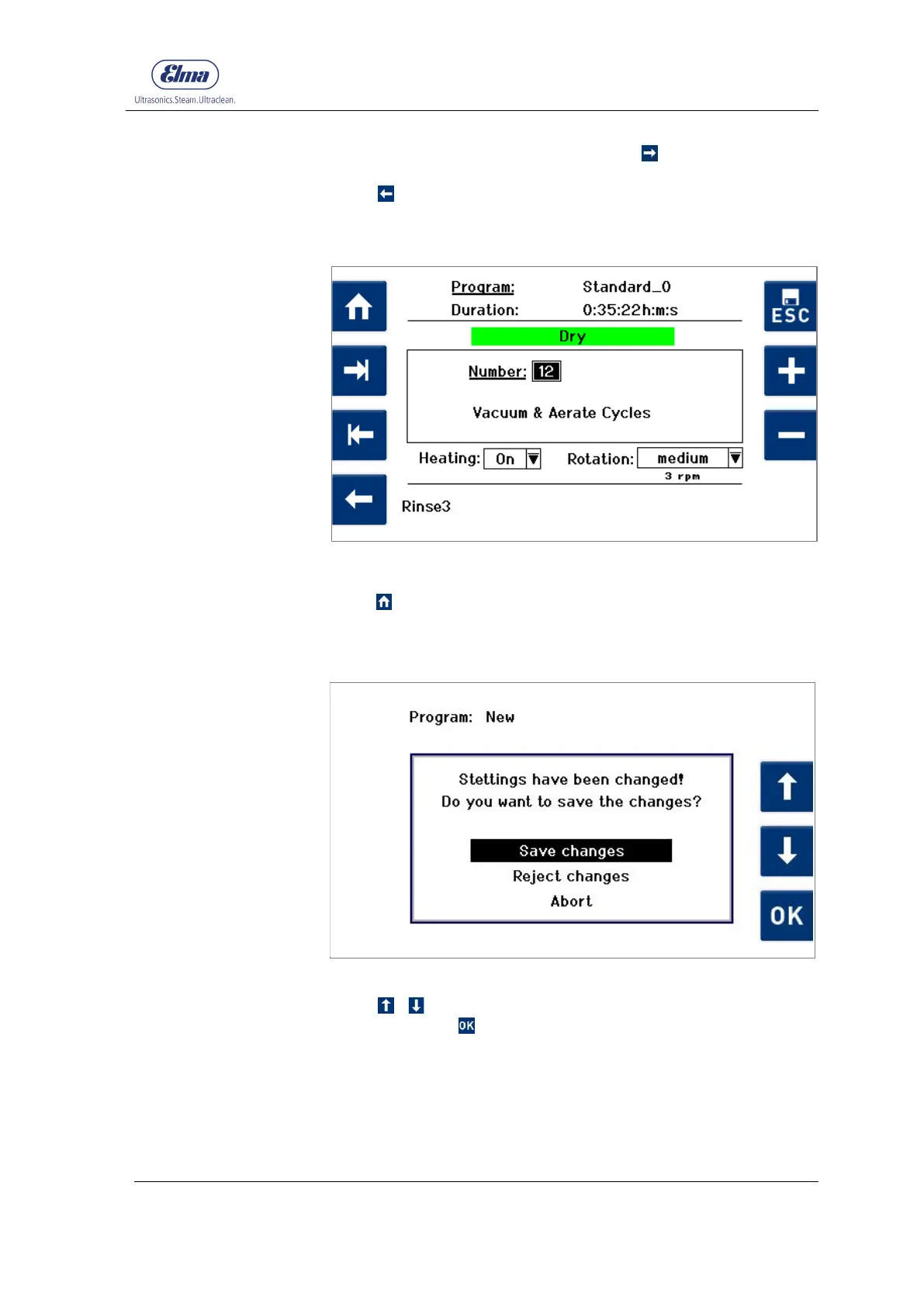
Fig. 7.2.1.4.A Process step display Dry
After you have changed the values of the program parameters,
press to return to the Program Select List display.
A query for saving the settings made is displayed first
(see Fig. 7.2.1.5).
Fig. 7.2.1.5 Display Save changes
Using / select the required action from the selection list
and confirm with .
Using the Reject changes selection, you return to the Program
Select List display without saving the settings made.
Using the Abort selection, you return to the previous display.


 To Next Page
 Loading...
