Commissioning Proline Promass E 300 PROFINET
140 Endress+Hauser
1.
A0029630
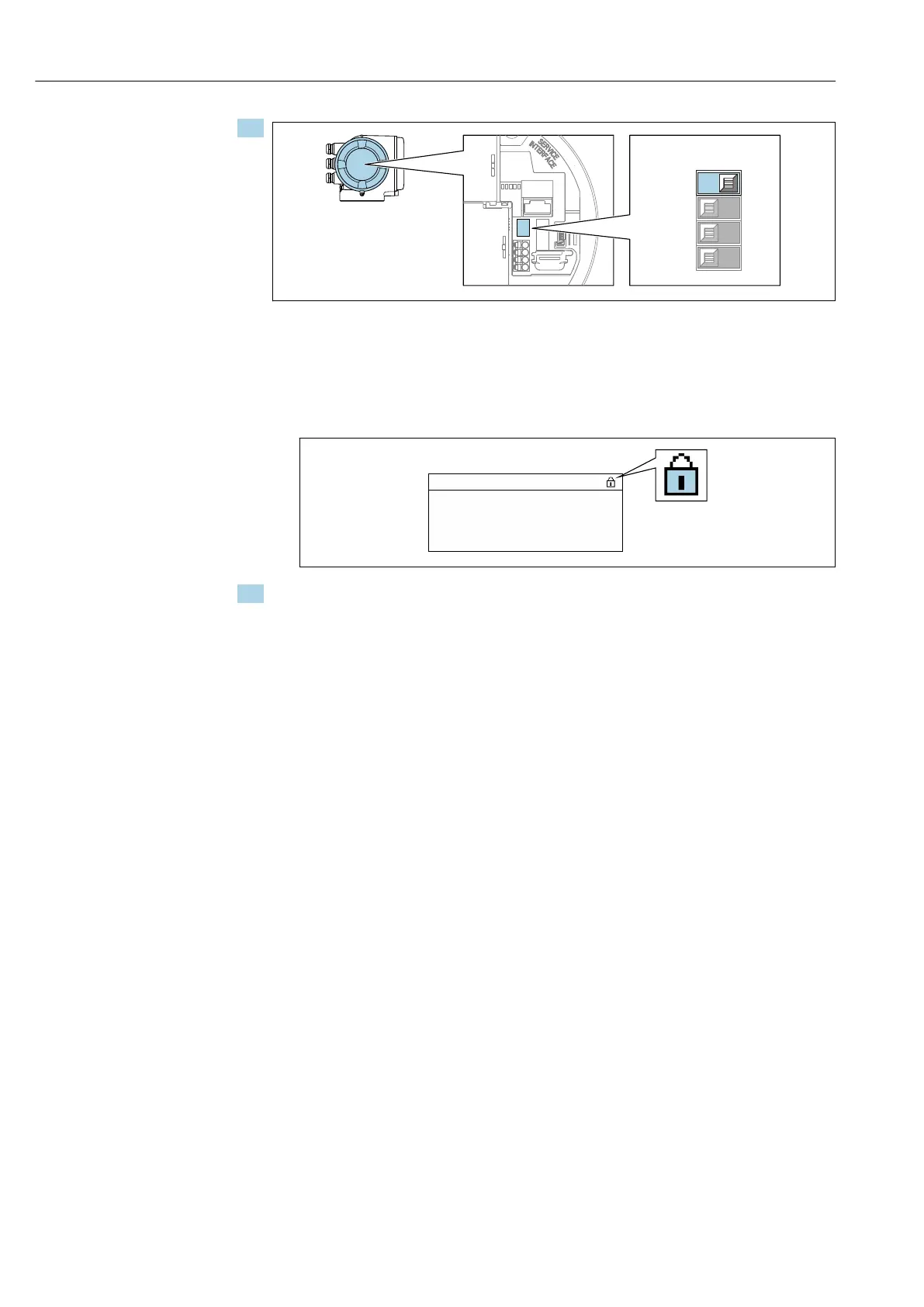
Setting the write protection (WP) switch on the main electronics module to the ON
position enables hardware write protection.
In the Locking status parameter the Hardware locked option is displayed
→ 141. In addition, on the local display the -symbol appears in front of the
parameters in the header of the operational display and in the navigation view.
X X X X X X XX X
20.50
XX
XX
A0029425
2. Setting the write protection (WP) switch on the main electronics module to the OFF
position (factory setting) disables hardware write protection.
No option is displayed in the Locking status parameter → 141. On the local
display, the -symbol disappears from in front of the parameters in the header
of the operational display and in the navigation view.







 To Next Page