Installation and Operation Manual - COMTEC
®
6000 Initial Operation
Doc.-ID: COM6000_11022020_EN 21
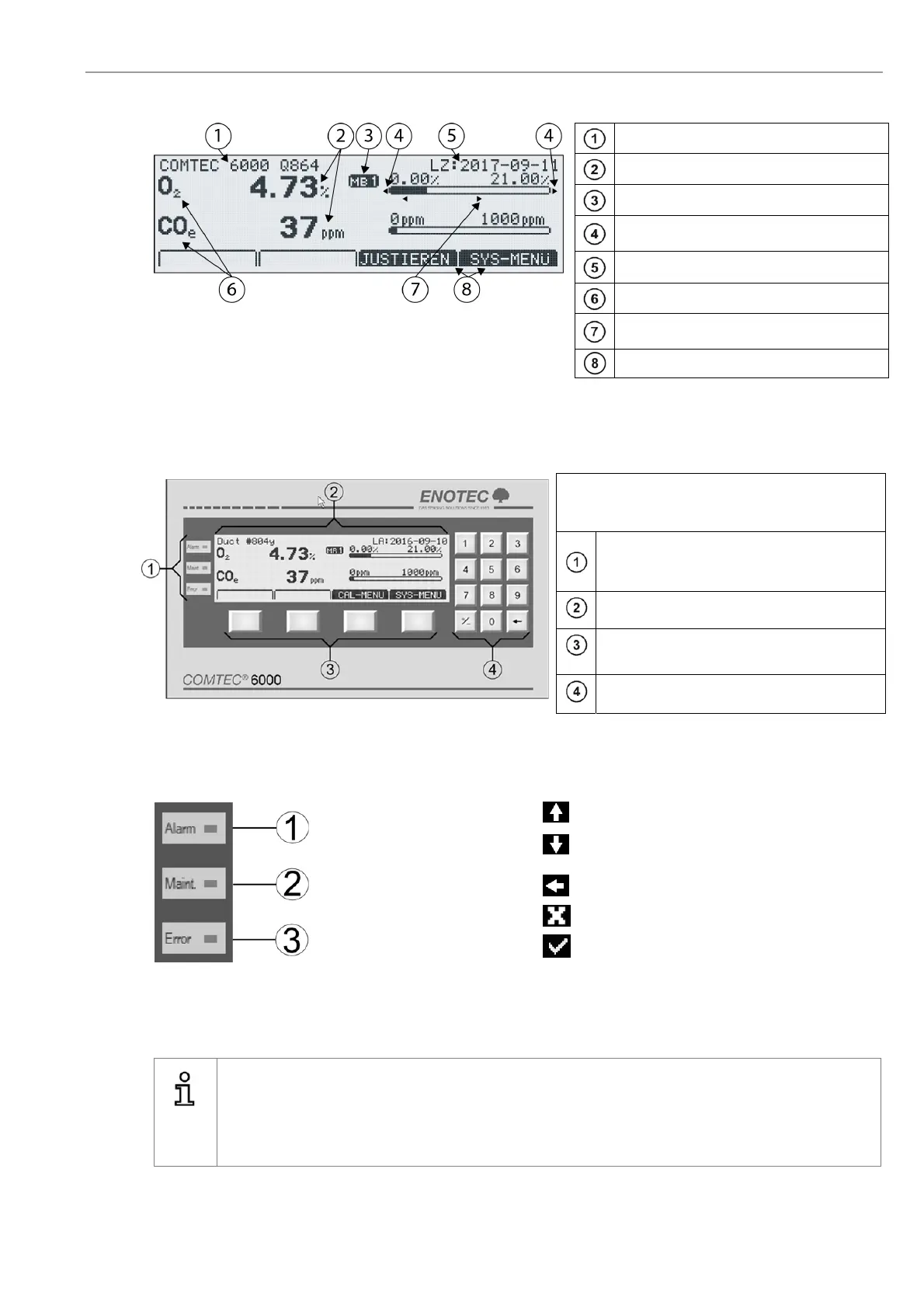
3.4 Display - Measuring Mode
TAG number
Measured values
Active measuring range
Blinking indicators showing under or over
measuring range
Last access
Measured components
* Only if the limit alarms are switched on and the limits are within
the set measuring range.
Limit alarm indicators
min-Alarm /
max-Alarm *
Softkey titles
Figure 19 – Display Measuring mode
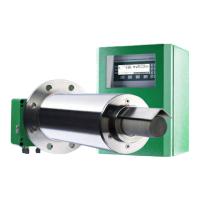
3.5 Keypad and Display
The controls and display of the COMTEC® 6000
are housed in the electronic unit and are
comprised of:
Three LED indicators depicting active status
reports for limit alarms, maintenance and
system faults
Graphic enabled, back-lit display
Four softkeys with varying layout
(softkeys)
Numeric keypad
Figure 20
- Keypad and display
3.6 Status LEDs 3.7 Softkey Symbols
Alarm, - orange - is lit when an
alarm has been activated (e.g. O
2
limit alarm)
Moves the selection one position upwards
Moves the selection one position down-
wards
Maint. - Orange - a function has
been accessed which may
affect the measurement
Leave an area
Abort a function or entry
Error - red - is lit when a system
error has occurred
Select or confirm a function/value
3.8 System Code
Info
The system code on delivery is 0000. In this state, entry into the system is granted without having to
enter the system code. The system code protects the system from unauthorized use.
Functions which may alter the measurements are therefore also protected.
Caution: If the system code has been altered, the new code must be kept in a safe place!


 To Next Page