Installation and Operation Manual - COMTEC
®
6000 Software Overview and Explanations
Doc.-ID: COM6000_11022020_EN 29
4.2.12 ENOTEC REMOTE
Info
ENOTEC REMOTE is disabled by default. Password and range are not displayed. After activation (only
possible from system access level), the 8-digit password that is requested during the remote connection
setup must be assigned.
The ENOTEC REMOTE password is used for:
authentification and pairing with a smartphone / tablet / laptop / pc.
authentification / login after every connection. Without Authentication / login, device data cannot be read or
modified. The device configuration can also not be altered.
Range limits the transmission power of the ENOTEC REMOTE module. Maximum = 100m, medium = 10m, short =
1m. The actual possible range may vary due to structural factors and the reception strength of the
Smartphone/Tablet.
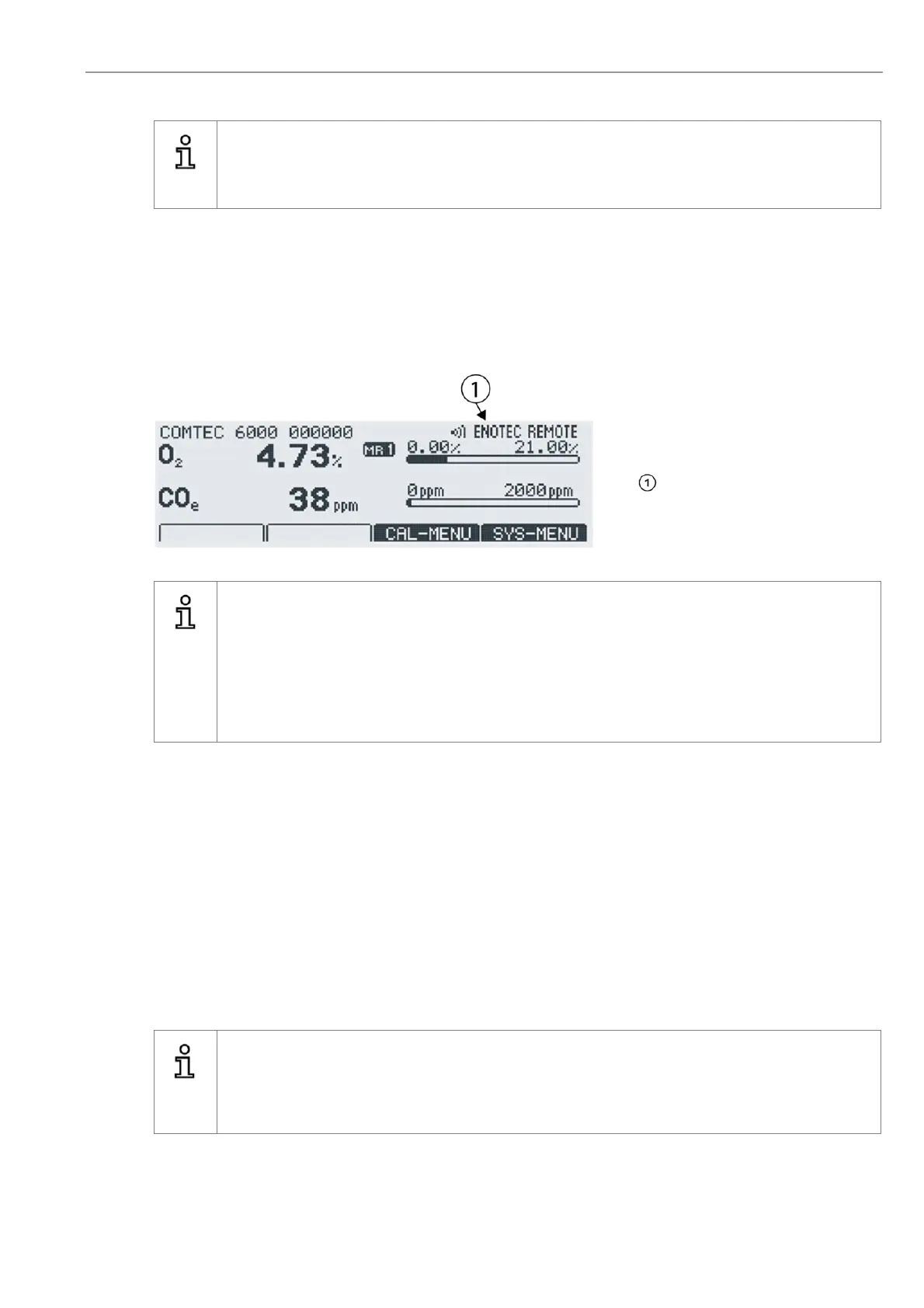
When an ENOTEC REMOTE connection to
the analyzer is active, the connection is
shown in the upper right corner of the dis-
play .
Figure 24 - ENOTEC REMOTE connection active
Info
A maximum of 16 users (smartphones /tablets) can connect to the ENOTEC REMOTE
module of an ENOTEC analyzer.
Should additional users attempt a connection, the connection will fail.
In this case, manually switch off the ENOTEC REMOTE and switch it back on again
SYS MENU => System configuration => ENOTEC REMOTE Settings which will reset the module.
All previously paired users will need to delete their saved connection to the analyzer and re-pair their
devices.
4.2.13 Measuring units
Measuring units can be set for temperature in °C and °F and for pressure in mbar and psi.
4.2.14 Language
Set the language for all text shown on the display. One can choose between English, German, Spanish and Polish.
4.2.15 Change system code
The system code protects the system configuration against unauthorized usage. Settings which may influence the
measurements are also protected.
Info
The system code on delivery is 0000. In this state, entry into the system is granted without enter-
ing the system code. For security reasons, change the code and store it in safety. In case of loss
of the system code, a system reset has to be carried out. The reset process may only be carried
out by trained service technicians. As an option, a 6 digit code is available.


 To Next Page