9 CONFIGURATION MENU
0460 896 274
- 55 -
© ESAB AB 2013
9.3.3 Soft key configuration
We have previously described the control panel's “soft” keys. When MIG/MAG welding, the
user has the possibility of setting the function of these keys by selecting from a list of set
options. There are seven soft keys that can be allocated a function.
It is possible to choose between the following options:
• None
• Gas purging
• Wire inching
• 2-stroke/4-stroke
• Crater filling ON/OFF
• Creep start ON/OFF
• Hot start ON/OFF
• Weld data switch with torch
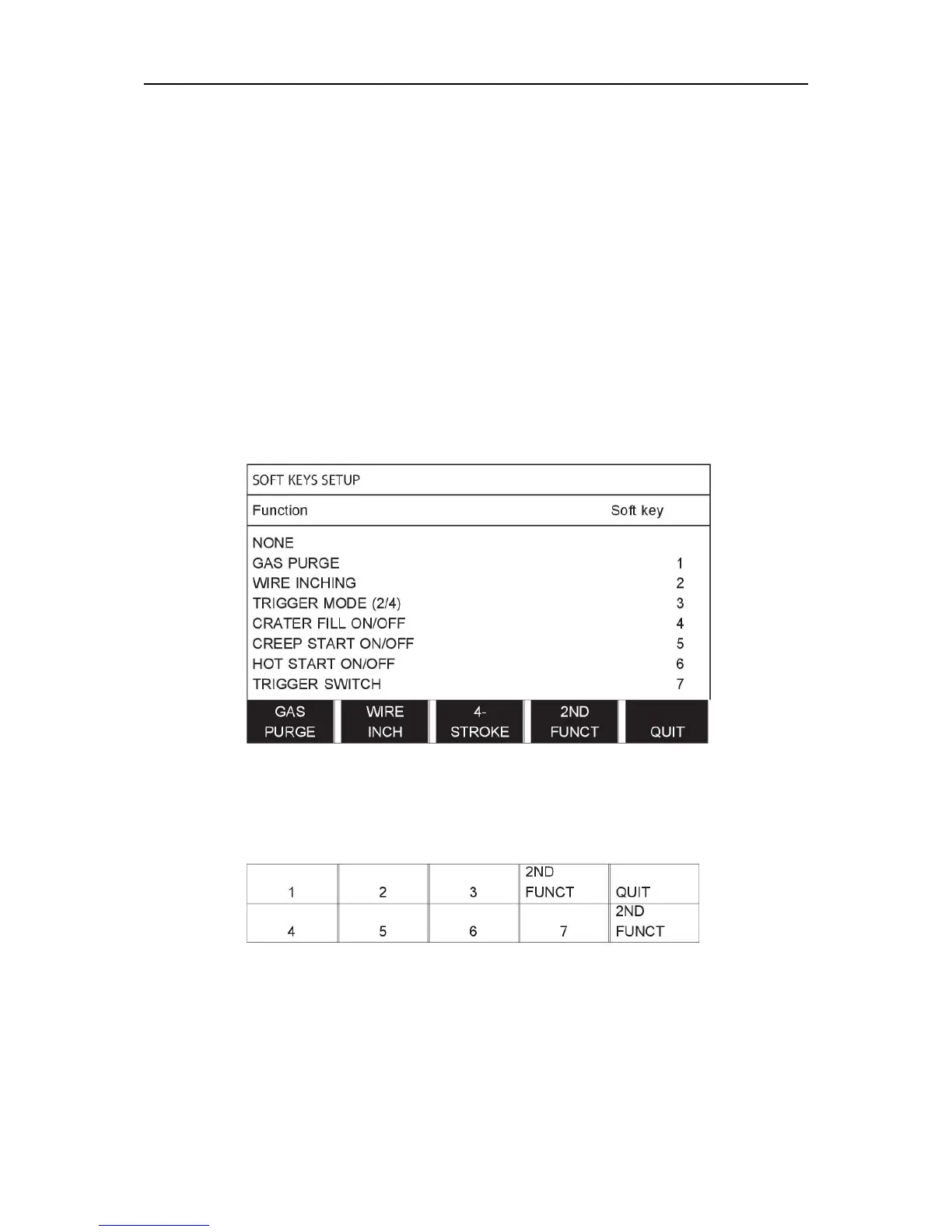
In the display screen there are two columns: one for function and one for key number.
The panel has five soft keys. By pressing the 2ND FUNCT key you obtain a further five soft
keys.
When you allocate functions to these keys, they are numbered from the left as follows:
To allocate a new function to a soft key, proceed as follows:
• Position the cursor on the function row with the function NONE and press the soft key
with the function that is to change key number.
• Repeat this procedure with the key that has the key number that is to be used.
• Position the cursor on the function row you want to give a new key number and press the
soft key on which you want to have the function.
You can allocate new functions to the other keys in the same way, by pairing together one of
the functions in the left-hand column with a key number in the right-hand column.



 To Next Page