10 TOOLS
0460 896 274
- 74 -
© ESAB AB 2013
The files that are produced in the control panel are stored as xml files. The USB memory
must be formatted as FAT in order to work. The control panel can be used with ESAB's
WeldPoint software, which is ordered separately.
Insert a USB memory in the control panel, see the "File manager" section.
Select QUALITY FUNCTION LOG, press EXPORT.
The entire set of quality data (information about the 100 most recent welds) that is stored in
the control panel is now saved on the USB memory.
The file is in a folder called QData. QData is created automatically when you insert a USB
memory.
Read more about the quality function in the "Quality function" section.
10.8 User defined synergic data
Main menu → Tools → User defined synergic data
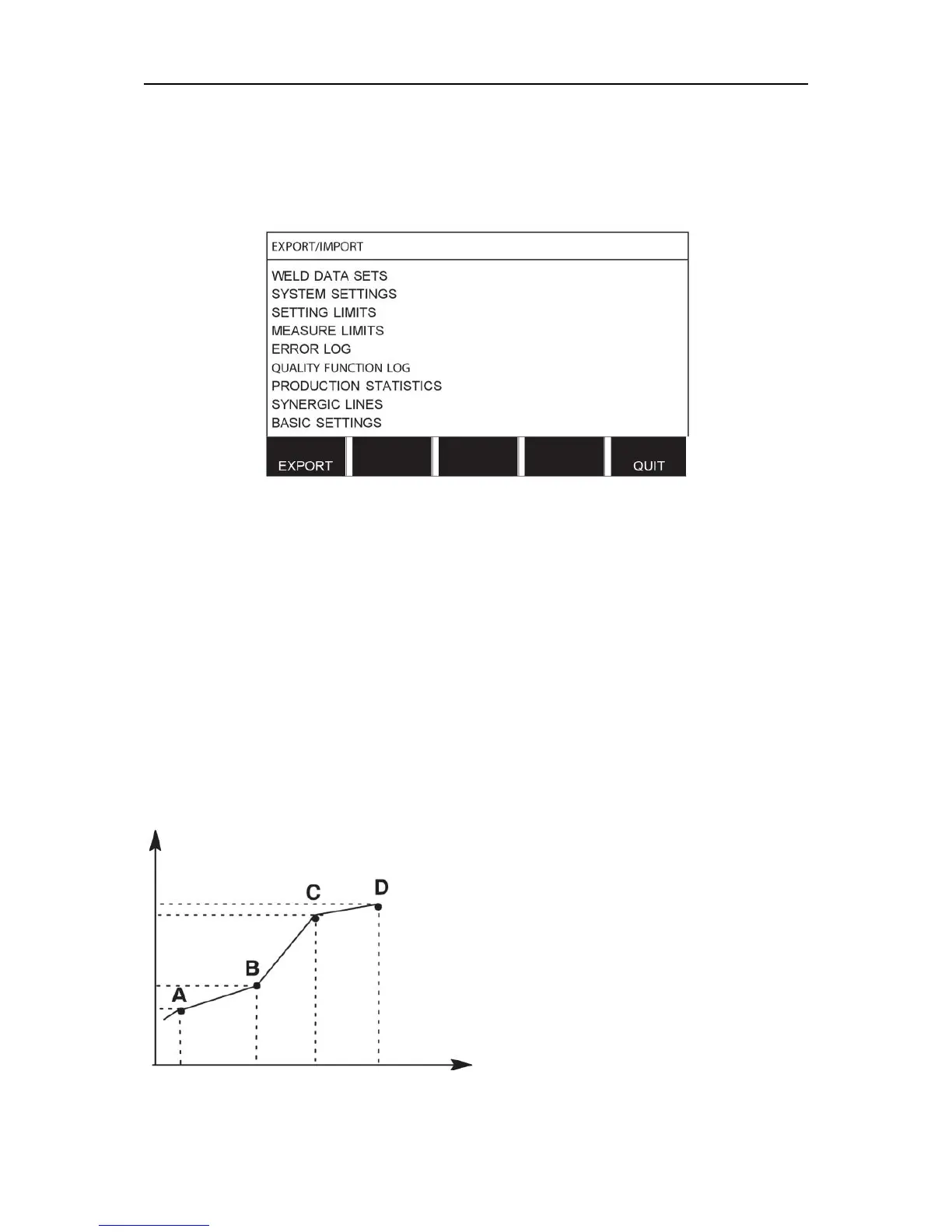
It is possible to create your own synergic lines with respect to wire feed speed and voltage. A
maximum of ten such synergic lines can be saved.
A new synergic line is created in two steps:
• Define the new synergic line by specifying a number of voltage/wire speed co-ordinates,
see points A-D in the following figure:
Voltage
Wire feed
• Specify the wire/gas combination to which the synergic line is to apply.



 To Next Page