9 CONFIGURATION MENU
0460 896 274
- 57 -
© ESAB AB 2013
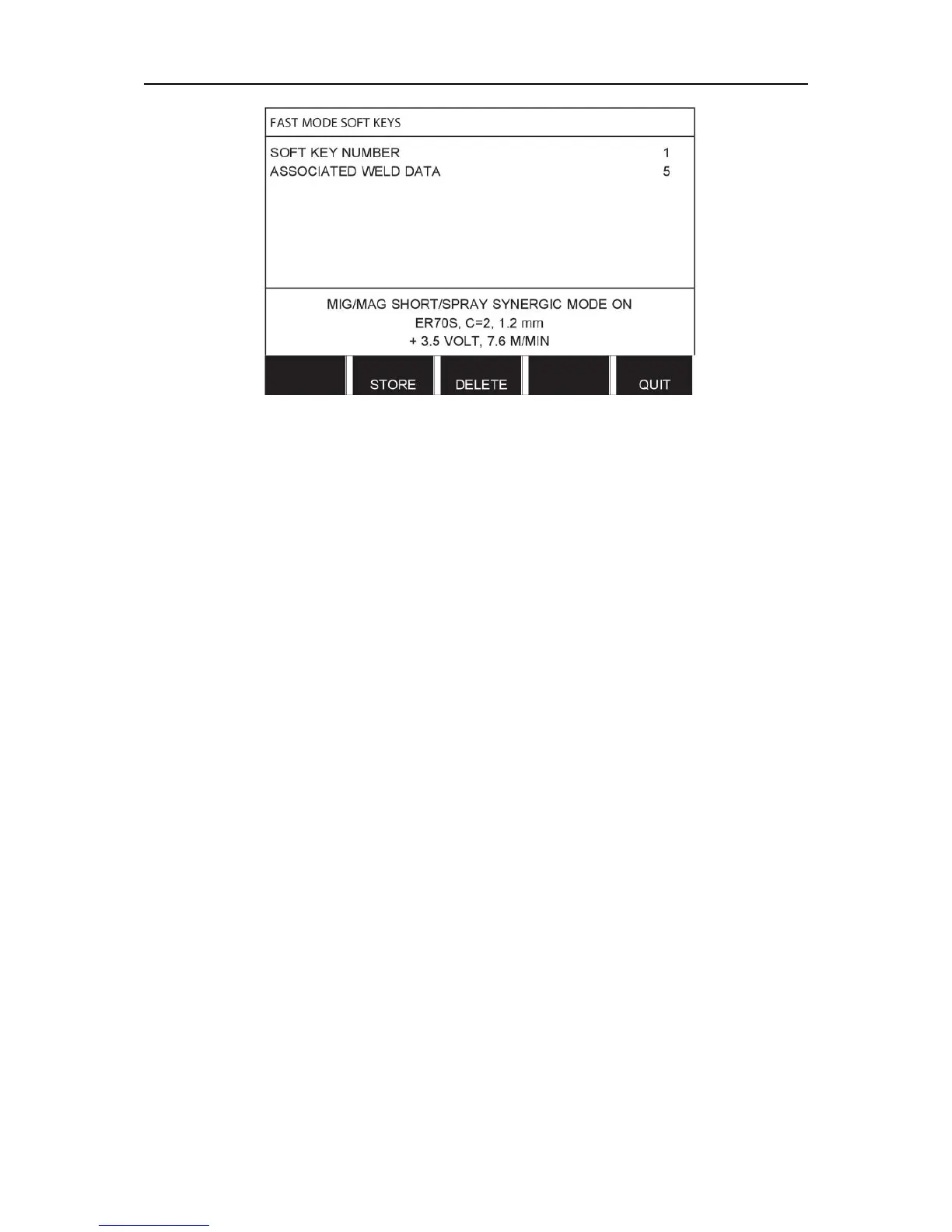
The keys are numbered 1-4 from left to right. Select the desired key by specifying its number
with the aid of the plus/minus knobs.
Then step down with the left-hand knob to the next row ASSOCIATED WELD DATA. Here
you can browse through the weld data sets that are stored in the weld data memory. Select
the desired weld data number using the plus/minus knobs. Press STORE to save. To delete
the stored set, press DELETE.
9.6 Double start sources
When this option is activated (ON) you can start MIG/MAG welding both from the wire feed
unit's start input and from the power source's TIG-start input and vice versa. When welding is
started from a start signal input it must be stopped from the same input.
9.7 Panel remote enable
Main menu → Configuration menu → Panel remote enable
Ordinarily you cannot make settings using the pushbuttons when the panel is in remote
control mode. When PANEL REMOTE ENABLE is ON, the current/wire feed or voltage can
be set using the control panel and remote control.
If PANEL REMOTE ENABLE is used in combination with limits, machine usage can be
limited to a specific setting range. This applies to the following settings: wire feed and voltage
for MIG/MAG welding, current setting for MMA and TIG welding, pulse current with pulsed
TIG.
9.8 WF supervision
Main menu → Configuration menu → WF supervision
WF SUPERVISION shall normally be activated (ON). The function is used for customer
specific solutions.
9.9 Auto save mode
Main menu → Configuration menu → Auto save mode
When a weld data set has been recalled from a memory position in the weld data memory
and you change the settings, the changes will be automatically saved in the memory position
when you recall a new weld data set from memory.
Saving weld data manually in a memory position disables the next automatic save.



 To Next Page