2 INTRODUCTION
0460 896 274
- 7 -
© ESAB AB 2013
2 INTRODUCTION
To benefit as much as possible from your welding equipment, we recommend that you read
this instruction manual.
For general information about operation, see the instruction manuals for the power source
and the wire feed unit.
The text presented in the display is available in the following languages: English, Swedish,
Finnish, Norwegian, Danish, German, French, Italian, Dutch, Spanish, Portuguese,
Hungarian, Polish, American, Czech, Chinese and Turkish.
NOTE!
Differences in the panel function may occur, depending on in which product it is
installed.
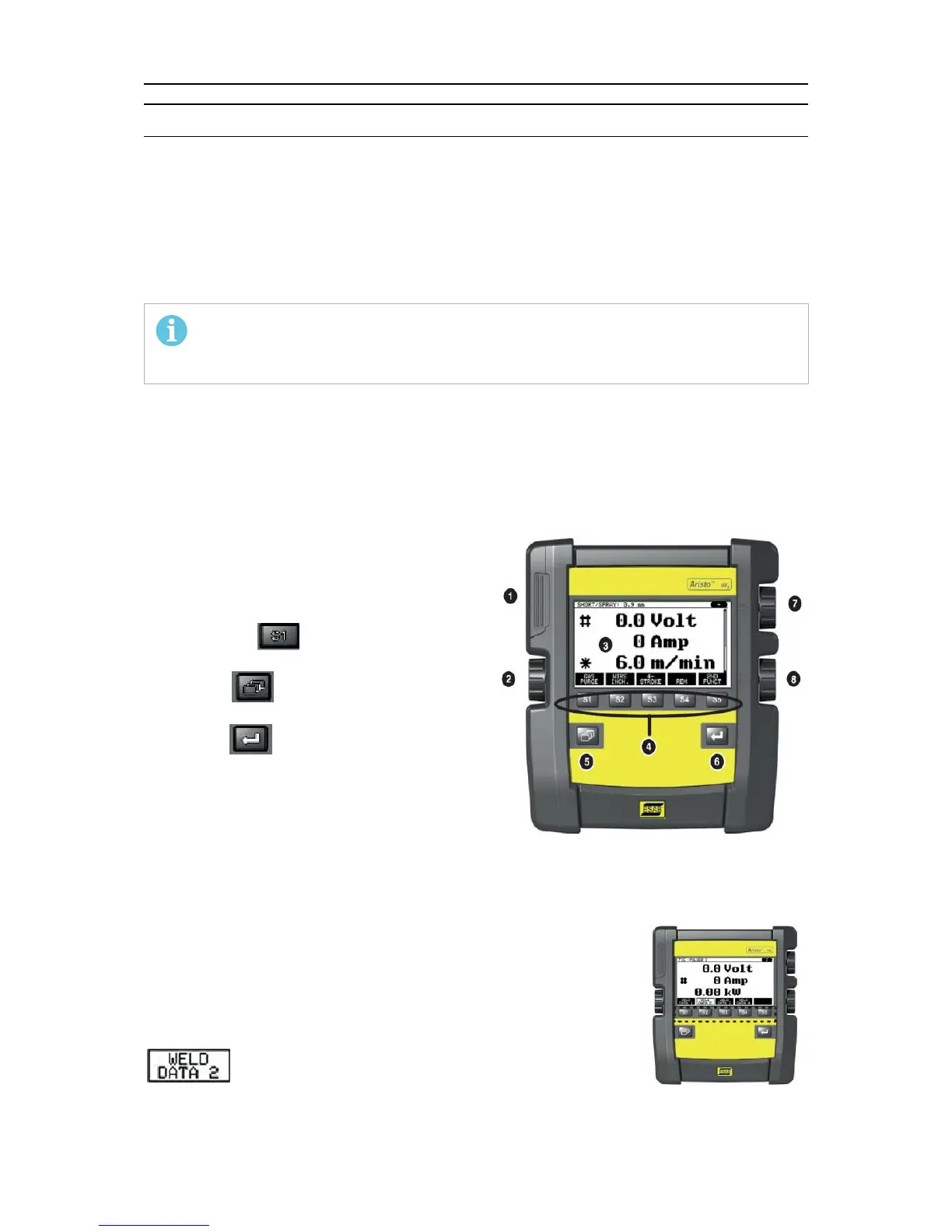
2.1 Control panel Aristo U82
The control panel is supplied with a mounting bracket with screws and an English instruction
manual. A 1.2 m cable is mounted on to the panel. A USB memory and an extension cable
are available as accessories, see the "ACCESSORIES" chapter of this manual.
Instruction manuals in other languages can be downloaded from the Internet: www.esab.com
1. Place for USB memory
2. Knob for moving cursor
3. Display
4. Soft keys
5. Menu
6. Enter
7. Knob for increasing or decreasing set
values and setting the voltage, #
8. Knob for increasing or decreasing set
values and setting the wire feed speed, *
2.1.1 Keys and knobs
Soft keys (4)
The five keys in a row under the display have varying functions.
These are “soft” keys, i.e. they can have different functions
depending on which menu you are currently working in. The current
function for these keys can be seen from the text in the bottom row
of the display.
When the function is active, this is indicated by the key turning white:



 To Next Page