10 TOOLS
0460 896 274
- 73 -
© ESAB AB 2013
Maximum counter values
Time 999 hours, 59 minutes, 59 seconds
Weight 13350000 grams
Quantity 65535
Material consumption is not counted when using customer specific synergy lines.
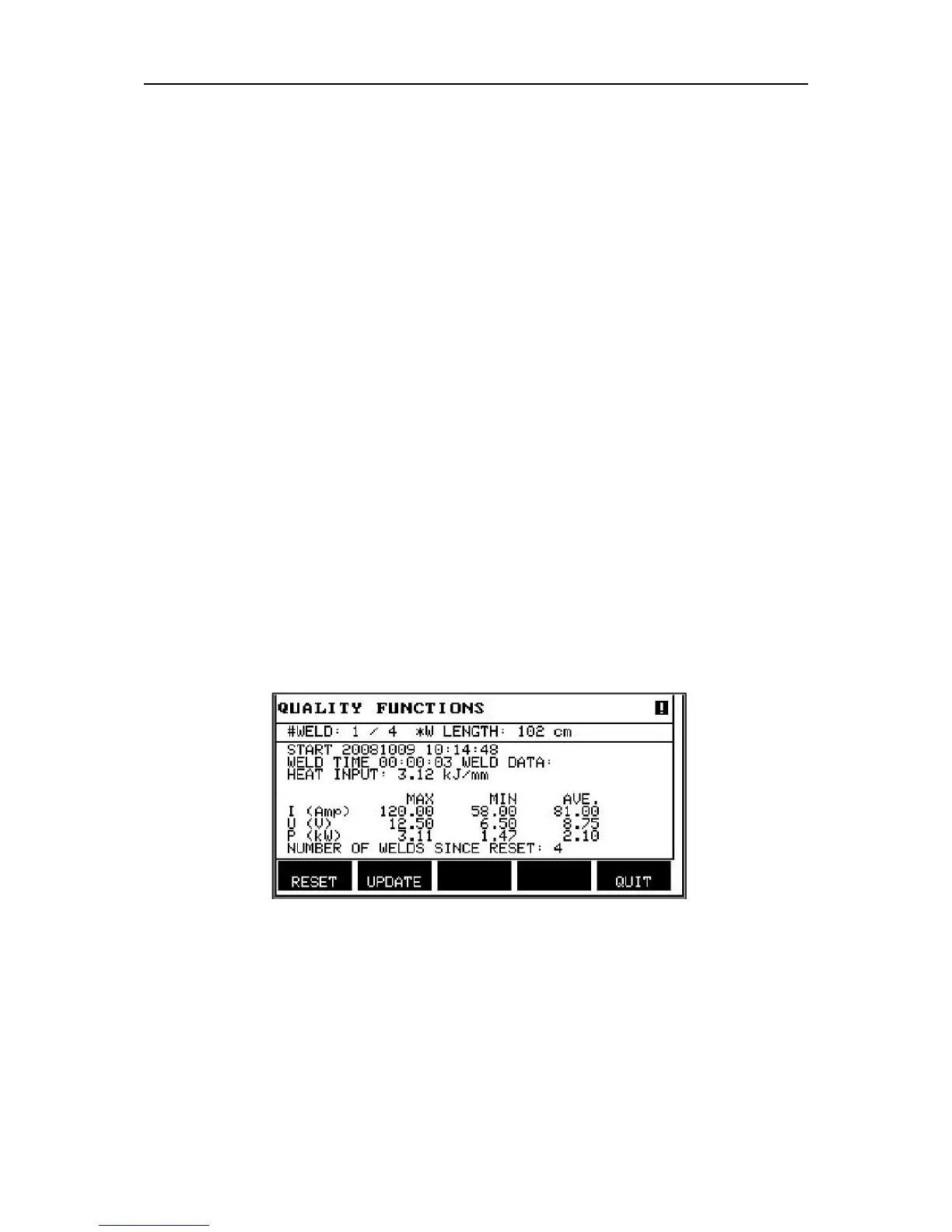
10.7 Quality functions
Main menu → Tools → Quality functions
Quality functions keep track of various interesting weld data for individual welds.
These functions are:
• Time of welding start.
• Duration of welding.
• Maximum, minimum and average current during welding.
• Maximum, minimum and average voltage during welding.
• Maximum, minimum and average output during welding.
In order to calculate the heat input, the selected weld is highlighted. Browse between the
welds with the upper right-hand knob (#) and adjust the length of the joint with the lower knob
(*). Press UPDATE and the welding unit calculates the heat input for the selected weld.
The number of welds since the most recent reset is displayed in the row at the bottom.
Information can be stored about a maximum of 100 welds. In the event of more than 100
welds, the first one is overwritten. Welding must last for longer than one second to be
registered.
The most recently noted weld is presented in the display, although it is also possible to
browse between other noted welds. All logs are deleted when you press RESET.
Description of welding data schedule
Each welding data schedule can have a short description. Under the SET menu and EDIT
DESCRIPTION, the welding data schedule that has just been called up can be given a
description of max. 40 characters via the integral keyboard. The current description can also
be modified or deleted.
If the requested schedule has a description, this is shown in the MEMORY, MEASURE and
REMOTE menu screens instead of the welding data parameters which are otherwise
displayed.
10.7.1 Store quality data
Main menu → Tools → Export/Import



 To Next Page