IP Server 900 Programming Manual Function 1: System function programming
D.8
Function 166: CO parameters
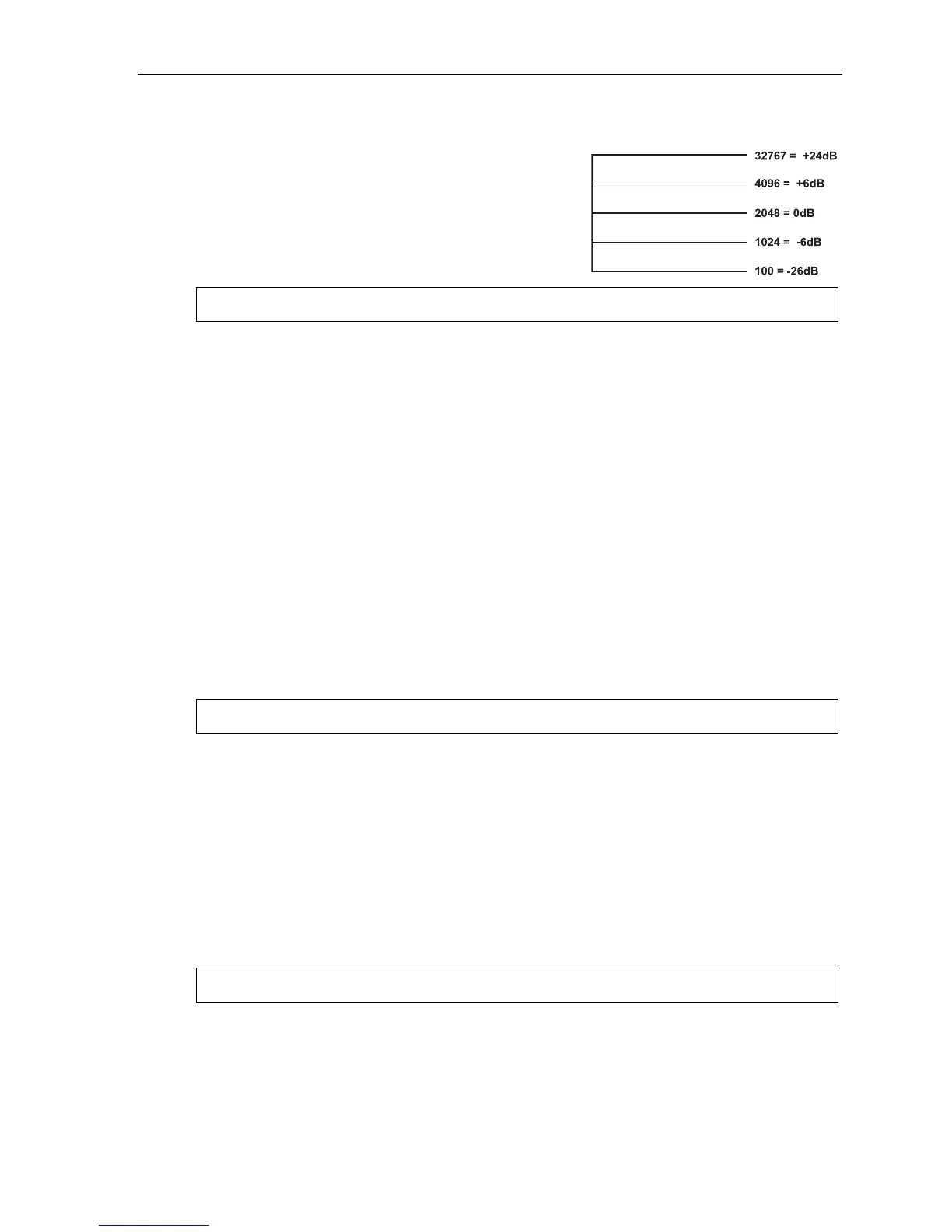
Field 1: CO-to-CO conference gain
Adjusts the volume level on CO lines when in a
conference call. Increasing this level to a high setting can
cause excessive noise or feedback on conference calls. This is
a threshold gain level. Doubling or halving the current setting is
in 6dB increments.
Range: 100–32767. Default: 2048.
Warning: Adjusting field 1 while calls are in progress may result in temporary loss of audio.
Field 2: ARS inter-digit timer
Adjust this timer if the system disconnects the call before all digits are sent or there is an excessively long
delay before the number is dialed. Sets the time after the first digit has been entered and before the
entered number is accepted as being complete. This is when ARS (see “Function 223: Automatic route
selection [ARS],” page E.28) is enabled and an outgoing call is made. Also controls the amount of time
available for dialing when PRI lines are accessed. Expressed in 1/100s of seconds.
Range: 40–1000 (i.e., 400 ms to 10 seconds). Default: 500 (i.e., 5 seconds).
Field 3: CO playback gain
Adjusts the volume level the system uses to play back recordings, prompts or messages to a CO line. If
this value is set too low, callers into the system may not be able to hear the greeting of a mailbox or the
auto attendant when either answers the call. 6 = 0dB; going up or down from there is in 3dB increments.
Range: 1–12. Default: 6.
Field 4: Trunk-to-trunk CO gain
Adjust this if callers in a trunk-to-trunk connection — either through the “reach-me” feature, manual
connection or auto attendant — are unable to hear or have excessive noise or feedback.
10 = 0 dB; going up or down from there is in 3dB increments.
Range: 1–12. Default: 11.
Warning: Adjusting field 4 while calls are in progress may result in temporary loss of audio.
Field 5: Delay before connection “beep-beep”
Adjust this if connection tones are played either too soon or too late after the system answers a CO or
intercom call. Sets the amount of time before the connection “beep-beep” is started. Expressed in 1/100s
of seconds.
Range: 10–100 (i.e., 100 ms to 1 second). Default: 20 (i.e., 200 ms).
Field 6: Caller ID gain
Adjust this level if Caller ID information isn’t being displayed. Setting this field tells the system how much
CID signal it needs to determine whether the signal is valid CID. This is a value set in the DSP and is
similar to the fax energy level (see Function 165, field 4, page D.7).
Range: 1–32767. Default: 20000.
Warning: Adjusting field 6 while calls are in progress may result in temporary loss of audio.
(Continued)



 To Next Page