IP Server 900 Programming Manual Function 1: System function programming
D.10
Function 167: Voice mail parameters
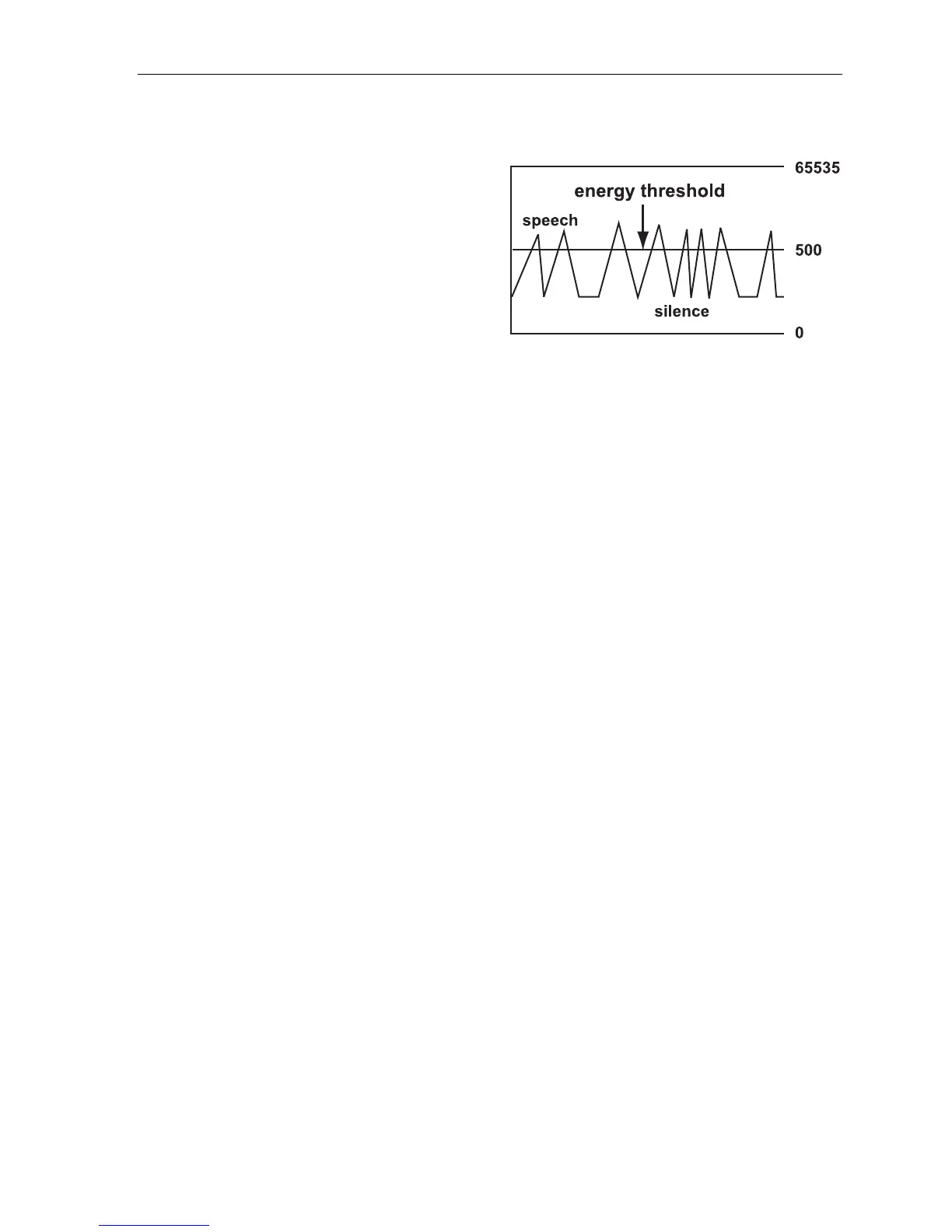
Field 1: Energy threshold
Adjust this downward if (a.) callers in a mailbox,
on a conference call or in the auto attendant are
being disconnected and/or (b.) messages in a
mailbox are incomplete. Adjust this upward if
mailboxes are storing messages with long
periods of silence. This sets the value used to
detect energy received by the system on any
port. Lowering this value means less energy will
be required to stay connected. Energy below this
level is treated as silence.
Range: 0–65535. Default: 500.
Field 2: Recording silence value
This sets how much consecutive silence can be recorded in a mailbox before it stops and plays the “end of
recording” prompt (537). Expressed in 1/100s of seconds.
Range: 200–3000 (2 to 30 seconds). Default: 350 (3.5 seconds).
Field 3: Page glare detection
Enables or disables the ignoring of page glare when using pager notification. When this is set to 1, the
system will go off-hook and send phone or pager strings regardless of dialtone detection. Enable this field
if one or both of the following occur:
• CO lines are not releasing immediately after a pager notification.
• “Phantom” incoming calls (no caller and no Caller ID) are occurring.
Range: 0 (disabled) or 1 (enabled). Default: 0 (disabled).
Field 4: Maximum messages in Recycle Bin
Sets the maximum number of messages in the Message Recycle Bin.
This is a system-wide setting.
Range: 2–40. Default: 10.
Field 5: Unified messaging playback exit timer
Sets the maximum duration in seconds to keep the ESI phone connected to voice mail (i.e., wait for
additional user entries) after a message stops playing via VIP 7.
Range: 0–20 (seconds). Default: 4.



 To Next Page