PLATINOUS SERIES CONTROLLER MANUAL
23
3. Select the end processing.
This sets chamber operating status at the end of the last step in the program.
Power OFF
: Shuts OFF power to the chamber.
(The breaker remains in the ON position.)
Hold End Step
: Holds the temperature and humidity control
targets of the last step.
Constant Mode
: Runs the chamber to the constant mode.
Start Next Program
: Starts the select program. The program is
selected from the Next Program item. To select a
program, proceed to step 4 of this procedure.
4. Select the next program to run.
This setting determines which program is to be run at the end of the current program. It is
available only when Start Next Program is selected for the Processing at Program End item.
Press the Select box next to Next Program. A keypad is laid over the screen to enable
input.
* Unregistered programs cannot be selected.
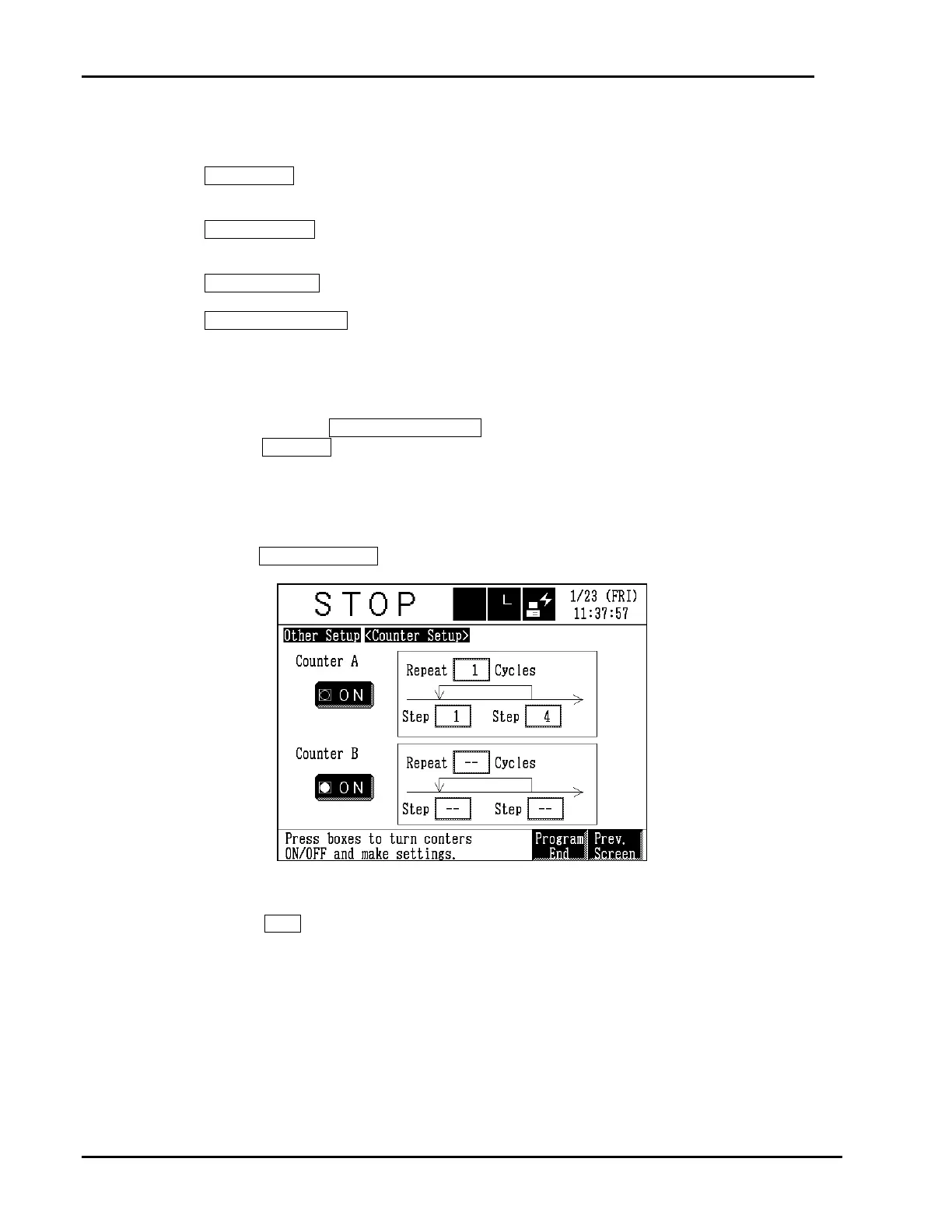
5. Set up the counters.
Press the Counter Setup button at the bottom of the Other Setup screen.
Counters control repeated operation. The set step range is repeated the number of cycles set
in Repeat Cycles. The program proceeds on the next step after these repeat cycles are
completed. Both or just one of the counters can be used in the selected program. Be careful
of the following.
Step range : 1 ≤ Start step < last step registered in program
Repeat cycles : 1 ~ 99



 To Next Page