5700MSC-IP
IP Network Grand Master Clock & Video Master Clock System
Revision 0.2 Page - 69
be replaced with a period ‘
.
The fourth line, prefixed with “
V i", shows the current timecode being read from
VITC on the reference input. If the VITC input is lost, the time shown here will be
replaced with “
--:--:--:--“. If drop frame is detected, the last colon ‘:’ will be
replaced with a period ‘
.’.
The fifth line, prefixed with “I”, shows the current IRIG timecode being read from
the LTC/IRIG input (if present). If the IRIG input is lost, the time shown here will be
replaced with “--:--:--:--“.
hh:mm:ss:ff
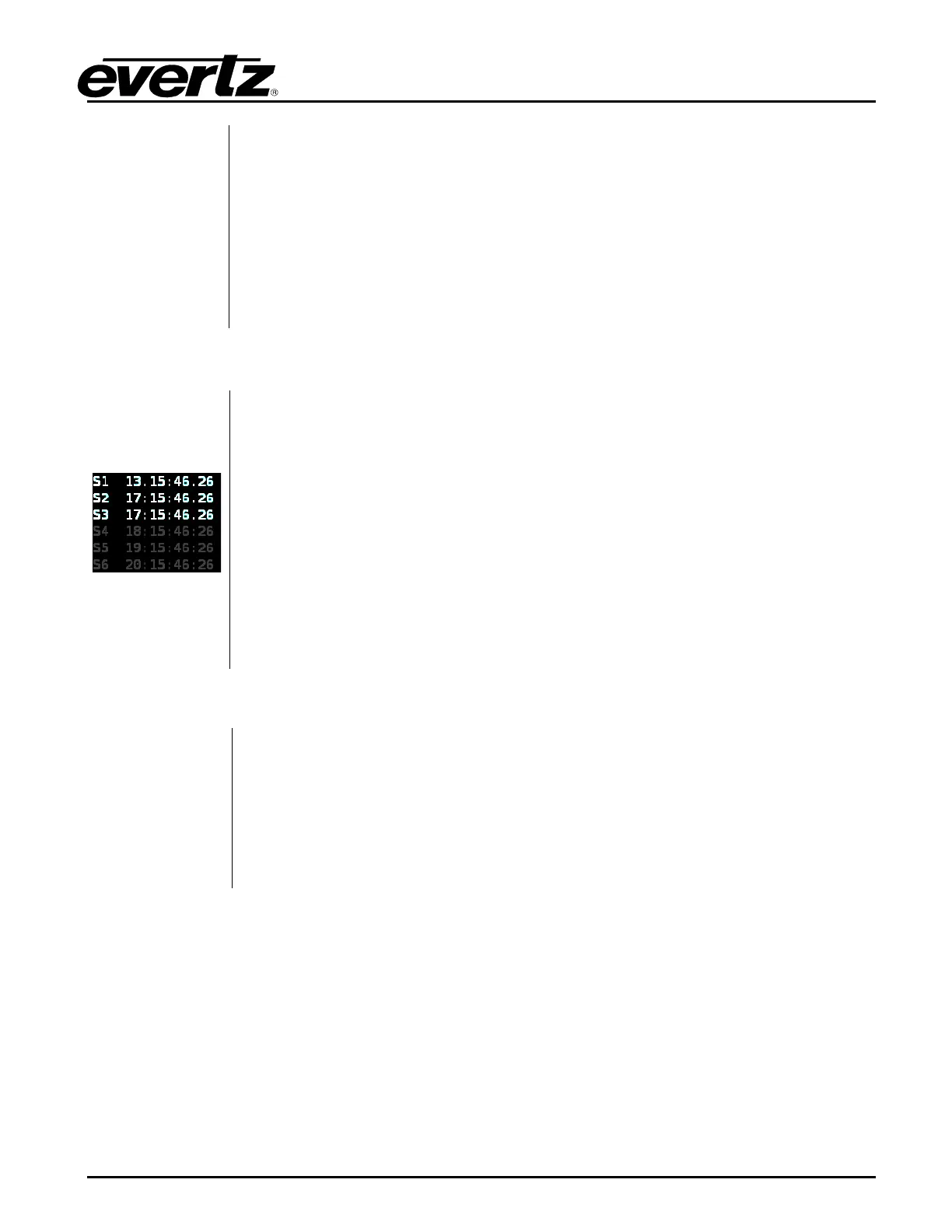
The Sync 1-6 status screen shows the VITC clocks for the sync outputs in
“hours:minutes:seconds:frames” format. The delimiter between the hours and
minutes indicates whether Daylight Saving Time is being applied to that output. It
will be a period “
.” when DST is enabled and a colon “:” otherwise. The delimiter
between the seconds and frames indicates whether dropframe counting is being
used on the VITC output. It will be a period “
.” when dropframe countin
enabled, and a colon “:” otherwise.
In the example to the left, the VITC on sync output 1 has been set to Eastern
Standard Time (Time Zone to UTC –
5:00) and has DST enabled (1 hour
advanced). Sync outputs 1 to 3 are all in dropframe counting mode. The timecode
clocks for sync outputs 5, 6, and 7 are dimmed because they are set to an output
mode which doesn’t support VITC. Although VITC is not being inserted onto these
sync outputs, the timecode clocks continue running.
Image will be
added in upcoming
release
The SDI TG 1-4 status screen shows the clocks for each of the test generator
burn-in displays in “hours:minutes:seconds:frames” format. The delimiter between
the hours and minutes indicates whether Daylight Saving Time is being applied to
that output. It will be a period “
.” when DST is enabled and a colon “:” otherwise.
The delimiter between the seconds and frames indicates whether dropframe
counting is being used on the time output. It will be a period “.” when dropframe
counting is enabled, and a colon “
:” otherwise.



 To Next Page