Installation
Agilia - User Guide 19
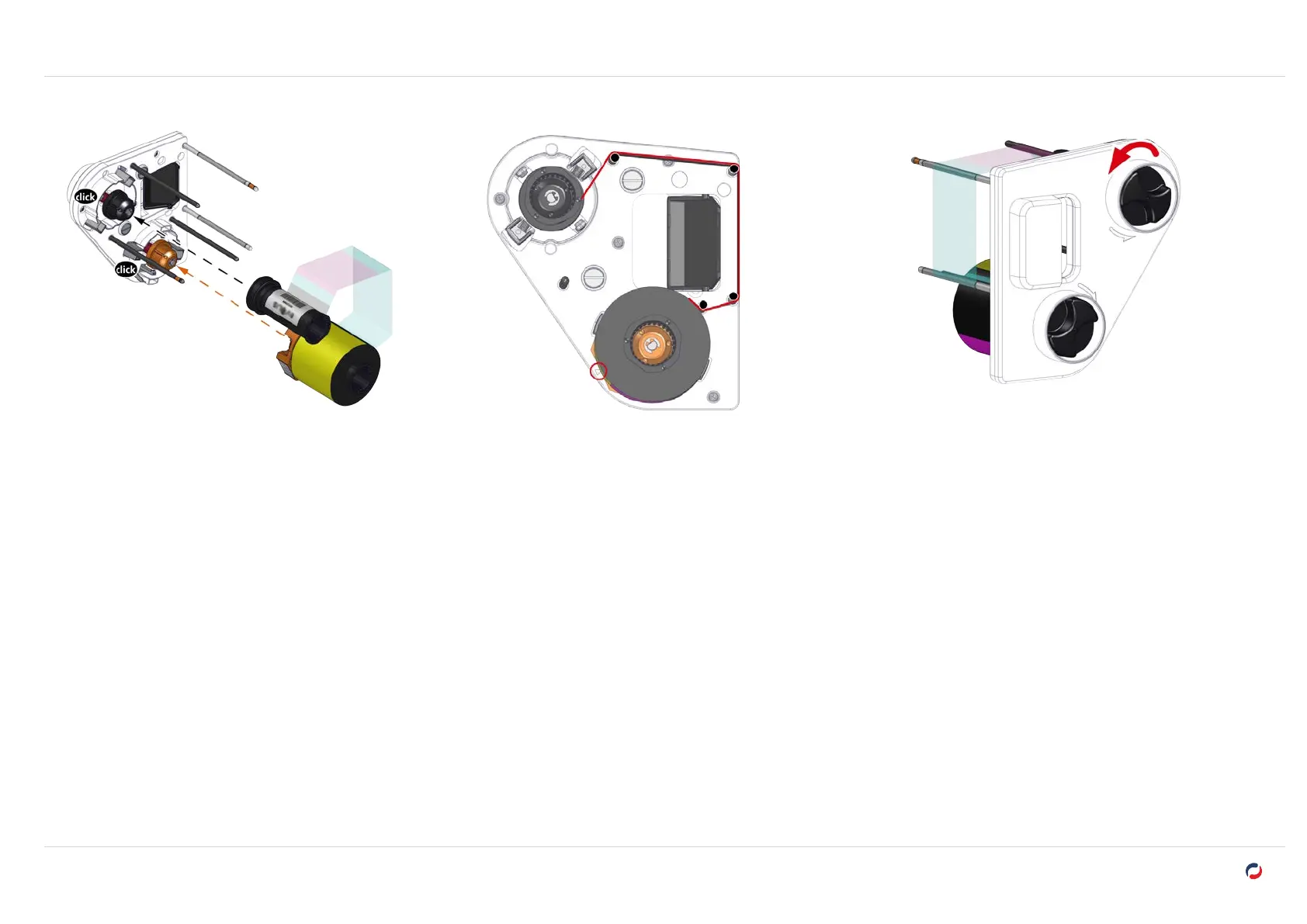
Install the printing ribbon
4. Take the printing ribbon.
5. Insert the start (full) roll of the ribbon on the orange spindle. The ribbon unwinds upward. A
click confirms the correct insertion. The etiquette on the side of the ribbon base must point
to the arrow.
6. Put the ribbon around the pins.
7. Insert the finish (empty) roll of the film on the black spindle.
8. Use the wheel on the outside of the cassette to tighten
the ribbon, following the direction of the arrows (one
complete turn).



 To Next Page