TECHNICAL REFERENCE MANUAL Dyvi 2.0.7.2
Processing Module Installation and Cabling 29
Dyvi Control Interfaces at LAN 1 and LAN 2
Network adapters LAN 1 and LAN 2 are used for connecting the
Processing Module with all external devices, including the Control Panel
and GUI.
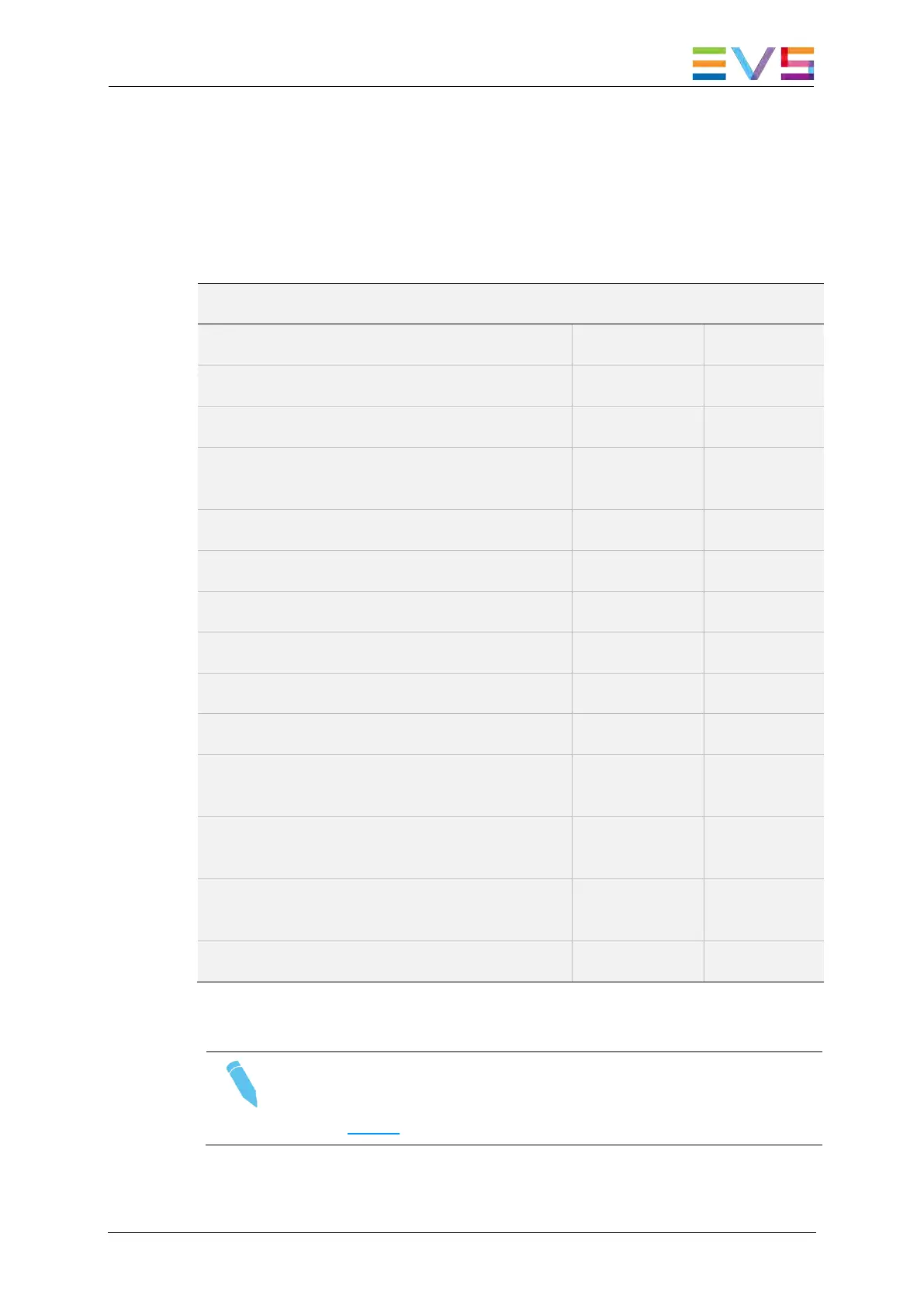
The table below illustrates which protocols and devices can be connected
to the LAN ports.
Protocol and device distribution on LAN 1 and LAN 2
Device / Protocol LAN 1 LAN 2
Dyvi control devices (Control Panel, GUI)
Dyvi Supervisor web server (port: 80)
Dyvi Mobile/Webpage macro web server
(Control Panel, port: 8090)
LinX protocol for EVS XT3 servers control
Ember+ server access (port: 9000)
PixTally (port: 6669)
OCF / PixCom (port: 3456)
Ross Xpression (Ross Talk)
Intelligent Interface II (Generic Telnet)
MOXA serial port interface CN 2650-16-
2AC (VDCP, BVW75 protocols)
EVS Dyvi-TALLY-BOX tally adaptor (based
on LAWO / LSB tally adapter)
LAWO / LSB tally adapter GPI/O 32
(SW 2.3.4 or over)
BFE tally adapter GP-IO-32/Z1 LAN
Table: Protocol and device distribution on LAN ports.
Note
For details on Dyvi control network configuration, please refer to
section 10.2.2 of this manual.



 To Next Page