Quick Start — VTG 400/400D, cont’d
VTG 400/400D • Quick StartQS-2
Scope Trigger Adjustments
Scope trigger cursor buttons
Press the and selection buttons to move the trigger
point between lines (y-axis) and press the and
selection buttons to move the trigger point between pixels
(x-axis) on the current line.
Scope trigger shape button
Press the Shape button to toggle the on-screen cursor’s
shape between crosshair (useful for locating the cursor on the
display screen) and single pixel (useful for locating the cursor
on the oscilloscope screen).
Scope trigger hide button
Press the Hide button to toggle the cursor on (visible) and off
(hidden).
Quick Select Preset Buttons
SAVE
CANCEL
Saving a Preset
Up to four video and/or audio settings can be saved to one of
the four Quick Select buttons:
1. Press and hold the desired Quick Select button for about 2
seconds until the Quick Select setup menu appears.
2. Press the or on-screen buttons to select Audio
settings, Video settings, or All settings (Audio and Video).
3. Press to save the setting(s) to the Quick Select
button or press to cancel the operation and not
save the setting(s) to the Quick Select button.
Recalling a Preset
Press the desired Quick Select button to recall the stored
settings.
Button Lock Mode
Press and hold the Signal Type and
Test Pattern buttons simultaneously
for 2 seconds to enable/disable the top panel
buttons.
AUDIO
SETUP
MENU
MENU
VIDEO
SETUP
MENU
ADVANCED
SETUP
MENU
NEXT
MENU
EXIT MENU
Press "NEXT" button
Power
on
RES: VGA 640x480
FRQ: 31.50kHz 60.00Hz
PAT: Fine Crosshatch
SIG: Pink noise FRQ: N/A
LEV: -10 dBu 245mV
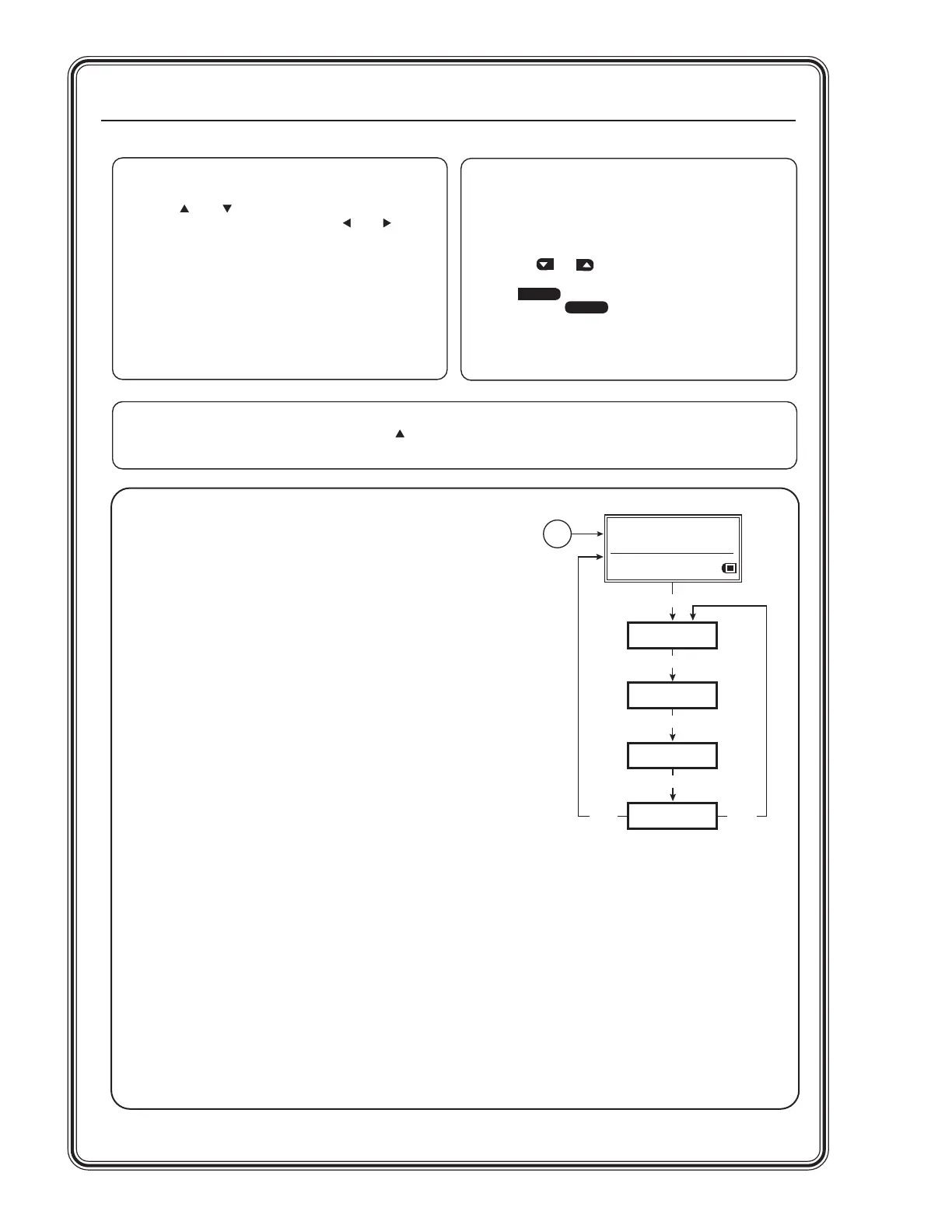
Menu Adjustments
Press the Menu and Next buttons to navigate through the menus. Use
the four arrow selection buttons adjacent to the LCD to make changes to
the settings.
Audio Setup menu
• Audio level units: dBu or dBv
• Output 2 enable: left & right channel output, left output, or right output
• Burst interval (cycles per interval): from 00001 to 65535
• Burst on (cycles per burst): from 00001 to 65535, must be < or = to
burst interval
• Frequency sweep start frequency: 20.0 Hz to 19.0 kHz
• Frequency sweep stop frequency: 21.2 Hz to 20.0 kHz
• Frequency sweep format: logarithmic (default) or linear
• Frequency sweep direction: low-to-high (start freq. to stop freq. - default)
or high-to-low (stop to start)
• Audio mute: on or off (default)
• Square wave automatic attenuation: on (autoattenuate to -40 dBu) or off
(default) when toggling through the audio signals
Video Setup menu
• RGB sync format: RGBHV (default), RGBS, RGsB, or RsGsBs
• Raster border: 1-pixel white border on or off (default)
• On-screen display: on or off (default)
• Autosequence mode: on or off (default)
• Autosequence interval (display period per test pattern): 15 sec. (default),
30 sec., 60 sec.
• RGB color channel enable: enable (on) or disable (off) red, green,
and/or blue channels (default = all channels on)
Advanced Setup menu
• Timeout interval (for screensaver): 5, 10, 15, or 30 minutes, or never
(default)
• Screensaver mode: blank (black screen, default), or cycle (through test
patterns in 4-second intervals)
• LCD display contrast: level 000 through 063 (default = 032)
• Internal temperature: displays the VTG 400’s internal temperature in
degrees Fahrenheit/Celsius
• System reset (to default settings): yes or no; if yes is selected, a
confirmation menu appears. Custom rates are not affected or
overwritten during reset.
Tel. 07131 911201
Fax 07131 911203



 To Next Page