FaroArm
®
Manual
January 2009
33
Chapter 1: Introduction to the FaroArm
®
2 Choose a standard ball probe, 6mm or 3mm.
N
OTE: If your ball probes are stamped with the exact diameter, enter
the exact diameter in the M
ODIFY PROBE dialog box for each ball
probe. See “Edit Probe” on page 78.
3 Calibrate the standard ball probe using the single hole calibration
method. See “Single Hole Method” on page 83.
4In the P
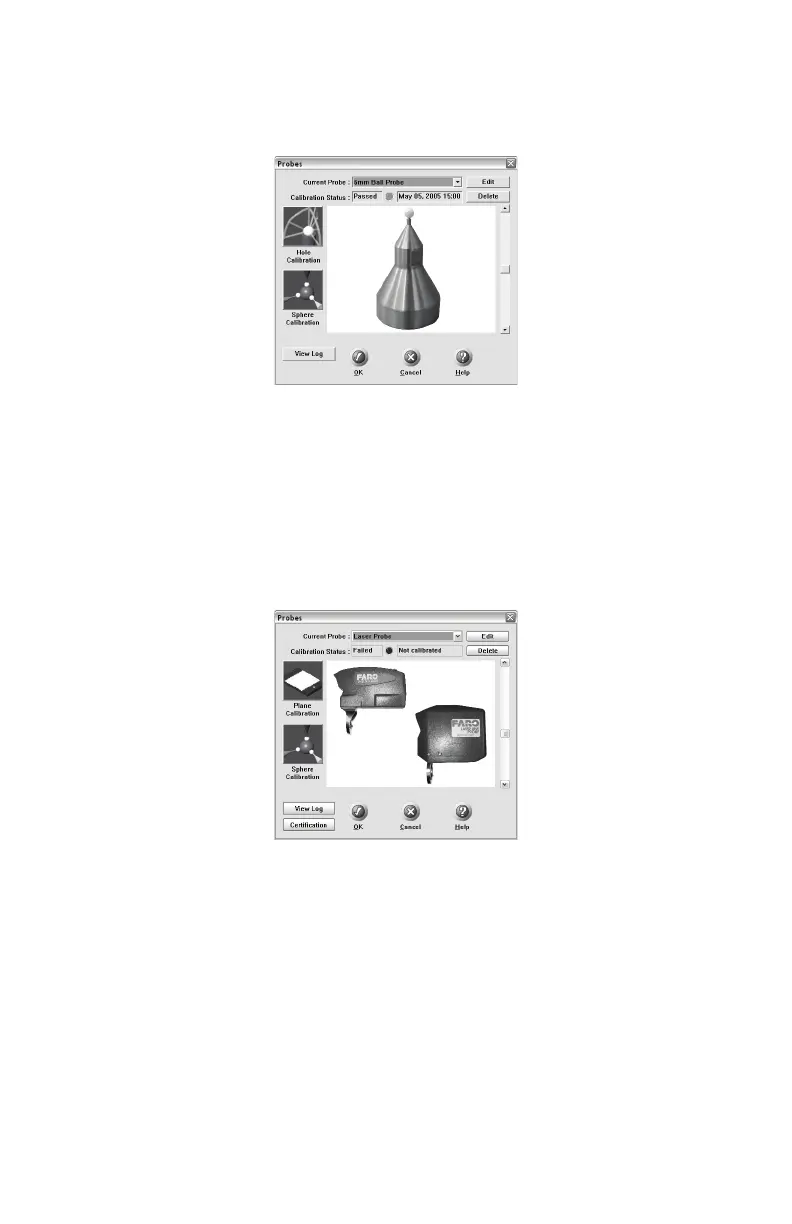
ROBES dialog box, choose the Laser Probe probe in the
C
URRENT PROBE drop-down window.
5 Choose the PLANE CALIBRATION or the SPHERE
CALIBRATION button.
6 You can choose to use the previously measured plane or sphere, or
measure the plane or sphere. Click OK to calibrate the Laser Line
Probe, or measure the plane or sphere.
• The laser turns on and the laser beam is visible unless you are
measuring the plane or sphere. After you successfully measure the
plane or sphere, the laser turns on and the laser beam is visible.
Figure 1-31 Standard Ball Probe
Figure 1-32 Probes Dialog Box
08M46E00_FaroArmUSB.book Page 33 Tuesday, February 17, 2009 1:42 PM


 To Next Page