SERVICE PROCEDURES 47
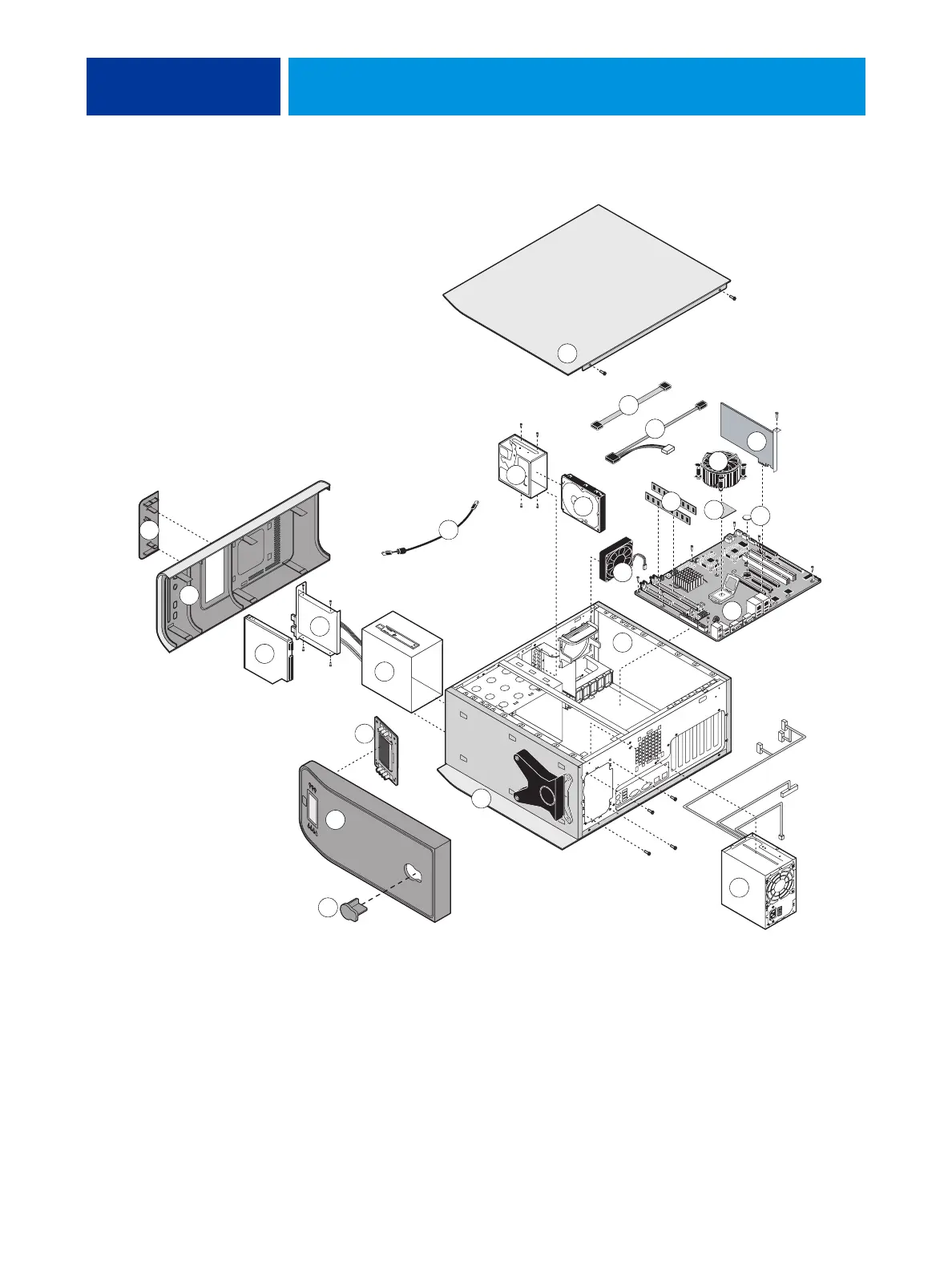
FIGURE 11: Exploded view of E-41 components
21
1
12
13
8
10
15
17
16
5
22
23
14
7
3
2
4
6
9
11
18
19
20
24
i
Key
1. Top panel plug
2. Top panel
3. User Interface Board (UIB)
4. Component sled
5. Switch bank assembly
6. DVD drive
7. Front panel
8. Upper faceplate
9. UIB cable
10. HDD bracket
11. HDD
12. Side panel (left)
13. HDD data cables
14. DVD drive power/data combination cable
15. CPU cooling assembly
16. Video board
17. DIMMs
18. CPU
19. Battery
20. Motherboard
21. Fan
22. Chassis
23. Power supply
24. Side panel (right)
NOT SHOWN: UIB buttons, CPU fan cable, tie-wraps, cable clamps, dongle(s), or external cables



 To Next Page