SERVICE PROCEDURES 98
TO REMOVE THE SWITCH BANK ASSEMBLY
1. Shut down, and then open the E-41 (see pages 49 and 51).
To remove the switch bank assembly, you must remove the left, right, and front panels.
2. Disconnect the following cables:
• Power and data combination cable from the back of the DVD drive
• Power and reset button cables from motherboard connector JP4
• Speaker cable from motherboard connector J40
• Front panel USB port cables from motherboard connectors J22 and J35
3. Remove the ferrite that is installed around the front panel USB port cables near the
motherboard.
Carefully pry open the latch on the side of the ferrite and remove the ferrite from the cables.
Set the ferrite aside so that you can replace it later.
4. Unharness the cables from the cable clamp(s) and tie-wraps inside the chassis.
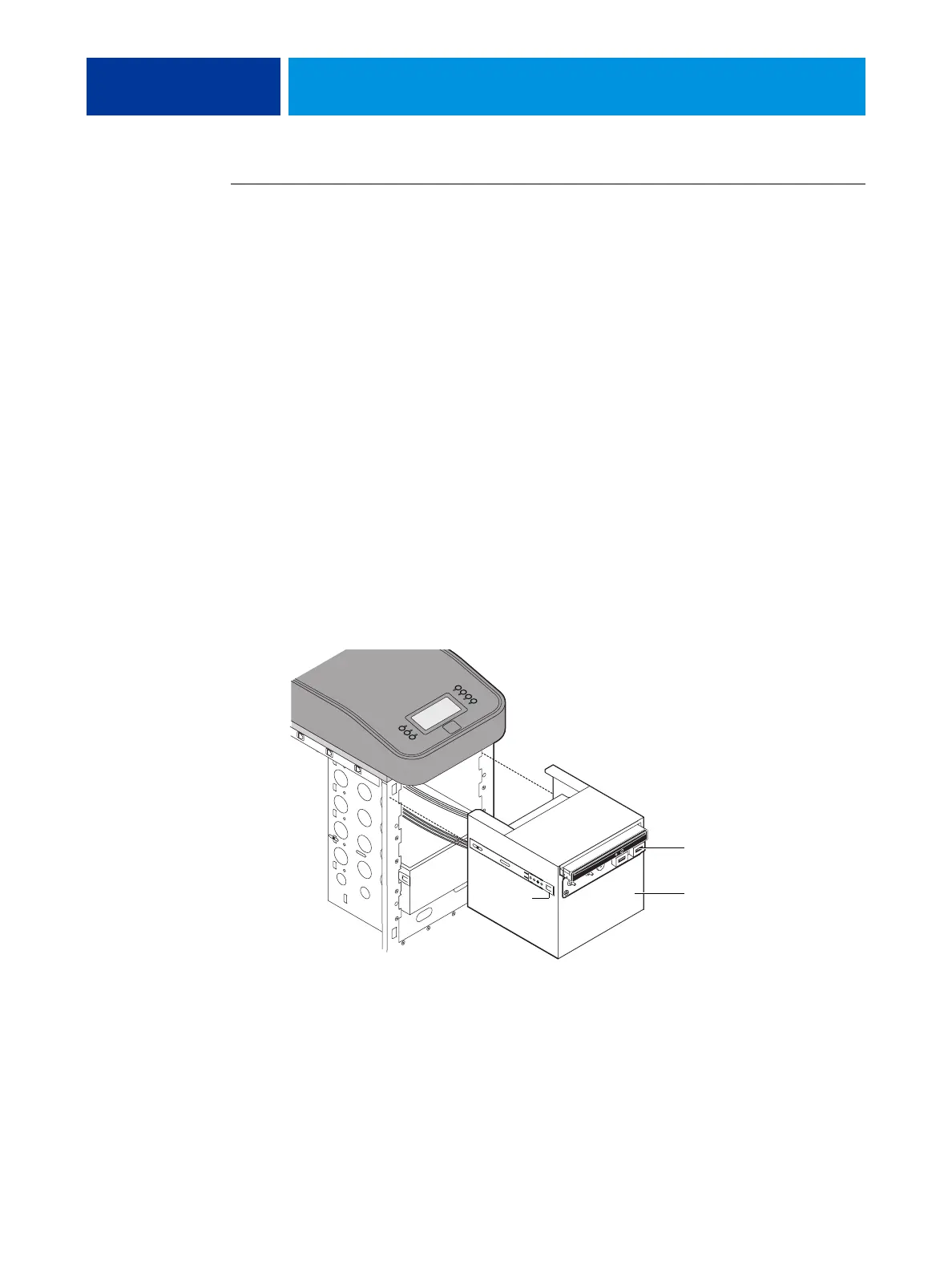
5. Remove the Component Sled from the chassis (see Figure 34 on page 97).
Press the guide latches on the sides of the Component Sled and carefully pull the sled out of
its slot in the front of the chassis.
FIGURE 35: Removing/replacing the Component Sled from the chassis
NOTE: Be careful not to damage the EMI gasket around the slot in the chassis. Guide the
cables out of the chassis as you remove the Component Sled to prevent them from catching or
tangling on internal parts.
Guide latch
(1 of 2)
Component Sled
Switch bank assembly



 To Next Page