SERVICE PROCEDURES 94
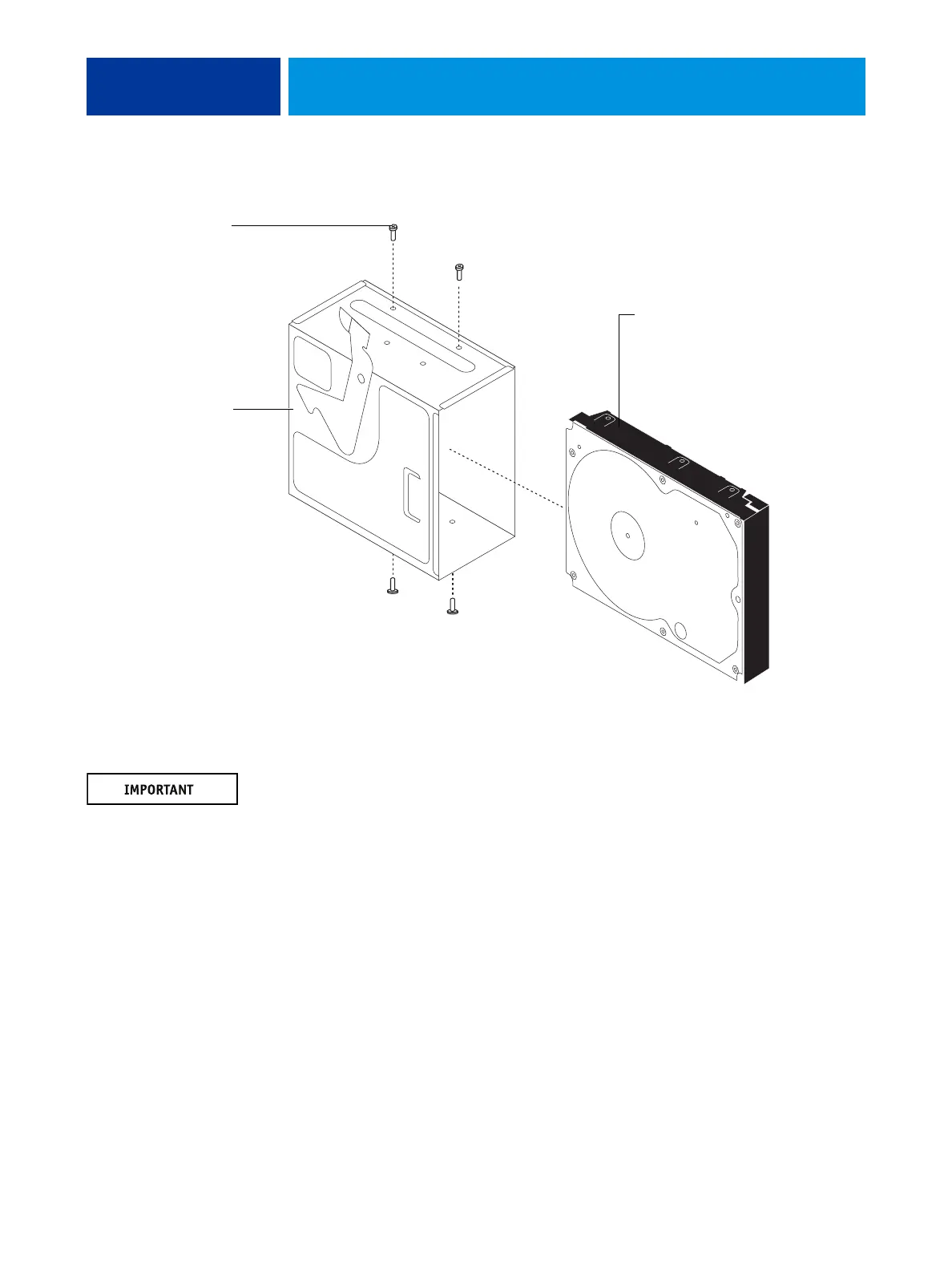
7. Remove the four screws that attach the HDD to the HDD bracket (see below).
FIGURE 33: Removing/replacing the HDD from/in the HDD bracket
8. Remove the HDD from the HDD bracket and place it in an antistatic bag.
Do not unscrew the screws on the HDD cover. Loosening these HDD screws breaks the seal
and voids the HDD warranty.
Do not touch the drive with magnetic objects (such as magnetic screwdrivers), and avoid
placing items such as credit cards and employee ID cards that are sensitive to magnets near the
HDD.
Replacement HDDs are not shipped with preinstalled system software. After you install the
drive, you must install the appropriate system software.
HDD bracket
HDD
Screw (1 of 4)



 To Next Page