SERVICE PROCEDURES 78
TO REPLACE A DIMM
1. Shut down, and then open the E-41 (see pages 49 and 51).
To access the DIMMs, you must remove the left panel.
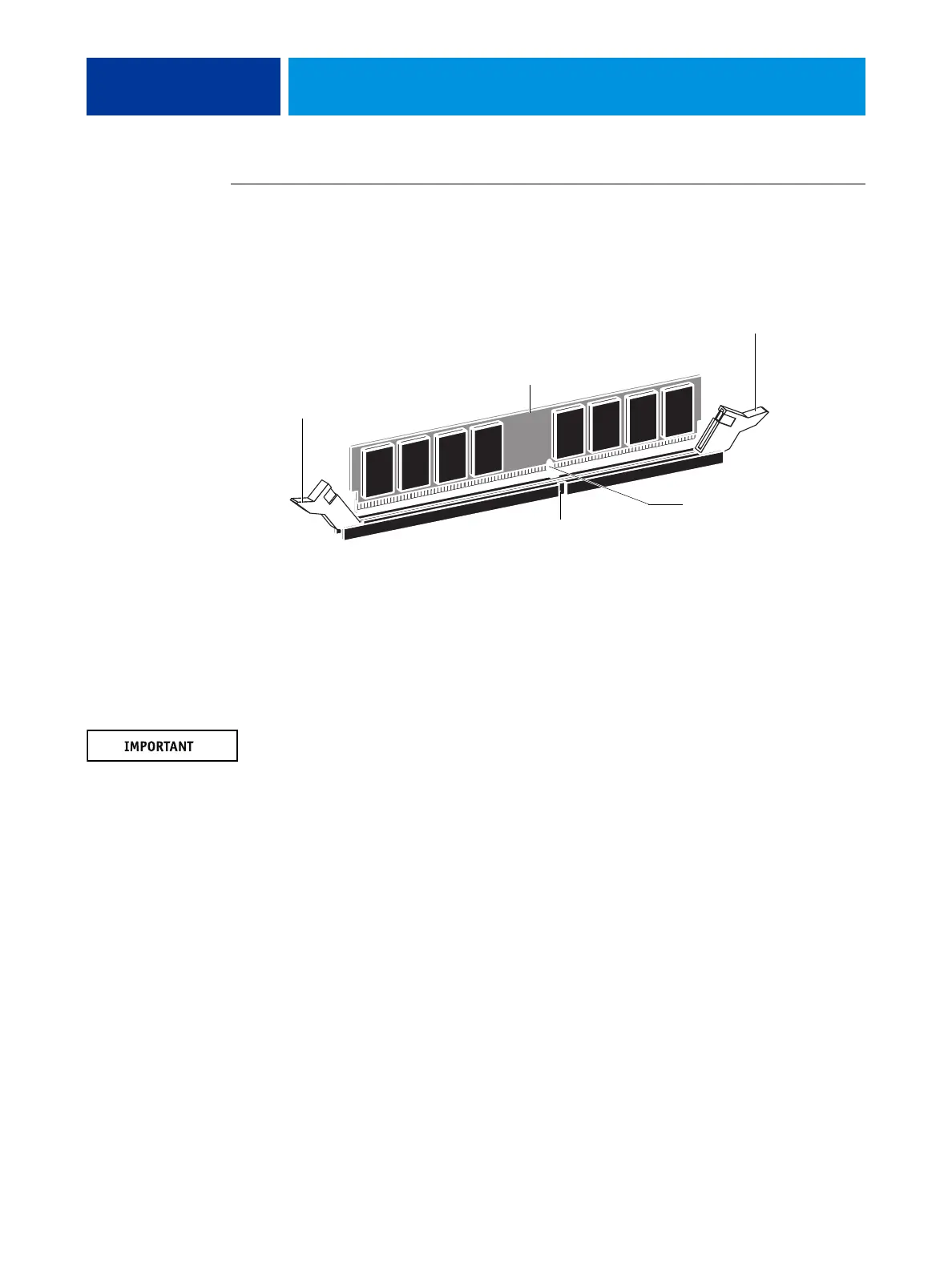
2. To release a DIMM, push outward on the levers on each side of the DIMM.
FIGURE 24: Releasing a DIMM
3. Pull the DIMM straight out of the socket.
4. To replace a DIMM, insert the DIMM straight into the socket and close the levers at each side
to lock it into place.
NOTE: The socket is keyed so that the DIMM fits only one way. (See the notches in the
preceding figure.)
Make sure that the entire length of the DIMM (ends and center) is fully seated in the socket
and that the levers close securely around the ends of the DIMM.
5. If you installed a new DIMM, clear the CMOS as follows:
NOTE: You must clear the CMOS after installing a new DIMM to ensure compatibility
between the new component and the previous settings stored in the BIOS. Make sure that the
power cable is removed from the power outlet before clearing the CMOS.
• Remove the battery (see page 84).
• Wait 2 minutes to allow the motherboard electrical components to fully discharge.
• Reinstall the battery.
6. If you installed a new DIMM and cleared the CMOS, make sure to reset the time and date in
Setup (see Configuration and Setup).
7. Reassemble the E-41 and verify its functionality (see page 104).
Lever
Lever
DIMM
Socket notch
DIMM notch



 To Next Page