SERVICE PROCEDURES 86
Fan
A fan mounted inside the E-41 chassis draws air into the E-41 to cool components. The fan
runs continuously when the system is on. You should hear the fan start as soon as you power
on the E-41. If you do not hear the fan, there may be a faulty power connection (see page 48).
The following procedures describe how to remove and replace the fan.
TO REMOVE THE FAN
1. Shut down, and then open the E-41 (see pages 49 and 51).
To access the fan, you must remove the left panel.
2. Remove the fan cable from motherboard connector FAN 4.
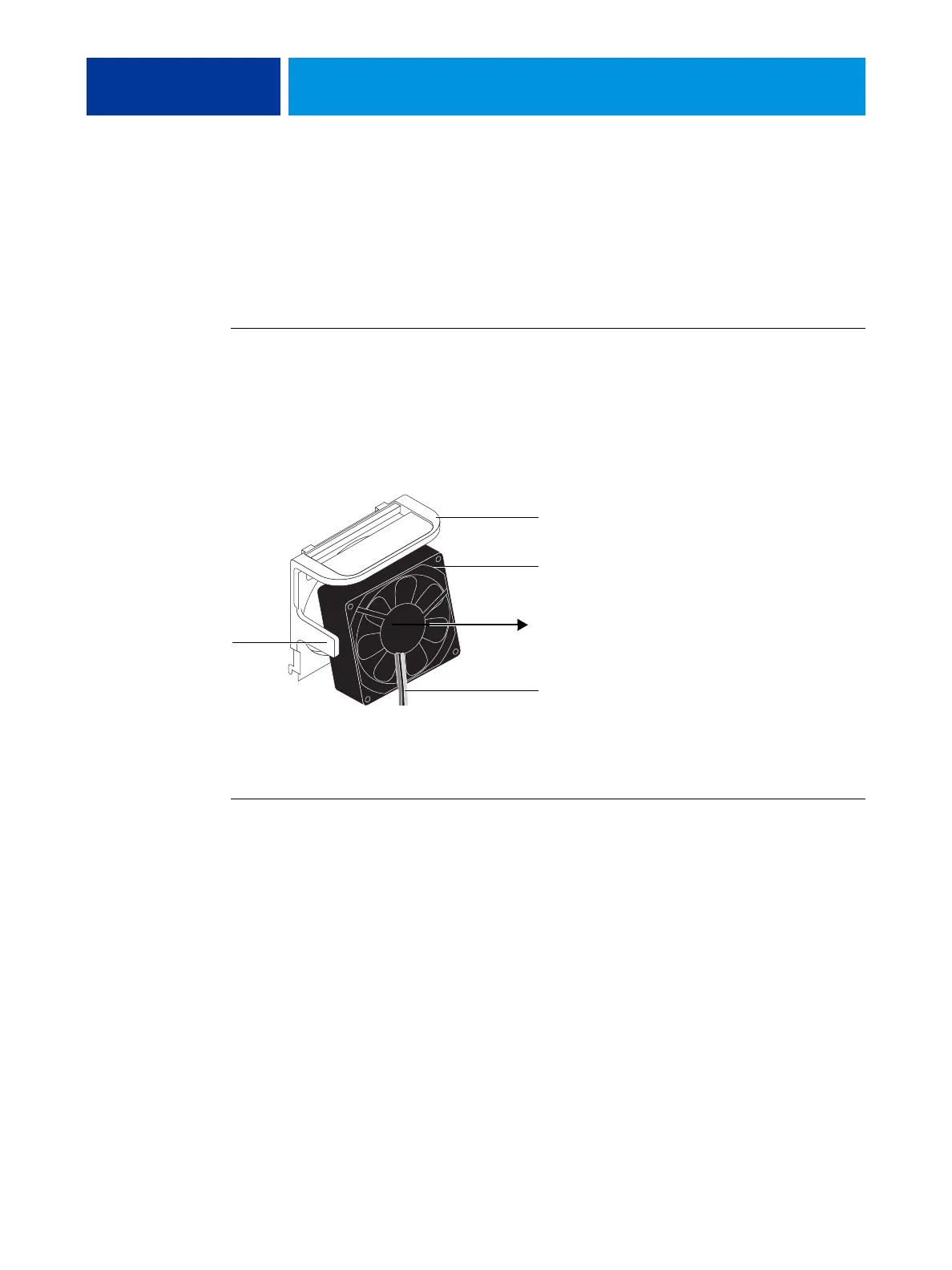
3. Release the fan from the fan bracket by bending the hooks on the bracket.
FIGURE 29: Removing the fan
4. Remove the fan from the chassis.
TO REPLACE THE FAN
1. Align the fan.
An arrow on the side of the fan indicates the airflow direction. Make sure that the fan is
positioned so that the arrow points inside the E-41 and the fan cable extends downward
toward the motherboard (see Figure 29).
2. Press the fan into the bracket until it clicks into place.
Make sure that the hooks on the bracket close over the edge of the fan.
3. Connect the fan cable to motherboard connector FAN 4.
4. Reassemble the E-41 and verify its functionality (see page 104).
Hook
(1 of 2)
Fan
Fan bracket
Air flow direction
Fan cable extending downward



 To Next Page