SERVICE PROCEDURES 68
TO REPLACE BOARDS, CABLES, AND COMPONENTS
1. Replace the HDD bracket, with HDD attached (see page 95).
You removed the HDD bracket to provide clearance for removing the motherboard.
2. Replace the following cables:
• CPU power cable (8-pin, PW1)
• Motherboard power cable (20-pin, PW2)
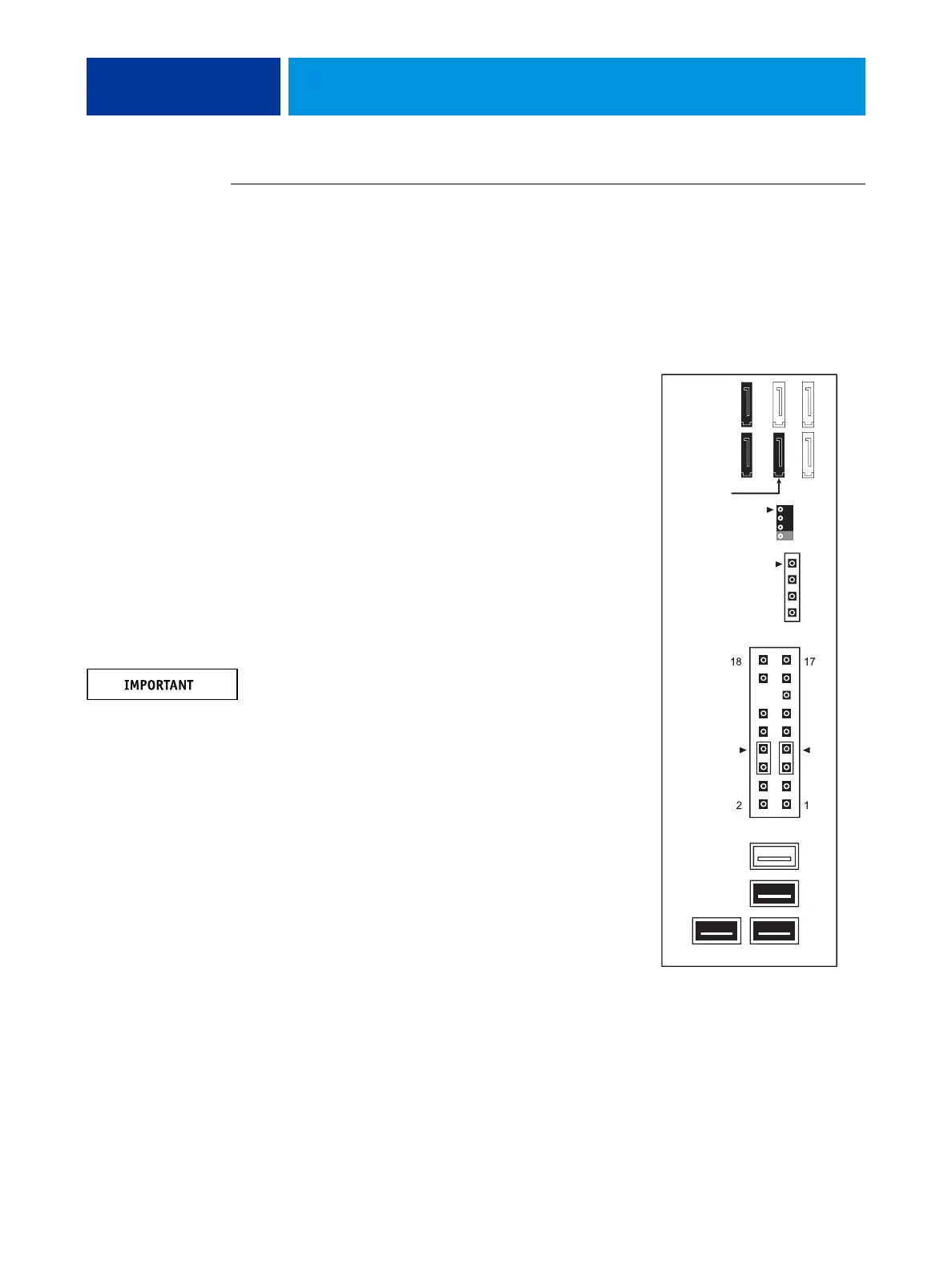
• UIB cable (J38; see detail below)
• HDD cables:
– Power supply SATA cable to the back
of the HDD
– SATA data cable to the HDD and motherboard
connector SATA 2
• DVD drive cables:
– Power and data combination cable to the back of
the DVD drive
– SATA data cable to motherboard connector
SATA 1
NOTE: Connect the thin, black SATA power cable
connectors to the HDD and DVD drive. Do not connect
the white, 4-pin power cable connectors. Connecting
both types of power cables will damage the HDD and
DVD drive.
• Front panel USB port cables (J22 and J35; see detail)
• Speaker cable (J40; see detail)
Make sure that the small triangle on the cable
connector is aligned with pin 1 on J40.
• Power button cable (JP4 pins 6 and 8)
Make sure that the small triangle on the cable
connector is aligned with pin 8 on JP4.
• Reset button cable (JP4 pins 5 and 7; see detail)
Make sure that the small triangle on the cable
connector is aligned with pin 7 on JP4.
• Front panel fan cable (FAN 4)
87
DVD drive
(SATA 1)
HDD 1
(SATA 2)
HDD 2
(SATA 3;
FAN 4
J40
Speaker
Reset
Power
J22
Front panel USB port cables
J35
J38
JP4
UIB cable
dual-HDD
systems only)
(Orientation of
these ports may vary)



 To Next Page