15
REV. 00 02/01/2015
id.:
FBC MODE FUNCTIONS
3
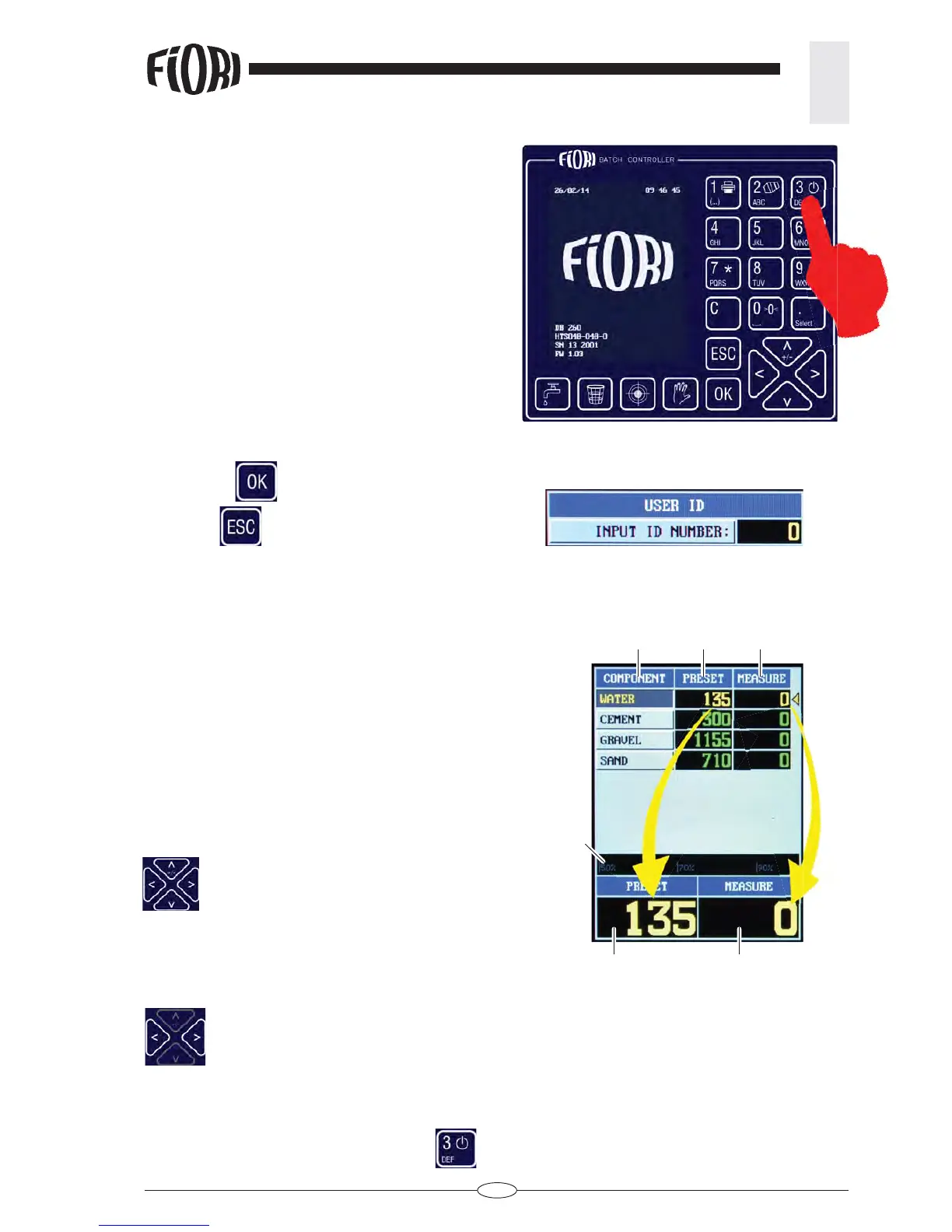
3.1 TURN ON
Press and hold the key until the start page is displayed.
The start page is displayed for a few seconds,
3.2 ACCESSING THE FUNCTIONS
Enter the user identifi cation code (max. 4 digits).
Press the OK
key to confi rm.
Press ESC
to skip.
3.3 MAIN PAGE DESCRIPTION
1 - Recipe components
2 - Preset weights
3 - Measured weights
4 - Displays loading progress of the selected com-
ponent
5 - Zoom of PRESET and MEASURE values of the
selected component
The yellow colour and the yellow arrow highlight the
selected component
Use the navigation keys to select the product
you want to upload
3.5 TURNING OFF THE SYSTEM
From the main page: press and hold the key until it turns off.
3.4 ADJUSTING THE DISPLAY BRIGHTNESS
From the main page press the indicated keys to increase or reduce the brightness.
12
3
4
55



 To Next Page