26
REV. 00 02/01/2015
id.:
CBV STANDARD MODE FUNCTIONS
3
3.6 SELECTING A RECIPE
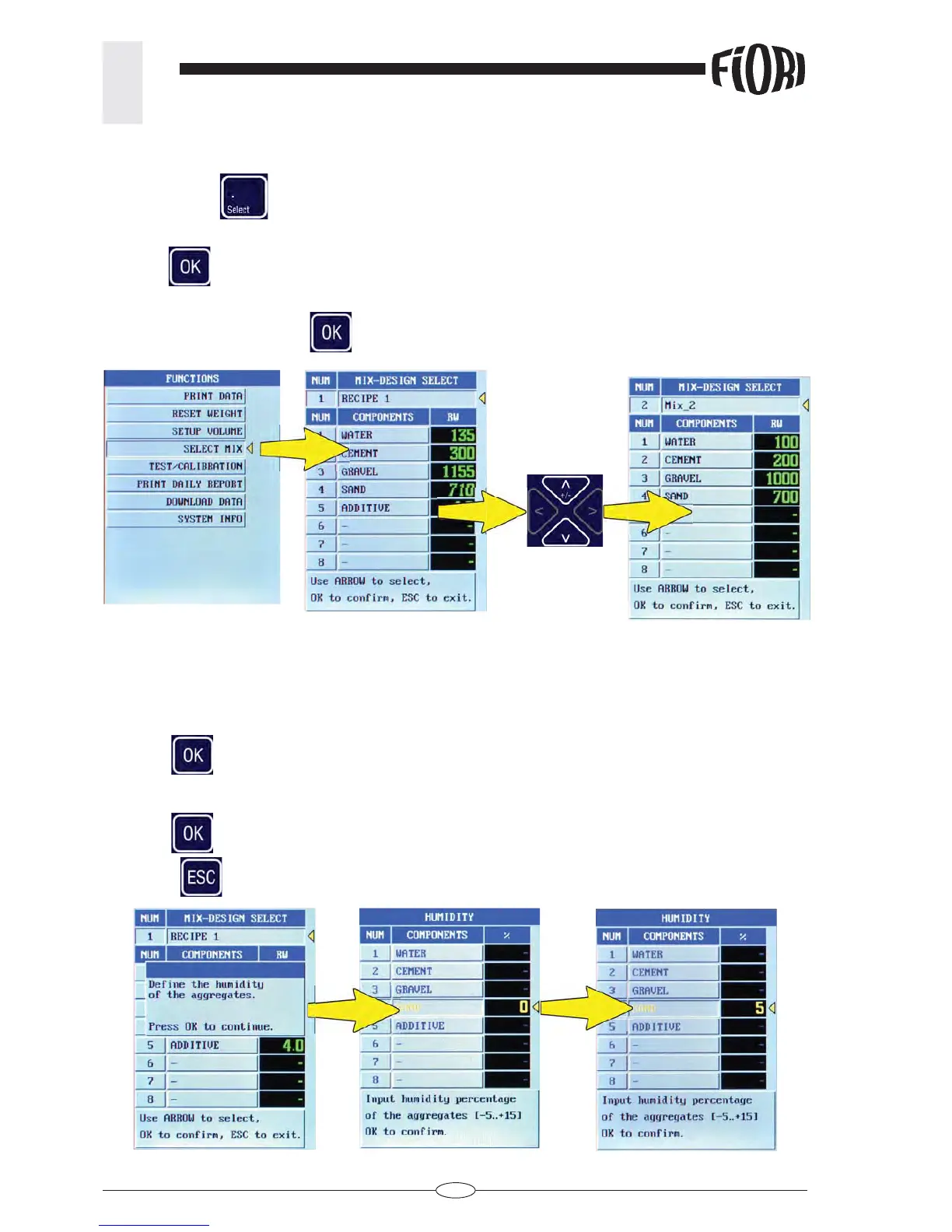
Press the “select” key
select “SELECT MIX”
Press OK
: Recipe 1 is displayed
Use the UP/DOWN arrow keys to display all set recipes
Select the recipe and press OK
to confi rm.
3.7 MOISTURE OF AGGREGATES
Once the recipe has been selected, the system asks you to defi ne the humidity of the hygroscopic
aggregates.
This data will determine a compensation in the volume of the components involved
Press OK
to go to the HUMIDITY page
Enter the humidity percentage in the fi eld, ranging from 0% to +20%.
Press OK
to confi rm.
Press ESC
to return to the recipe and start loading the components



 To Next Page