Victor Xu Page 17 12 Jan. 2011
Copyright 2011 © Shenzhen Runtianzhi Image Technology, Co., Ltd.
http://www.floradigital.com
3.4 Control Panel
3.4.1 Maintenance Control Panel
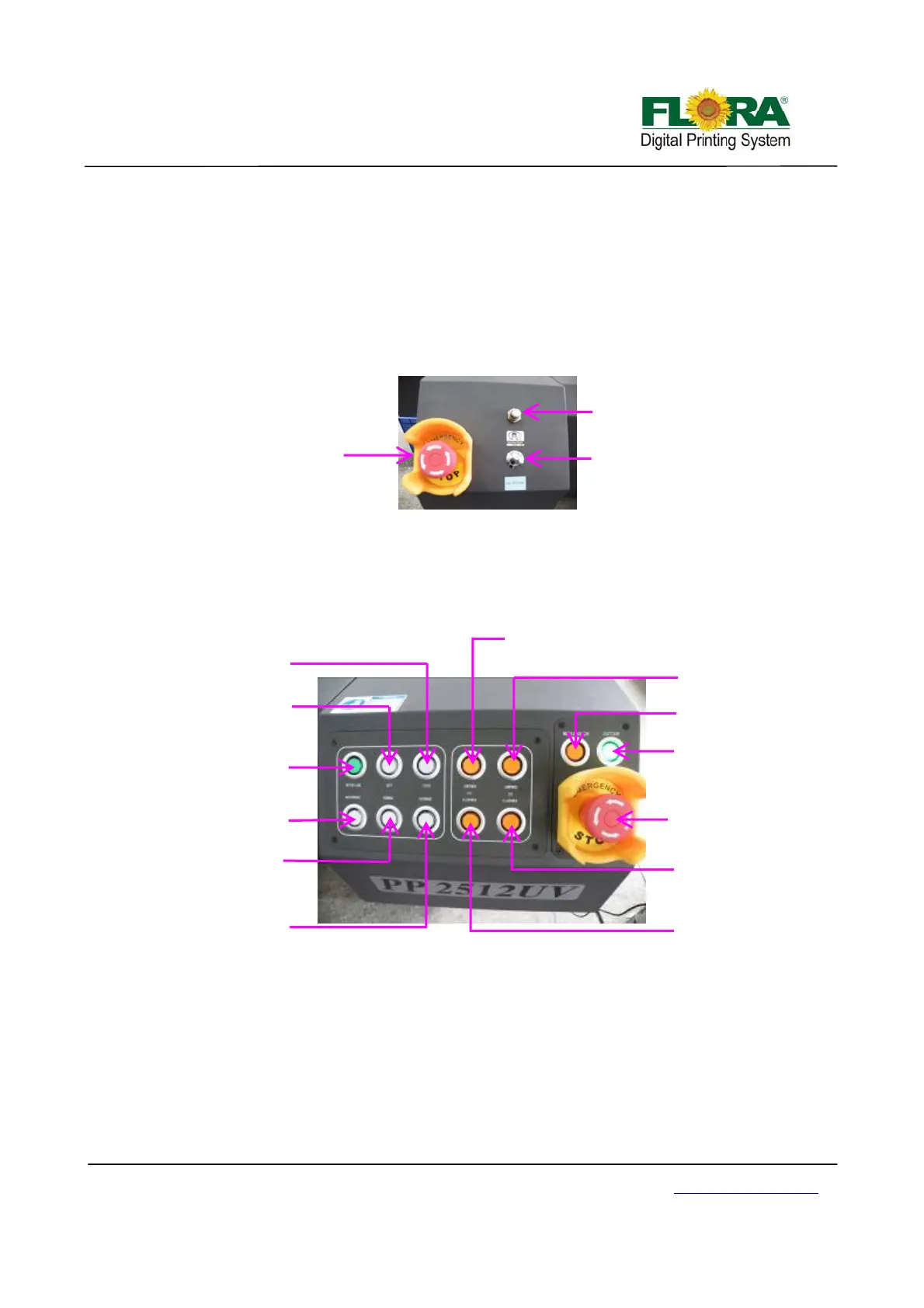
The maintenance control panel is placed at left shoulder.
The ink prime button is use to purge ink out of the print head nozzles, which will help purge
the print head.
The negative pressure regulator can be used to adjust negative pressure.
The E-stop button will shut off main power supply to this machine when emergency situation,
which will protect the print head from damaged.
3.4.2 Movement and UV lamp Control Panel
The operation panel serves as the interface between the machine and the operator. The
machine is set online or off line through the on line/off line button. Once the machine is offline from
the computer, the movement of the machine can be operated from the operation panel. The UV
lamp can be turned on or off from the operational panel.
On line/Off line Button: This button will set the printer to be connected or disconnected
with the computer. Push to set on line and push again to set off line. If the machine is off line
the button lamp is turned on, or it will be turned off.
Maintenance Button: The carriage will start automatic print head nozzle clean up
procedure. It will purge ink to the print head to refresh the nozzles and perform suction
cleaning.
Left Button: This button if the printer is set offline will move the carriage to the left.
Right Button: This button if the printer is set offline will move the carriage to the right.
Enlar
ed View of Control Panel
Maintenance button
Backward button
UV2 high power
button
UV1 high power
button
Left button
Ri
h
n
On/off line button
Forward button
UV1 low power button
UV2 low power
button
E-stop button
ir blower button
Locator button
Negative Pressure
Regulator
Priming Button
E-stop button



 To Next Page