Victor Xu Page 18 12 Jan. 2011
Copyright 2011 © Shenzhen Runtianzhi Image Technology, Co., Ltd.
http://www.floradigital.com
Forward Button: Pressing this button will make the beam towards the operator.
Backward Button: Pressing this button will make the beam away from the operator.
UV Buttons: The UV Buttons will turn on/off the UV lamps. UV1 Buttons controls the left UV
lamp while the UV2 controls the right UV lamp.
Media guide Button: This button will pop up the pin to help locate the media.
Suction Button: This button will change the air flow direction in the vacuum chamber, which
will help to push the media away from the flat bed.
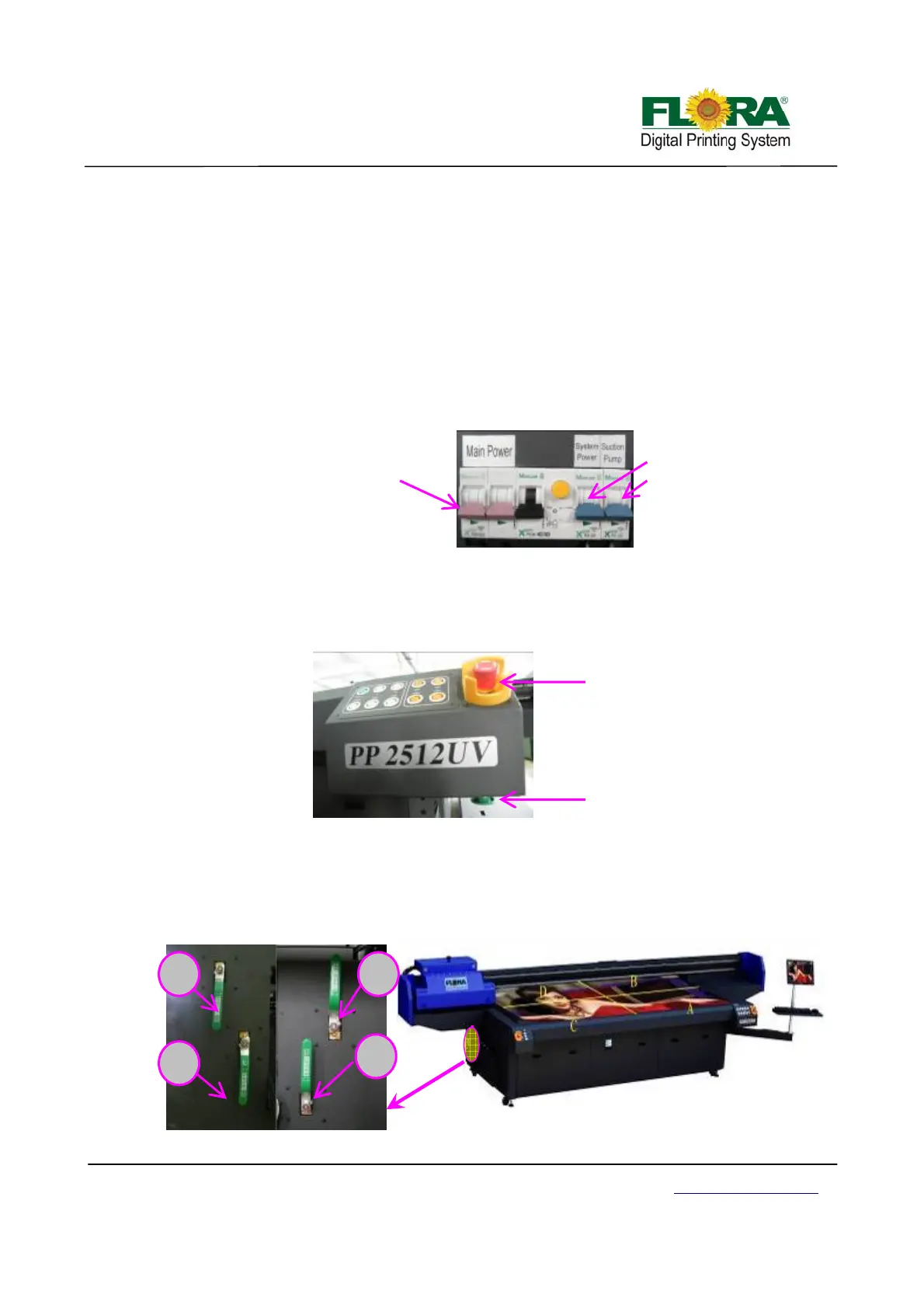
3.4.3 Main Circuit Breaker
Main power switch controls the AC power input.
System power switch controls the DC power for PCB boards etc.
Suction pump switch controls the vacuum on or off.
3.4.4 Start and E-Stop Button
The start button is placed below the control panel. This switch will not work if the emergency
stop button is not released. To release the E-stop button simply turn is according to arrow head
direction. Pressing the start button will restore electrical power to the printer.
The emergency stop button is placed at the front corners edges of the machine. Once it is
activated/ pressed, electrical power for the printer controls is cut-off.
3.4.5 Vacuum Chamber Control Valves
The vacuum flat bed is divided into four (4) vacuum chambers. Vacuum area could be
adjusted according to the media size. The numbers on the flat bed signifies the valve number, so if
you want to print on 1.2 m x 0.6 m size media you can close valves B, C and D leaving vacuum
chamber A open.
Start Button
E-Stop Button
Left valve
Right valve
B
C
A
D
Flat Bed View
Main power double
throw-Switch
System power single
throw-Switch
Suction Pump single
throw-Switch



 To Next Page