Victor Xu Page 52 12 Jan. 2011
Copyright 2011 © Shenzhen Runtianzhi Image Technology, Co., Ltd.
http://www.floradigital.com
5.5.3.4 Print head X Align
X alignment is very necessary for Bi-direction print mode. If this alignment is not good,
the output image will be rough and fuzzy because of dislocation output coming from double
directions.
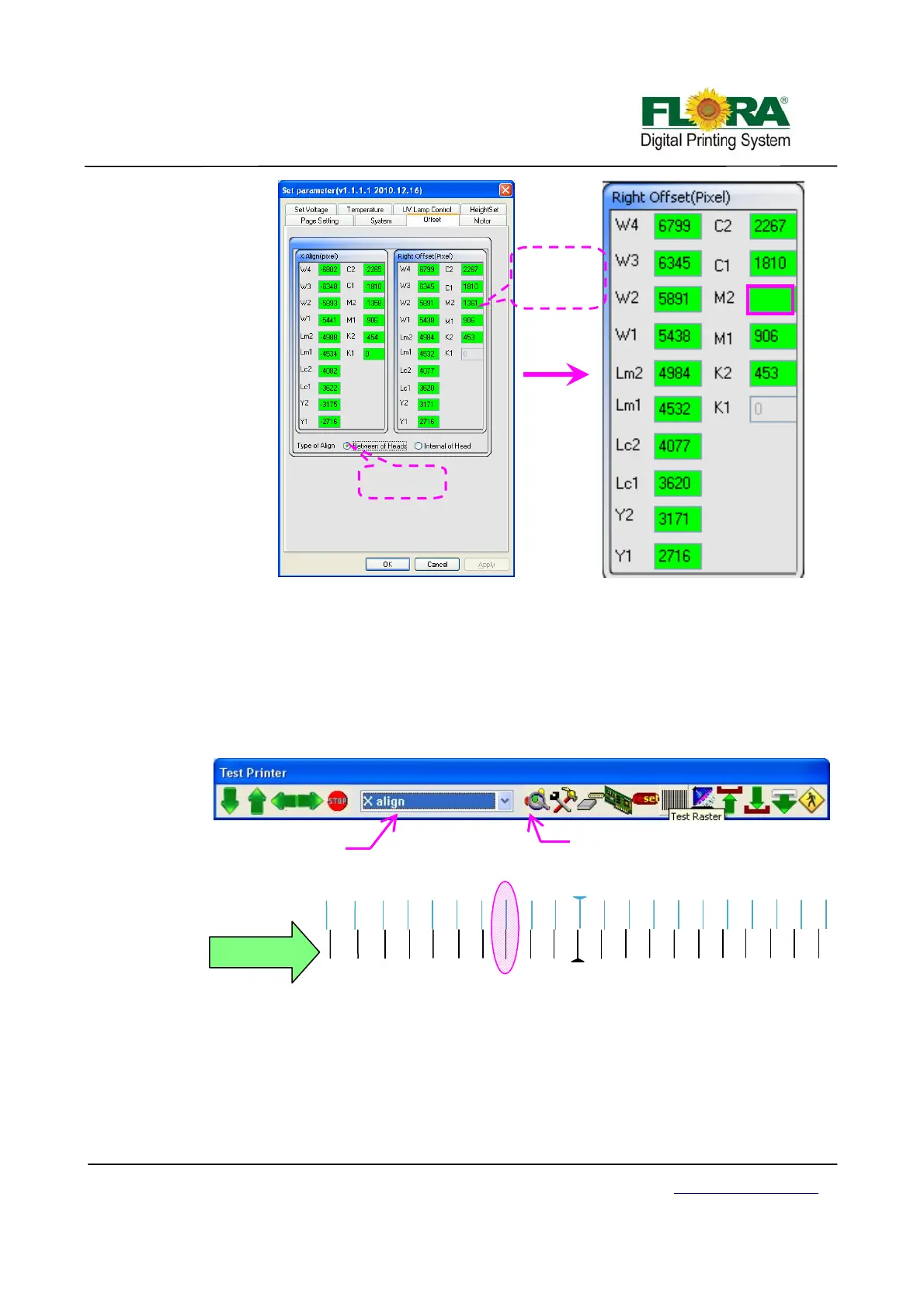
¾ On the printer tab select X align option then click send print as shown below.
Further below shows how the print out should look like. The Illustration shows
the C1 alignment happen at -3 (in-circled). Please note that this time K1 is the
reference print head in aligning all other print heads.
¾ On the Photoprint Job Properties click Driver Option >click Advance button>
Offset button > tick the Between of Heads and add the -3 mathematically on the
Left table for C1 box as shown below.
¾ All the other colors are will be aligned in the same way.
1366
De
ault value
of C1 is 1361
1361+5=1366
Tick Between
of heads
Click to send print
ali
n
Select
X align
X Align
-10
-9
-8
-7
-4
-2
-1
10
9
8
7
6
5
4
3
2
1
-5
-3
-6
C1
Left
-10
-9
-8
-7
-6 -5 -4
-3
-2
-1
10
9
8
7
6
5
4
3
1
K1
K1 is Reference
Head
Right



 To Next Page