Victor Xu Page 41 12 Jan. 2011
Copyright 2011 © Shenzhen Runtianzhi Image Technology, Co., Ltd.
http://www.floradigital.com
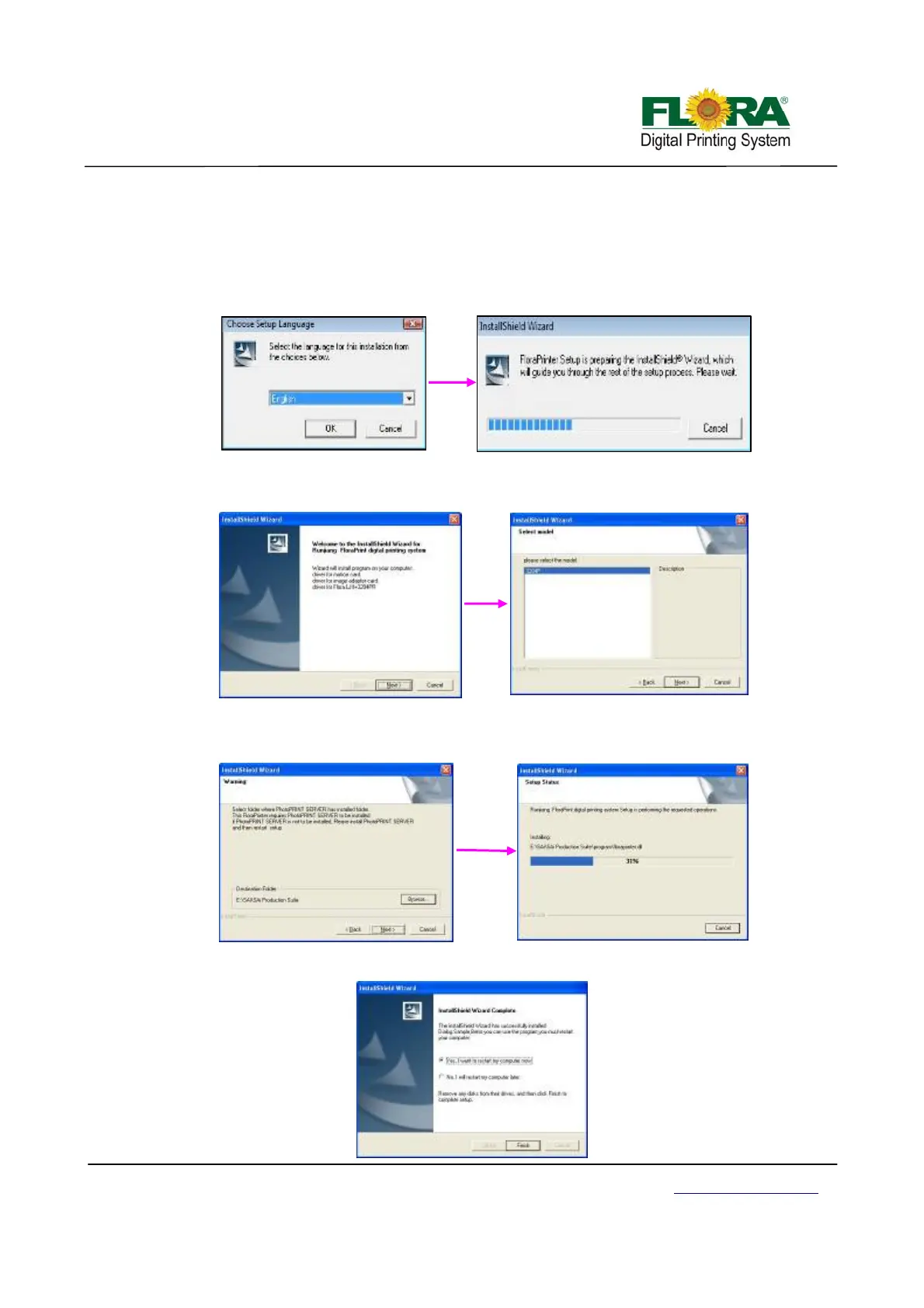
5.3.2 Installation procedure of flora driver
1) Insert the FloraPrint Driver. From the list of Folder under Print Driver, select corresponding
machine model (eg: PP2512VKM) folder. Then double-click the setup file;
2) Files will be extracted and later on 【Welcome】 window will appear. Click “Next”, coming
with 【choose setup language】 window, select you language then click “Next”;
3) Click “Next” when 【Welcome】 window. Then, 【Select Model】 window will appear.
Choose the particular model of the machine you are about to install, then click “Next”;
4) The software will now start to detect the specified destination folder, if it is not auto
detected, you need to Browse ?:\??\SAi\SAi Production Suite. Click “Next” to initiate the
installation process;
5) Click “Finish” after the successful installation and restart your computer;



 To Next Page