Victor Xu Page 42 12 Jan. 2011
Copyright 2011 © Shenzhen Runtianzhi Image Technology, Co., Ltd.
http://www.floradigital.com
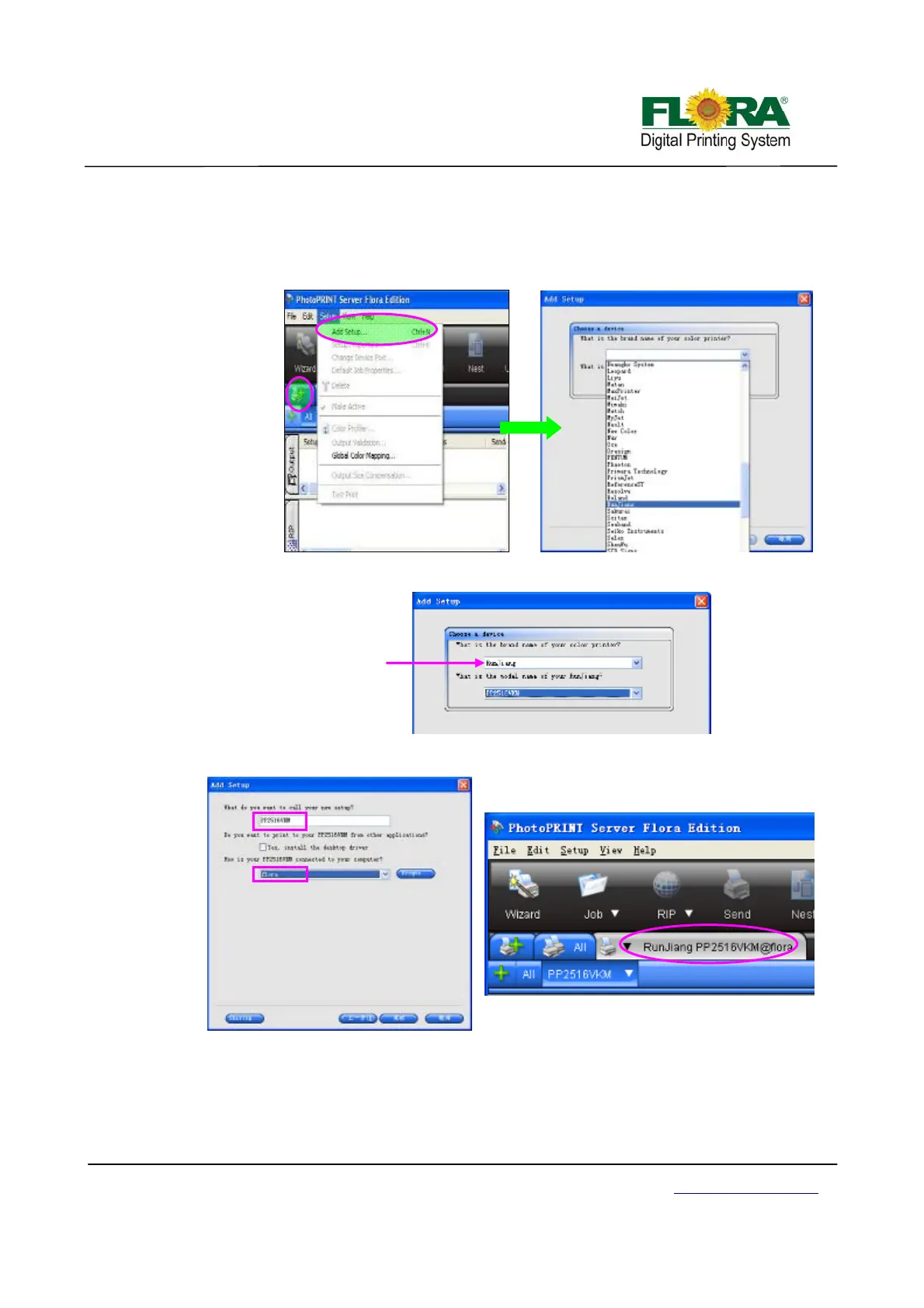
5.3.3 Add setup
1) Find the PhotoPrint 6.1 on the desktop and double click to open;
2) If it is the first time your install, it will prompt you to add your setup, or you can click “Add
Setup…” from “Setup” menu;
3) Then select the brand name of the printer and the model name. Then click “Next”;
4) Click “Finish” after the final process. Then you can find the device
If the setup is successful the installed device or printer will be shown on the Photoprint GUI.
5.4 Install print heads
¾ Unpacking the Print head
Open the package, and then take out the anti plastic bag.
The Brand name is
Runjiang



 To Next Page