Victor Xu Page 49 12 Jan. 2011
Copyright 2011 © Shenzhen Runtianzhi Image Technology, Co., Ltd.
http://www.floradigital.com
¾ Please take note W3 and W4 print heads Y-align are using different color just for
the sake of making the illustration easier to understand.
¾ Again due to space constraint not all print heads Y-align are shown above,
however for those other print heads you can follow the same steps.
Note:
Once the Y-alignment is completed, make sure you tighten the two fixation
screws for each print head.
5.5.3.2 Internal Alignment
Internal align is necessary for Konica heads because the Konica 512 head nozzles
are made wherein the 512 nozzles are divided into 2 parallel rows of 256 nozzles. Due to
some uncontrollable manufacturing errors (tolerances) perfect alignment is not guaranteed.
The print head internal align is required for both printing directions
Internal Left Align
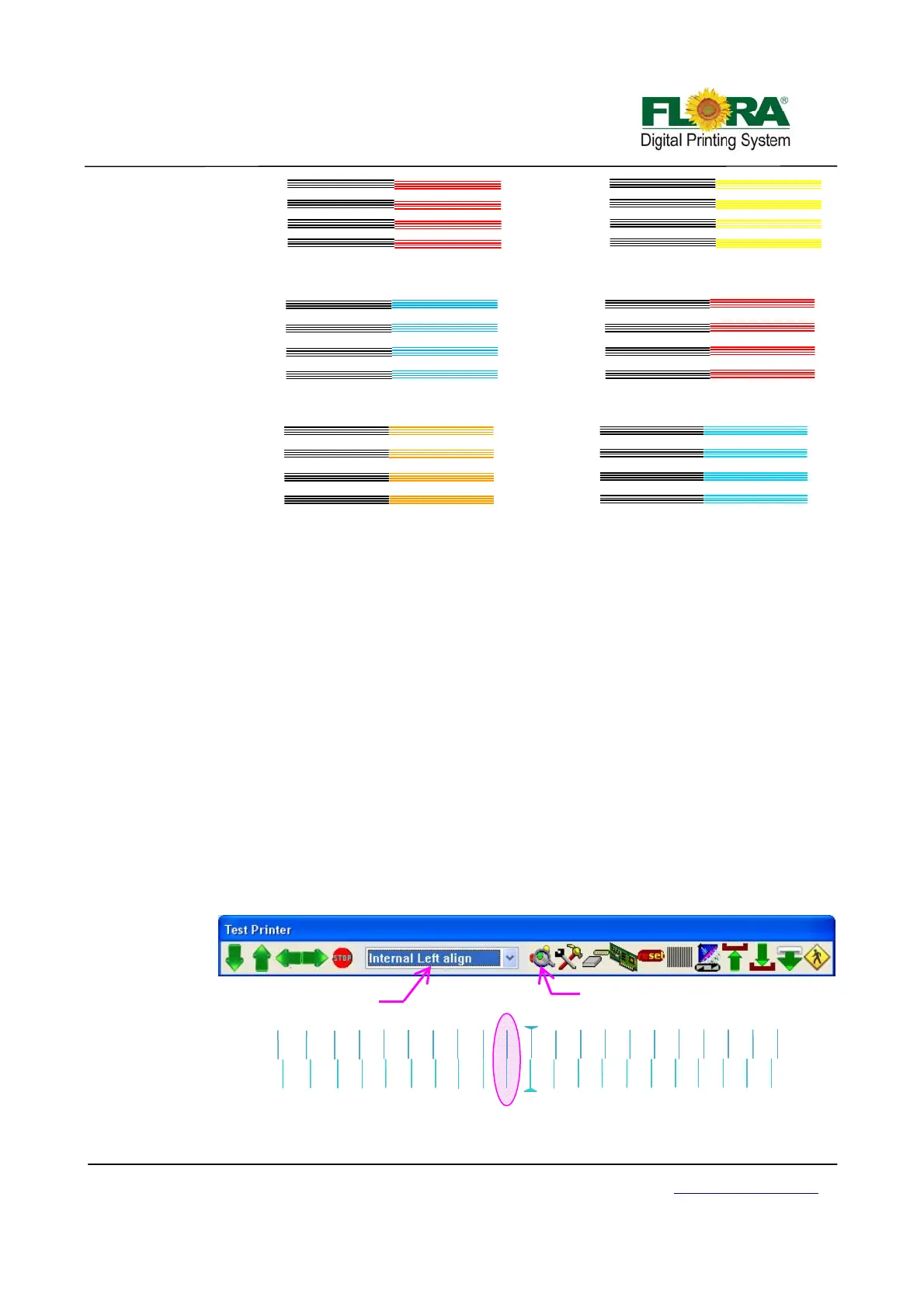
¾ On the printer tab select Internal Left Align option then click send print as
shown below. Further below shows how the print out should look like, the
Illustration shows the C1 alignment happen at -1 (in-circled).
Illustration for W print heads Y Align
K
K
K
Good
aligned
K
K
K
M
M
M
M
Go up↑
Illustration for M&Y Printheads
Ali
n
K
M
K
M
M
K
Need
down
↓
K
C
K
C
K
C
K
C
Illustration for C&M
rintheads Y Ali
n
Internal Left Align
-10
-9
-8
-7
-4
-2
-1
10
9
8
7
6
5
4
3
2
1
-5
-3
-6
C1
L E F T
-10
-9
-8
-7
-6
-5
-4
-3
-2
-1
10
9
8
7
6
5
4
3
1
C1
Click to send print
ali
n
Select Internal Left align



 To Next Page