Victor Xu Page 56 12 Jan. 2011
Copyright 2011 © Shenzhen Runtianzhi Image Technology, Co., Ltd.
http://www.floradigital.com
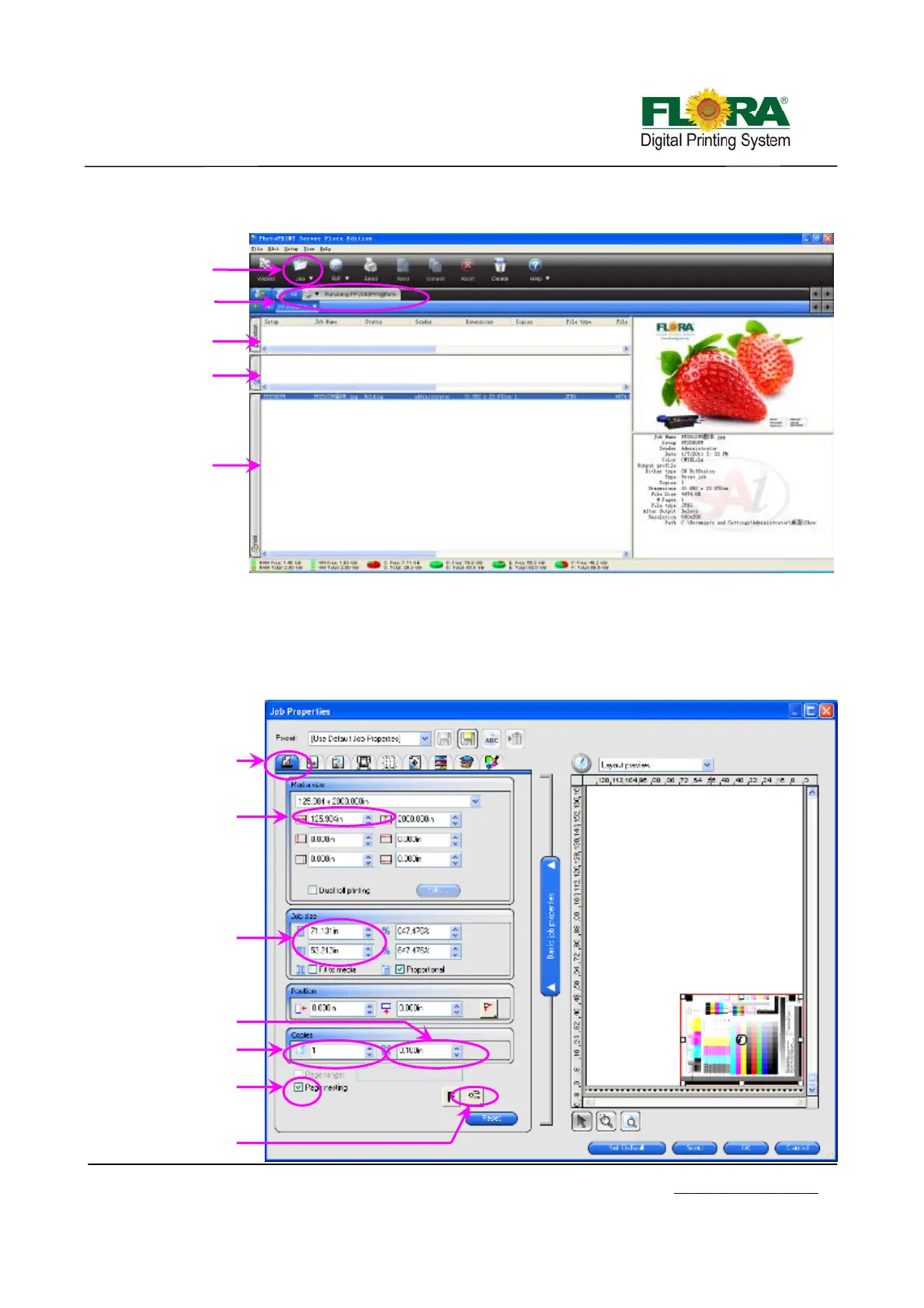
Job queue shows the list of all jobs that have been printed, aborted, ripped and new added
jobs waiting to be sent for editing or ripping.
6.4.2 Editing the Image
Figure below shows the image layout parameters like: printing size, margins, number of
copies and orientation of image. This is the first window that will pop out every time you click the
job or default job properties. After editing you can directly send the job for printing by clicking send
button or send for ripping by clicking OK button. Clicking the reset button will change all the
parameters back to default settings. Other parameters shown on this window are self- explanatory.
La
out tab
Nesting check
box
Image orientation
button
Media max
size
Space between
co
ies
No of co
ies
Ima
e size
La
Out Window
Printer
model
Printing job
ueue
Ripping job
ueue
Ripping job
ueue
Add job
icon



 To Next Page