Victor Xu Page 57 12 Jan. 2011
Copyright 2011 © Shenzhen Runtianzhi Image Technology, Co., Ltd.
http://www.floradigital.com
6.4.3 Work Flow Tag
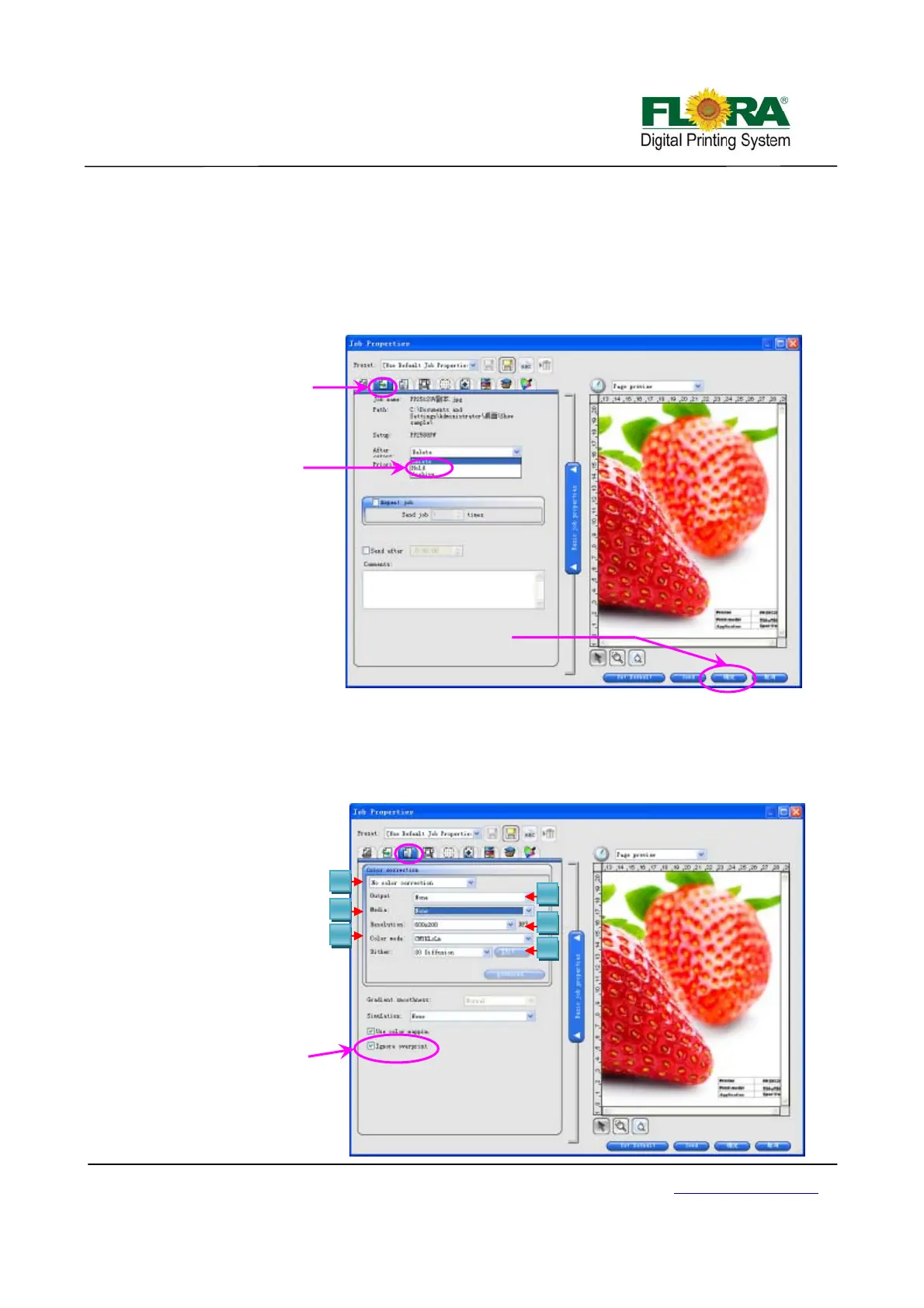
Figure below shows the option what to do with the job file after printing. There are three
options available for the end users:
¾ Delete – the image will be lost after printing is completed
¾ Hold – the image will be retained in the job folder after printing is completed
¾ Archive – the image will be sent in archive folder after printing is completed
Notice: Click OK button after you select from the option.
6.4.4 Color Management Tag
Figure below shows the image printing parameters in terms of resolution, ripping quality,
type of media, ICC profile and others. Detail explanations can be read in PhotoPrint manual, which
is available after the RIP software has been installed in the PC.
Click OK button or send button if all parameters are finalized.
1
3
5
2
4
6
Spot white must
un-tick this box
Work flow
tab
Work flow
box
Choose
hold
Click OK



 To Next Page