Victor Xu Page 40 12 Jan. 2011
Copyright 2011 © Shenzhen Runtianzhi Image Technology, Co., Ltd.
http://www.floradigital.com
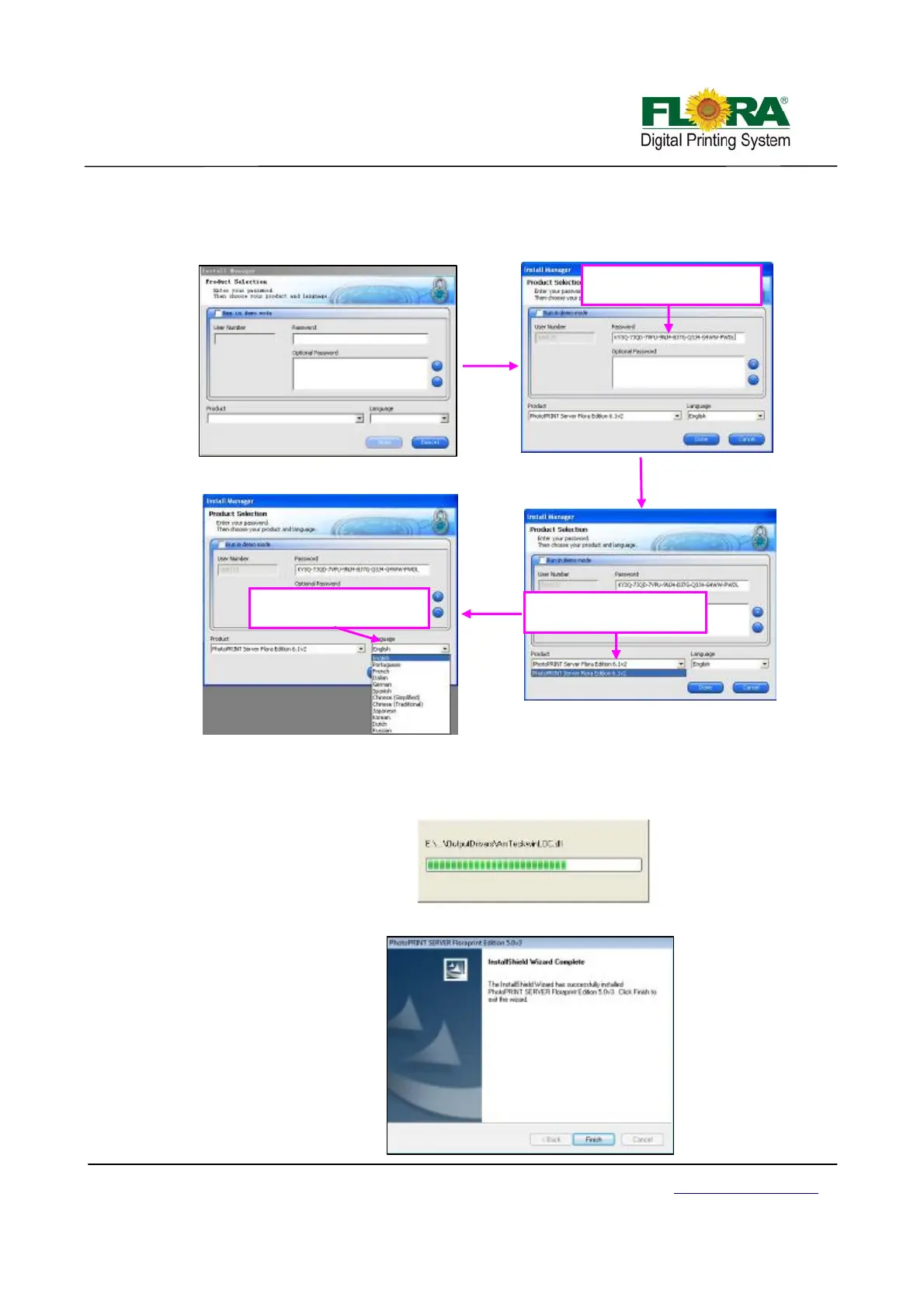
7) The 【Product Selection】 window will comes in after that. Please enter password which
you can find from the dongle. And then choose “PhotoPRINT SERVER Flora Edition
6.1v2” from product
8) Tick the “Install to desktop” selection on 【Install Manager】 window. Then click “OK”.
9) 【Start Copying Files】 window will appear. Click “Next”.
10) Click “Next”, software files will now start to install.
11) Click “Finish” after completing the successful installation.
Enter your password
Select your language
Select your product



 To Next Page