Victor Xu Page 39 12 Jan. 2011
Copyright 2011 © Shenzhen Runtianzhi Image Technology, Co., Ltd.
http://www.floradigital.com
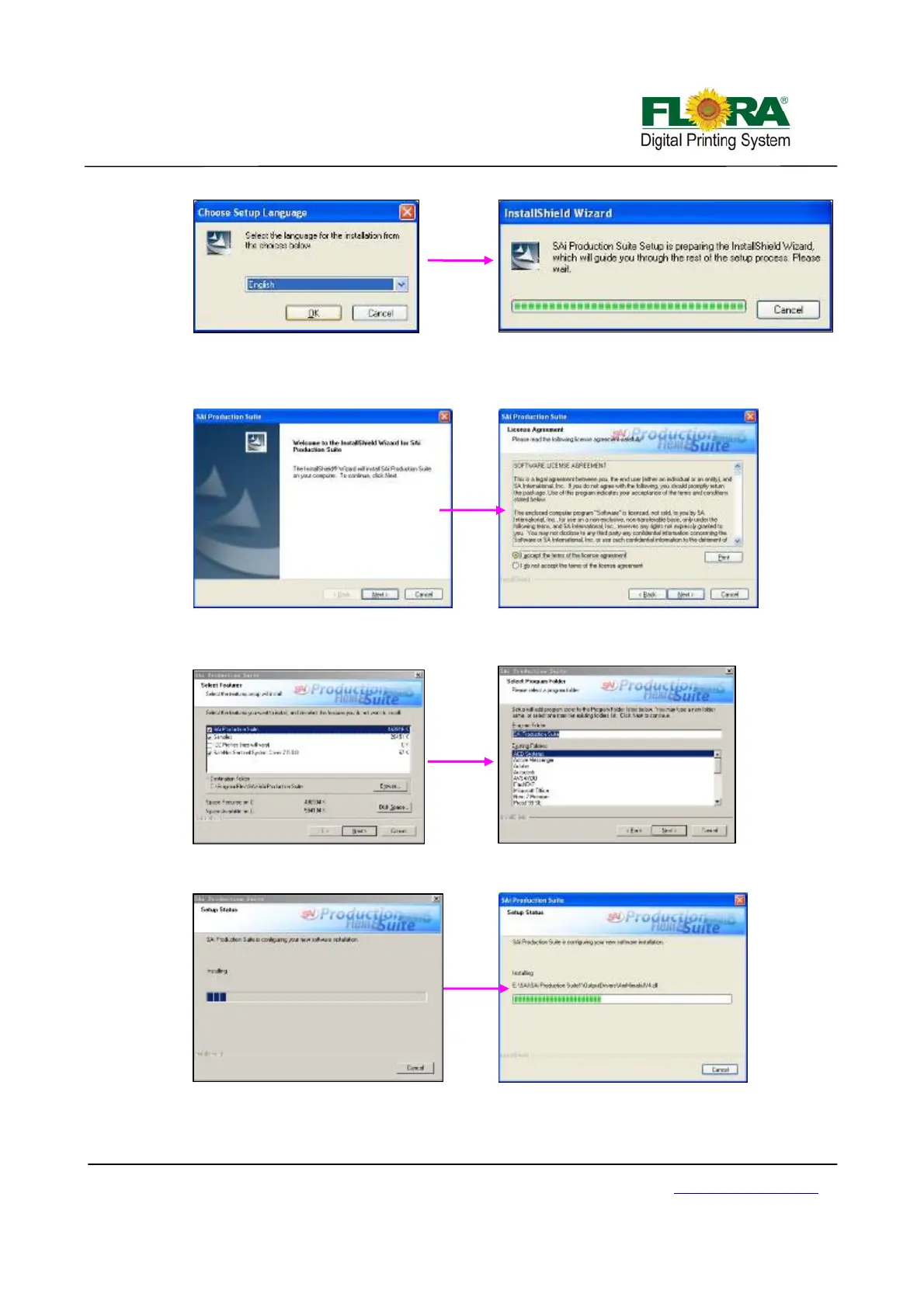
4) The Application Installer Setup will now prepare the Install Shield for the setup process,
then click “Next”. You will get a window for 【License Agreement】, please choose “I
accept the terms of the license agreement”
5) Click “Next” ,then 【Select Features】 and the 【Select Program Folder】 screen
window will show up.
6) Then you will get a window for 【Setup Status】, wait it finish.



 To Next Page