Victor Xu Page 46 12 Jan. 2011
Copyright 2011 © Shenzhen Runtianzhi Image Technology, Co., Ltd.
http://www.floradigital.com
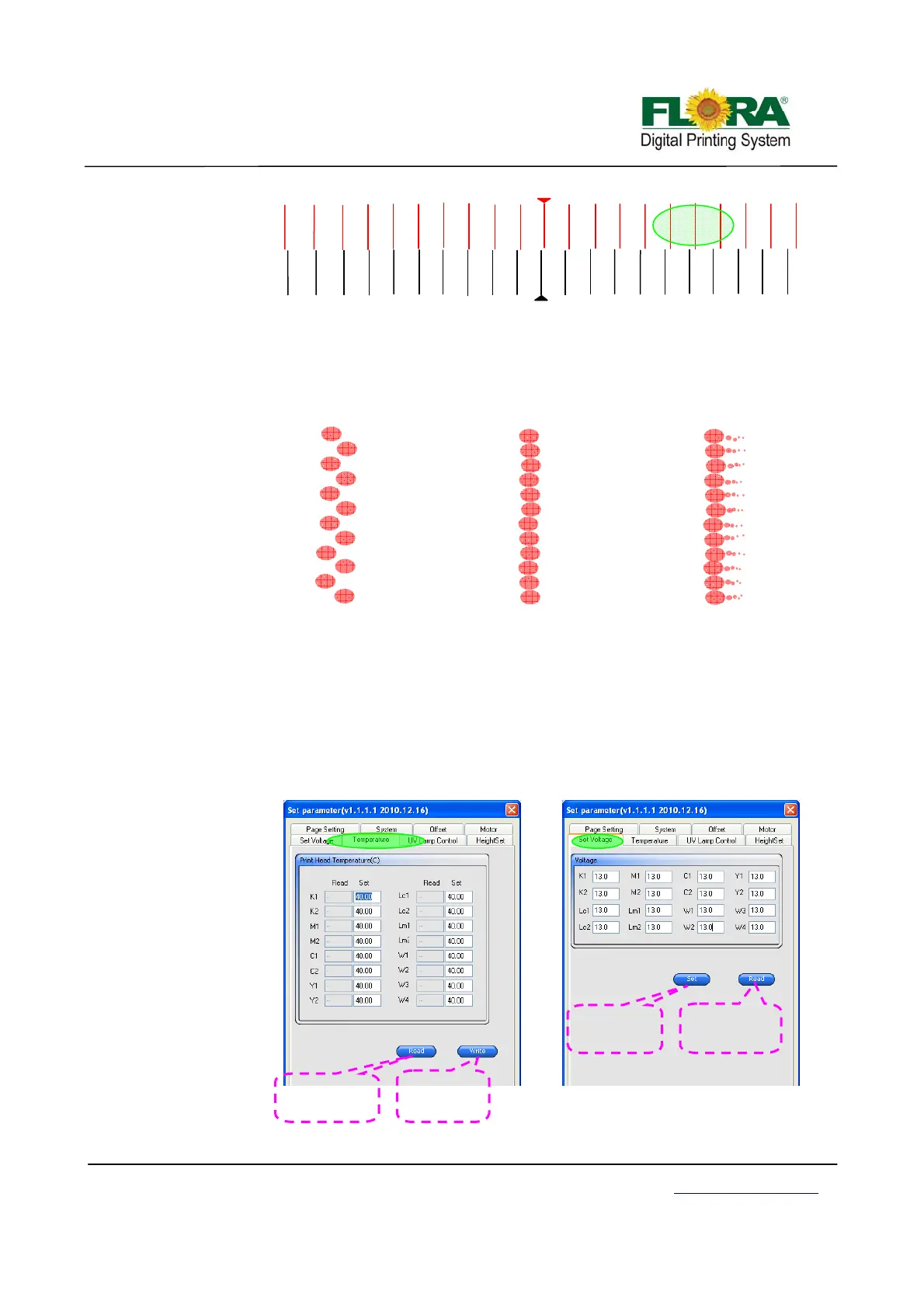
¾ Assuming the green shaded area will be view over a magnifying lens at least 40X
(100X magnification is better) the vertical lines are actually a group of dots pre
arranged according to print head nozzle design. For the case of Konica head it should
look like below.
¾ Sometimes getting the best dot print quality is a painful process so it needs patience.
All you can do is play with temperature and voltage settings.
¾ The recommended Voltage setting range is controlled by Flora driver software so
there’s no chance you set the voltage beyond the recommended range. While the
recommended temperature setting is 40-45ºC in most cases ink manufacturers have
their recommended temperature settings.
¾ When changing the Voltage and Temperature settings click setting icon on the Test
Printer tab.
Ri
ht Ali
n
-1
-10
10
-9
9
-8
8
-7
7
-4
4
-2
2
1 -5
5
-3
3
-6
6
M1
R I G H T
-10
10
-9
9
-8
8
-7
7
-6
6
-5
5
-4
4
-3
3
-2
2
-1
1
K1
Low Voltage or Low
Tem
erature Settin
s
GOOD
High Voltage Setting o
High
Tem
Settin
s
Temperature Window Tab
Click this button
to display the
actual temp
Click this
button to save
the new value
olta
e Window Tab
Click this
button to save
the new value
Click this button
to display the
current value



 To Next Page