830
Users Manual
126
1. Press to switch the Product on. Wait for the “Setup” screen to appear.
Note
Before proceeding with the update ensure that the indicated nominal capacity
of the battery is greater than 50%. If this is not the case, recharge the battery
to full capacity rst.
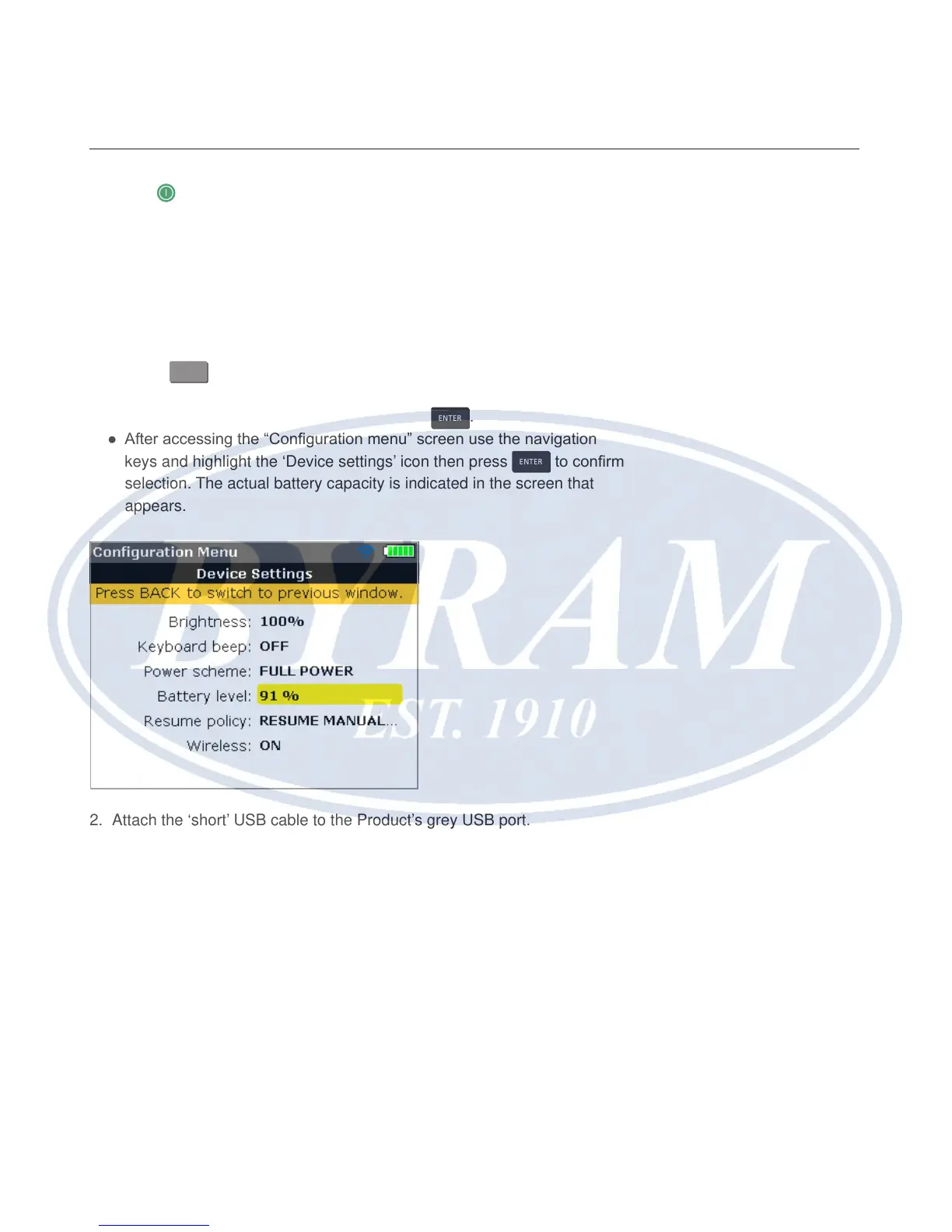
To check battery capacity proceed as follows:
● Press
MENU
.
● When in the “Main menu” screen use the navigation keys and highlight the
‘Cong’ icon. Conrm selection by pressing
ENTER
.
● After accessing the “Conguration menu” screen use the navigation
keys and highlight the ‘Device settings’ icon then press
ENTER
to conrm
selection. The actual battery capacity is indicated in the screen that
appears.
2. Attach the ‘short’ USB cable to the Product’s grey USB port.
3. Insert the approved memory stick into the ‘short’ USB cable.



 To Next Page