830
Users Manual
66
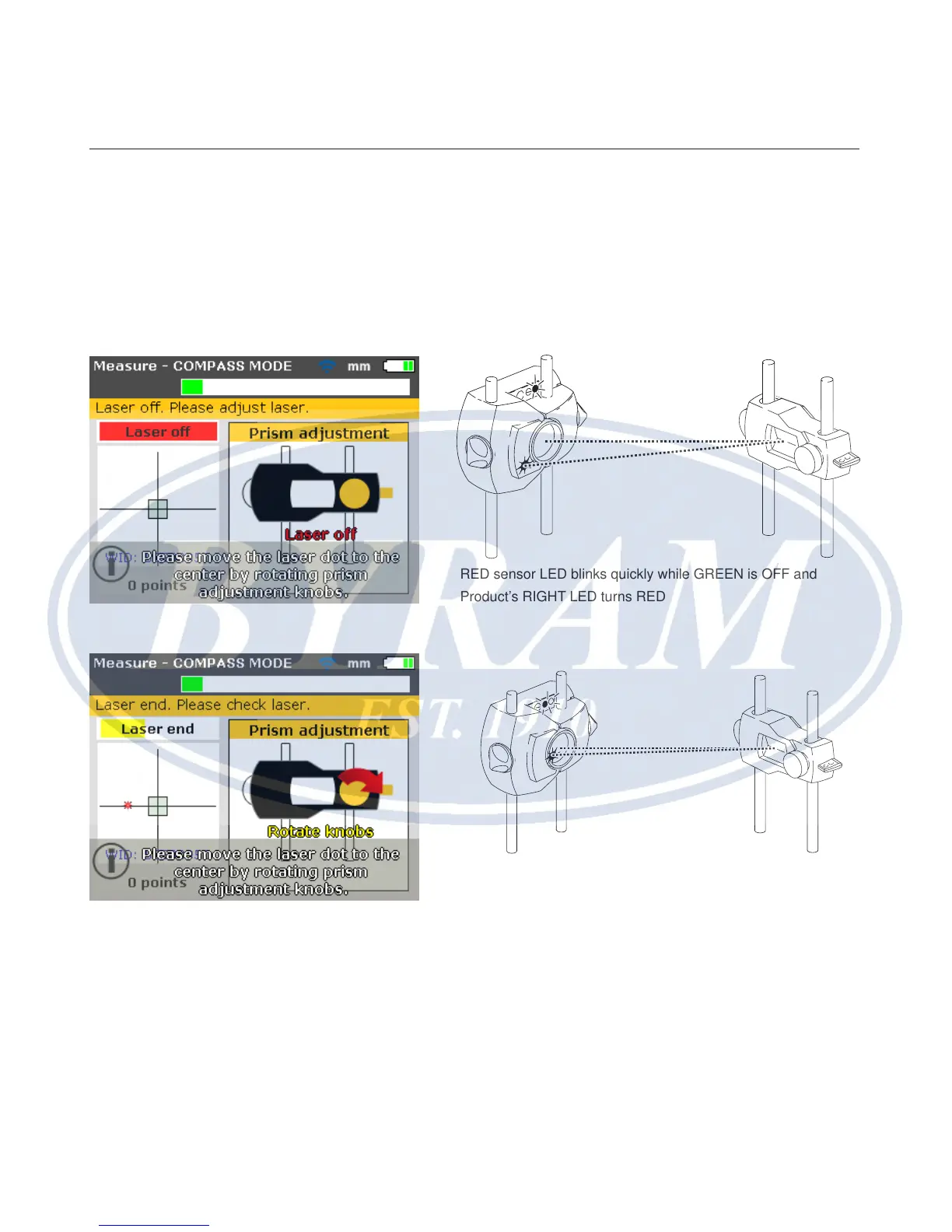
Center beam such that the Product’s right LED turns blue
Adjust the laser beam such that the laser dot on the display screen is positioned
in the green square in the center of the detector display.
● Horizontal adjustment with yellow prism knob
● Vertical adjustment with the side metal thumbwheel.
The Product’s right LED turns blue.
RED sensor LED blinks quickly while GREEN is OFF and
Product’s RIGHT LED turns RED
Both sensor LEDs blink quickly and alternately, and the
Products RIGHT LED turns ORANGE



 To Next Page