87
Available printing options
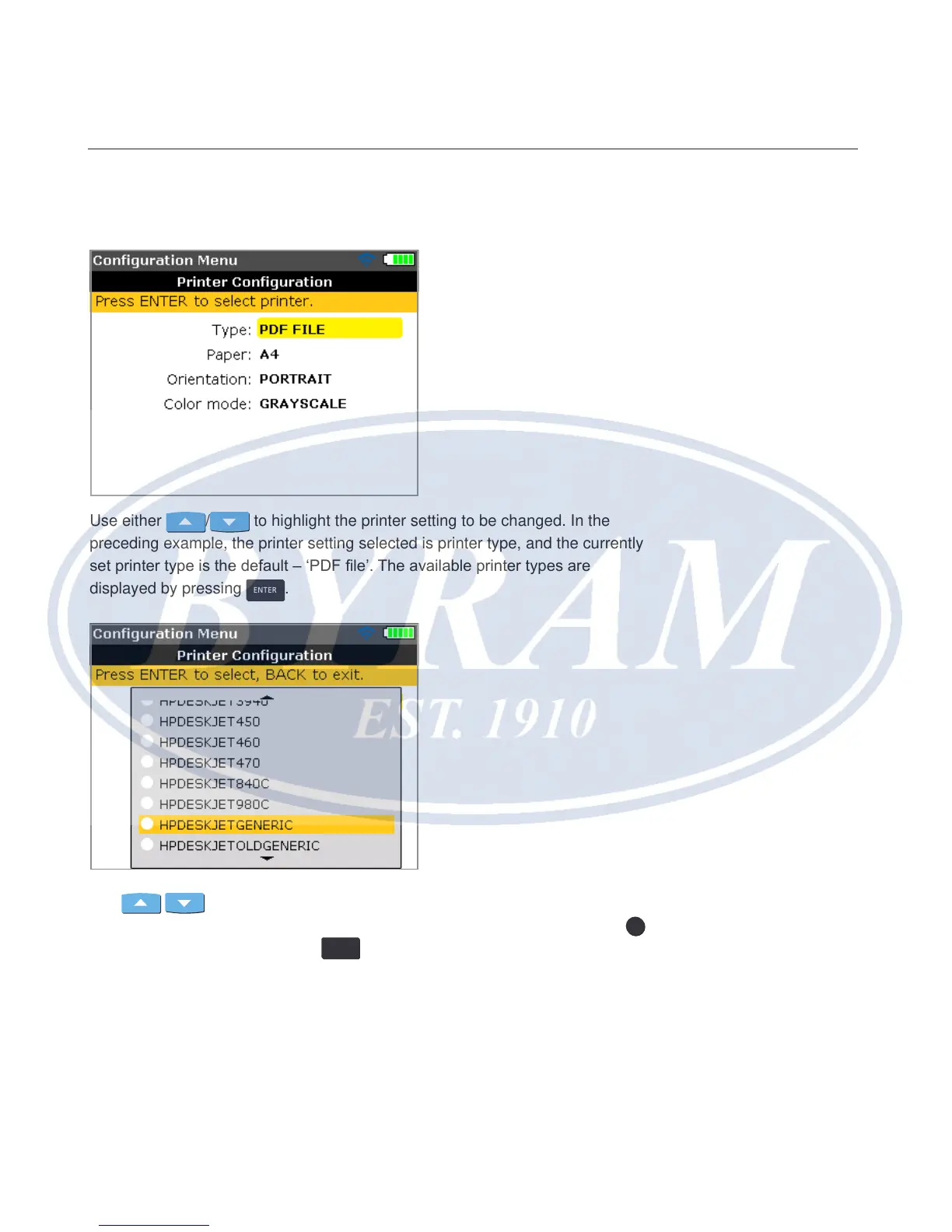
The “Printer conguration” screen shows the options that can be selected.
Use either
/ to highlight the printer setting to be changed. In the
preceding example, the printer setting selected is printer type, and the currently
set printer type is the default – ‘PDF le’. The available printer types are
displayed by pressing
ENTER
.
Use
/ to scroll through the available printers. The topmost printer type
(in this case the default printer type – ‘PDF le’ – may be selected by pressing
0
.
Highlight a printer and then press
ENTER
to conrm selection.
The measurement report may now be printed directly to the desired printer (in
this case ‘HP DeskjetGeneric’). Refer to ‘Printing reports’ previously.
Horizontal shaft alignment
Available printing options



 To Next Page