830
Users Manual
90
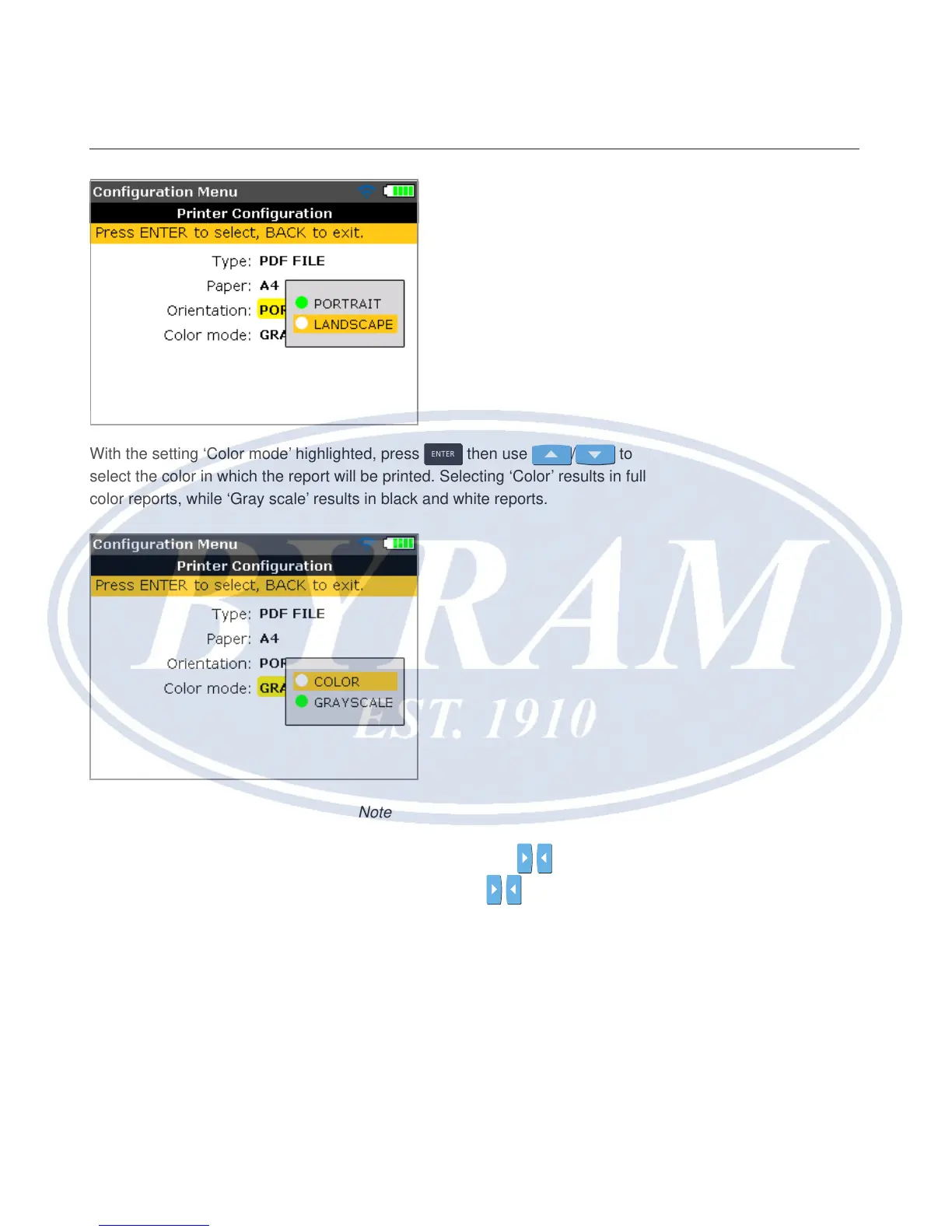
With the setting ‘Color mode’ highlighted, press
ENTER
then use / to
select the color in which the report will be printed. Selecting ‘Color’ results in full
color reports, while ‘Gray scale’ results in black and white reports.
Note
Note that with the three printer settings ‘Paper’, ‘Orientation’ and ‘Color mode’, it
is possible to toggle between the two available options using
/ .
For example if the setting ‘Paper’ is highlighted pressing
/ toggles between
the options ‘A4’ and ‘Letter’.



 To Next Page