AirCheck Wi-Fi Tester
Users Manual
24
ffy34.bmp
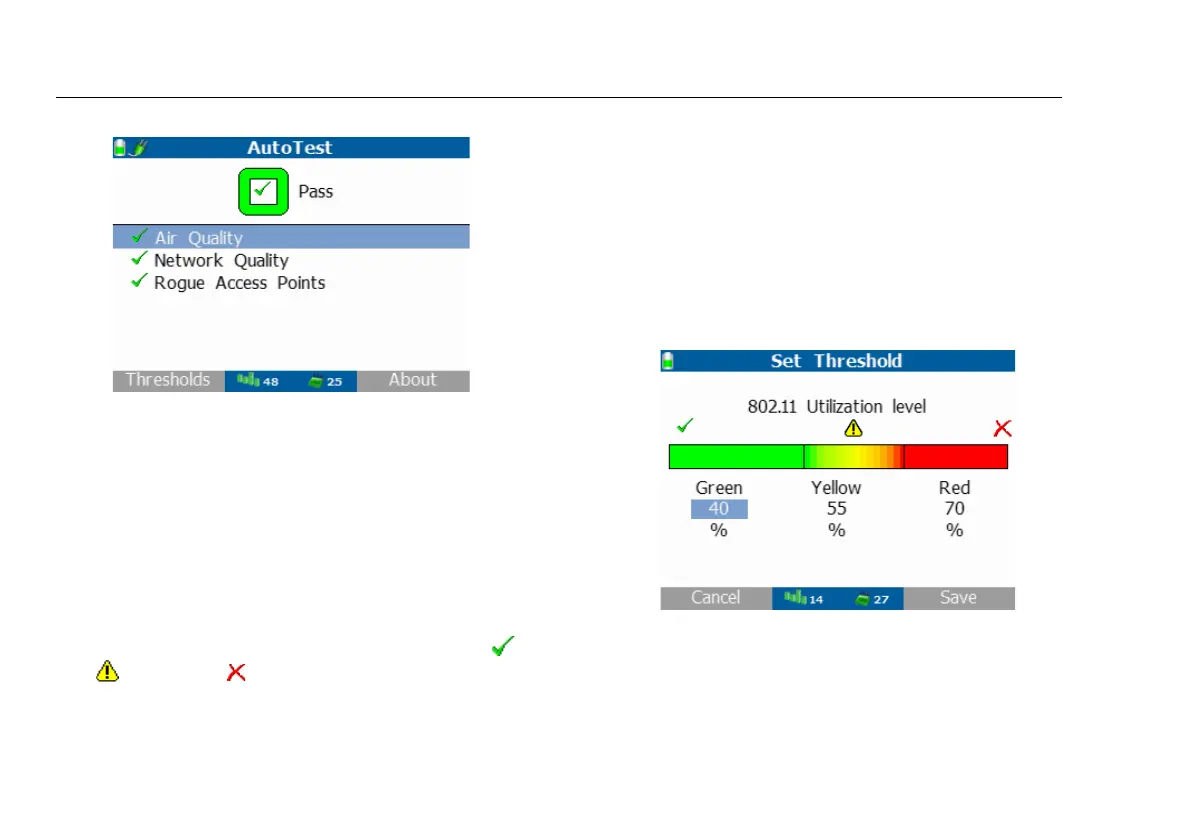
Figure 5. AutoTest Results Screen
Air Quality
The Air Quality measurement displays 802.11 Channel
Utilization, Non-802.11 Channel Utilization, and Co-channel
Interference.
802.11 Channel Utilization
The 802.11 Channel Utilization results include three Wi-Fi
channels with the highest 802.11 utilization and are
displayed with the measured value and rating symbol:
Pass, Warning, or Fail.
Save the profile so settings are not lost when the tester is
powered off. From the home screen, press
Profiles,
highlight and select Save profile. Alternately, save profiles
in Tools > Manage profiles / network passwords > Save
profile.
This measurement is based on the thresholds set in the
Tools > Thresholds / AutoTest Settings > 802.11 channel
utilization thresholds screen shown in the next figure.
ffy22.bmp
Figure 6. 802.11 Channel Utilization Default Thresholds
Press Thresholds to view the AutoTest threshold values
used to report your network health.



 To Next Page